What to check before buying
Decide which view you need while driving, then check parking power, recording retention and the fitting route for your vehicle.
| Concern |
What to check |
Who this matters to |
| Simple driving footage |
Check the front camera’s power arrangement and whether its mount leaves your road view clear. |
If I mainly want to record journeys, I may prefer a front camera without a rear cable. Around 25% of consumers put straightforward driving footage first. |
| Rear coverage |
Confirm that the rear camera and connecting cable suit the vehicle, and check recording time with both channels active. |
When an incident could happen behind my car, a forward-facing view alone would leave out what I most want to record. For around 31% of consumers, dedicated rear coverage is the primary concern. |
| Recording while parked |
Check the exact parking trigger and whether the camera needs constant power, a compatible accessory or battery protection. |
If I regularly leave my car where it could be bumped, I want to know what the camera can capture after I switch off the ignition. Around 25% of consumers put parked-vehicle recording first. |
| Footage retention and fitting |
Check card compatibility and recording time at your chosen settings, alongside the cable route and any vehicle-specific fitting requirements. |
I need footage to remain retrievable and the installation to work in my car, rather than choosing channels alone. Dependable retention and manageable fitting come first for around 19% of consumers. |
Dashcams for commuting on Joybuy
These front-only and front-and-rear cameras address different commuting needs. Compare the recording views first, then check storage, parking-power requirements and mounting for your car.
 No image available
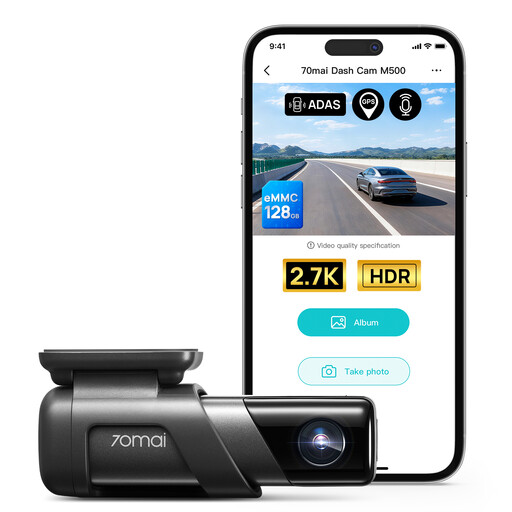
70mai M500 Dash Cam, 1944P, 64GB eMMC
Consider this front-only model if recording the road ahead matters more than a dedicated rear view. Its listing specifies 1944P recording, built-in 64GB eMMC storage and a 170° field of view.
If you need parked-vehicle clips or a particular footage-retention period, check its recording behaviour before choosing it.
Joybuy
 No image available
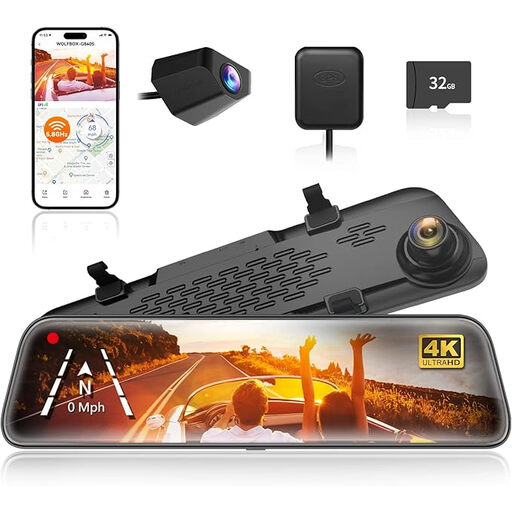
WOLFBOX G840S 12-inch 4K Mirror Dash Cam, front and rear
This mirror-style front-and-rear model is an option if you want a dedicated view behind the car as well as forward footage. Its title specifies 4K front recording, a rear camera and GPS.
Check whether the package includes the advertised 32GB card. Confirm the compatible power arrangement if parked-vehicle recording matters to you, and position the mirror display without obstructing your view.
Joybuy
 No image available
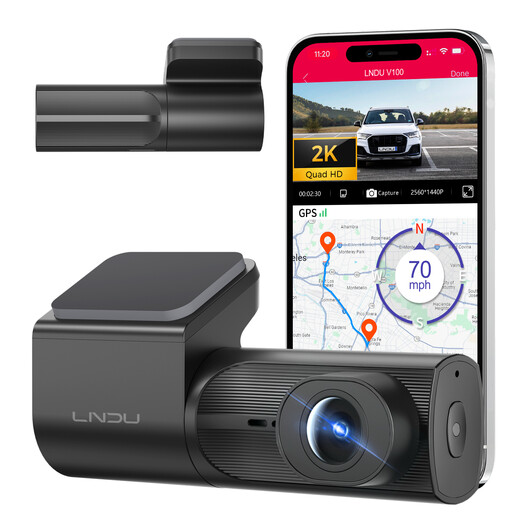
LNDU V100 2K Front Dash Cam
This front-facing camera suits drivers comparing forward recording with loop recording and G-sensor features, all stated in its listing title. It also lists Wi-Fi app control.
For parking use, check the required LNDU JYX05 hardwire kit and its fit with your vehicle. Confirm memory-card compatibility and package contents before buying.
Joybuy
 No image available
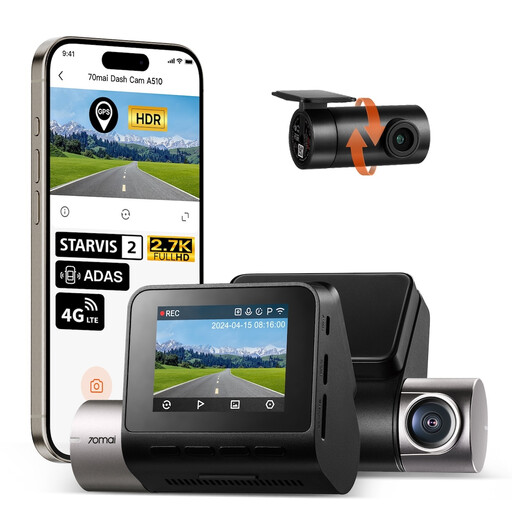
70mai A510-1 2.7K Front and Rear Dash Cam, 1944P + 1080P
Choose a dual-camera setup such as this if a dedicated rear view is central to your decision. The title specifies 1944P front and 1080P rear recording.
Plan the rear-cable route and check compatible microSD cards and two-channel recording time. The listed parking functions require a separate 70mai UP04 hardwire kit.
Joybuy
 No image available
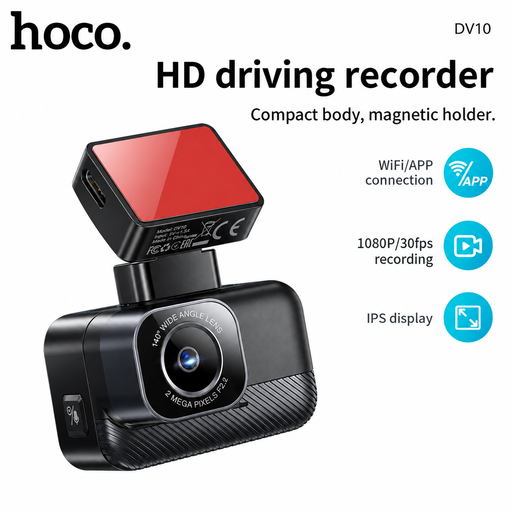
DV10 1.47-inch 1080P Mini Screen Dash Cam, Black
This compact front-camera option is for drivers comparing a small display with forward recording. Its title specifies 1080P, Wi-Fi and a 140° lens.
Check how it is powered during journeys, whether it starts recording as needed, and which memory card and recording functions suit your routine.
Joybuy
Common questions
Will a dashcam record while parked from the 12V socket?
Only if the camera’s parking feature has the power it requires after the ignition is off. Garmin says Parking Guard requires constant power, while BlackVue notes that many vehicle 12V sockets switch off with the ignition. Check both your camera’s instructions and your car’s socket behaviour.
What memory card should I use for a front-and-rear dashcam?
Use a card that meets the exact camera maker’s compatibility requirements, then check recording time with both channels at your chosen settings. Nextbase warns that incompatible cards can cause failures and shows shorter footage retention for front-and-rear recording than for front-only recording at comparable settings.
Can I put a dashcam anywhere on the windscreen?
No: position it so you retain a clear view of the road and traffic ahead. Driver and Vehicle Standards Agency guidance says windscreen items must not seriously obscure the driver’s vision; check the mount position before attaching it permanently.
Can I share footage from a personal dashcam?
Sharing identifiable footage calls for care rather than an assumption that every use is covered by the same rules. The Information Commissioner’s Office says its organisational surveillance guidance does not apply to recording in a purely personal or household context. Consider who and what the clip identifies, and check current ICO guidance if you intend to share footage beyond handling a personal incident.
Do I need to record audio on my commute?
You do not need to enable a microphone to record video of the road. Check the camera’s audio setting and whether capturing conversations serves your purpose. The Information Commissioner’s Office advises exceptional use of audio in its organisational vehicle-surveillance guidance, which should not be treated as a blanket rule for private driving.


