What matters when choosing?
Start with the software your course requires: that determines whether local CUDA is necessary. Then choose the memory, storage and desk connections for the way you expect to study.
| Concern |
What to check |
Who this matters to |
| Notebook multitasking |
Check installed memory, SSD capacity and the ports needed for your monitor or dock on the exact configuration. |
If I keep notebooks, course materials and browser research open together, I want a configuration that suits that workload at my desk. Around 50% of consumers put smooth study multitasking first. |
| Local CUDA work |
Confirm that the exact NVIDIA GPU is CUDA-capable and check your course’s framework, driver and Windows or WSL requirements. |
When an assignment requires local CUDA tools, I need a machine that can run the specified software rather than one with a general graphics label. Local CUDA is the primary need for around 30% of consumers. |
| Portable macOS study |
Check course-tool compatibility, the chosen memory and storage, and support for your intended monitor arrangement. |
If I study in macOS and move my laptop between workspaces, I want to settle the configuration before purchase without overlooking a course requirement for CUDA. Around 20% of consumers prioritise this portable macOS workflow. |
Laptop choices on Joybuy
These laptops span notebook-focused study, Windows configurations to assess for local GPU work, and macOS study without NVIDIA CUDA. Match any GPU-dependent choice to your course’s exact software requirements.
 No image available
MSI Summit 16 AI Evo, Core Ultra 7 255H, 32GB, 1TB SSD
Consider this configuration for notebook work and study across several applications when local NVIDIA CUDA is not required.
Its title specifies a 16-inch QHD+ 165Hz display, 32GB LPDDR5 RAM, a 1TB SSD and Intel Arc graphics. Confirm the exact screen configuration and any future memory-upgrade needs before buying.
View on Joybuy
 No image available
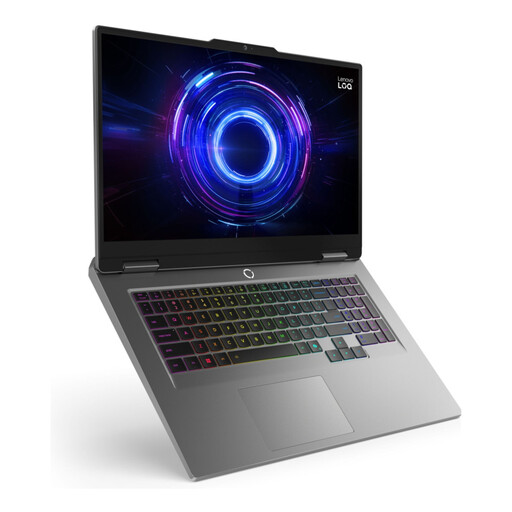
LOQ 17IRX10 i7-13650H, 24GB, 1TB, W11H
Consider this Windows configuration for local study, but confirm its exact GPU and software setup if your course requires CUDA.
The product name identifies an i7-13650H processor, 24GB memory and 1TB storage. Check the selected configuration’s graphics details before relying on it for a GPU-dependent assignment.
View on Joybuy
 No image available
Lenovo LOQ Essential 15ARP11, Ryzen 7 170, RTX 5050
This configuration is worth checking if coursework calls for a named NVIDIA GPU; confirm the required framework and driver setup before purchase.
Its title specifies 16GB RAM, a 1TB SSD and a 15.6-inch 144Hz Full HD display. Check whether the selected memory capacity suits your planned local workload.
View on Joybuy
 No image available
MSI Stealth 18 AI Studio A1VGG-001UK, RTX 4070
This 18-inch configuration offers a named NVIDIA GPU for readers checking local GPU coursework, subject to their course’s framework and driver requirements.
The product name specifies an Intel Core Ultra 9 processor, 2TB SSD and GeForce RTX 4070. Check whether its size suits the way you will use and carry it.
View on Joybuy
 No image available
Apple 15-inch MacBook Air (2026), M5, 16GB, 1TB SSD, Silver
Consider this MacBook Air for Python and notebook study if local NVIDIA CUDA is not required and your course tools work with macOS.
Its title specifies an M5 chip with a 10-core CPU and 10-core GPU. Confirm the selected 16GB memory and 1TB SSD configuration, plus compatibility with your intended external display, before ordering.
View on Joybuy
Frequently asked questions
Do I need an NVIDIA GPU to study data science?
No, not for every course. Python and Jupyter study can include coding and notebook work without local NVIDIA graphics; check whether your own assignments require CUDA. NVIDIA specifies a CUDA-capable GPU for CUDA installation, while Microsoft documents NVIDIA CUDA use through WSL.
What should I set up first on a Windows study laptop?
Start with your course’s required Python version and environment instructions. The Python Software Foundation notes that Windows does not include a system-supported Python installation. If the course requires CUDA, check its NVIDIA driver, Windows or WSL, and framework prerequisites before setting up that workload.
Can a MacBook Air connect to a home-office monitor?
Apple’s current UK MacBook Air specification lists Thunderbolt 4 ports and external-display support. Check the exact model against your monitor’s resolution and refresh rate, the adapter or dock you intend to use, and your charging arrangement.
What if a laptop bought from a UK trader is faulty?
The Consumer Rights Act 2015 provides statutory remedies for faulty goods bought from a trader; the Act’s explanatory notes describe repair or replacement among them. Keep the order and product-description records, contact the seller about the fault, and do not assume a manufacturer warranty replaces your statutory rights.


