For notebook-led data science study, confirm your course software first, then prioritise memory, storage and a workable shared-desk connection over a discrete GPU. Consider a larger GPU-equipped laptop only if your course or projects require local acceleration; it will take up more desk and bag space, and the required software setup still needs checking.
Who needs which setup?
Notebook-and-coursework student
If your work centres on Python or R notebooks, SQL, spreadsheets and visualisation rather than sustained local GPU training, check the department's software requirements before choosing memory and storage. CFA UK distinguishes everyday local hardware needs from more demanding work that may use remote compute.
Shared-desk commuter
If you carry your laptop between study locations, consider its weight, charger and connection to the desk monitor together. The University of York suggests a weight below 1.5kg for students carrying a laptop around campus and recommends checking external-monitor connectivity.
Local machine-learning learner
If your coursework specifies local GPU work, confirm the required framework, operating system and graphics hardware before choosing a larger laptop. A discrete GPU is not, by itself, confirmation that the course environment will run on it.
What matters when choosing?
Start with the course toolchain and everyday notebook workload, then check how the laptop will fit the desk and your journey. The University of York lists 8GB RAM and a 256GB or larger SSD as a general taught-student minimum, not a guarantee for specialist data science coursework.
| Concern | What to check | Who this matters to |
|---|
| Memory and storage |
Check installed RAM, upgrade options and SSD capacity against the department's requirements and the files you will keep locally. |
If I keep notebooks, course files and several applications open together, I want enough capacity without buying graphics hardware I do not need. Around 45% of consumers put coursework capacity first. |
| Desk space and portability |
Check carry weight, screen size and the connection required by your desk monitor and peripherals. |
When I move between study locations, I need a laptop I can carry and connect at the shared desk without rearranging everything. Roughly 33% of consumers prioritise that combination of mobility and desk setup. |
| Local GPU and software |
Ask which operating system, framework and local or remote compute arrangement the course requires. |
If assessed work depends on local GPU acceleration, I need the required software environment to work with the hardware I choose. About 22% of consumers place that toolchain requirement first. |
Buying pitfalls
-
Buying a GPU laptop before checking the course software
A discrete GPU alone does not settle framework compatibility. TensorFlow's installation guidance says GPU use for releases after 2.10 on Windows requires WSL2, while macOS has no official TensorFlow GPU support.
Get the course's operating-system, framework and local-versus-remote compute instructions before choosing graphics hardware.
A required WSL2, driver or development-environment setup can add work even after you have the hardware.
-
Treating a general student minimum as a course guarantee
The University of York's general taught-student specification is a baseline; specialist departments can set different requirements or provide remote resources.
Check the department's guidance on datasets, virtual machines and programming environments before deciding how much memory or storage you need.
-
Overlooking the shared desk's connections
A compact laptop may not have the ports used by the desk monitor and peripherals. Apple's MacBook Air specifications, for instance, list two Thunderbolt 4 USB-C ports.
Identify the monitor input and any USB-A or Ethernet devices, then check whether the chosen laptop connects directly or needs a compatible adapter.
A hub, dock or display cable may be needed for the desk setup.
-
Putting an old laptop in household rubbish
GOV.UK advises against putting unwanted electrical products in household rubbish.
Back up and remove personal data, then use an appropriate recycling collection point or ask about like-for-like retailer take-back when replacing the laptop.
Brands and ranges to consider
Apple
MacBook Air is a portable macOS option when a department supports the required course software.
- Apple lists MacBook Air configurations with 16GB unified memory, SSD storage and two Thunderbolt 4 USB-C ports; check the exact configuration and display requirements.
- TensorFlow's installation guidance states that macOS currently has no official TensorFlow GPU support.
Lenovo
ThinkPad P is a mobile-workstation range to examine when the course calls for more demanding local work.
- Lenovo describes ThinkPad P as a workstation range with independent software vendor certification.
- Check the particular model's graphics, weight and software requirements rather than assuming a workstation is necessary for introductory study.
HP
ZBook configurations are relevant when specified local analysis, visualisation or graphics work calls for workstation hardware.
- HP lists selected ZBook configurations with up to 128GB memory, 8TB storage and NVIDIA RTX PRO graphics; those figures are configuration-specific.
- Check whether your coursework needs those capabilities before choosing a larger configuration.
Dell
Dell Pro Precision is a workstation family to consider if professional applications or a particular operating-system option are required.
- Dell lists selected Precision models with configurable graphics and Ubuntu Linux options.
- Confirm the exact model's configuration and course compatibility; the range's professional positioning does not make every model necessary for study.
Joybuy laptops for shared-desk study
These choices cover compact and larger Windows study laptops, including a larger model to examine if local GPU work is part of your course. Match the exact configuration and connections to your course and desk before deciding.
 No image available
ASUS Vivobook 14 X1407QA-LY003W, Snapdragon X, 16GB RAM, 512GB SSD, Quiet Blue
Consider this 14-inch option for notebook-led study if your required packages and development tools run on its Snapdragon X platform.
Check the course software and your desk monitor's connection before buying. The listed 16GB memory is onboard, so confirm it will meet your course requirements.
View on Joybuy
 No image available
ASUS Zenbook DUO UX8406CA-QL135W, dual 14-inch OLED touch displays, 16GB RAM, 1TB SSD
The two-display arrangement may suit coursework that keeps notebooks and reference material open together, provided it fits your shared desk.
Confirm the supplied display resolution before buying. For regular carrying, allow for both the laptop and its detachable keyboard; their listed weights total 1.65kg.
View on Joybuy
 No image available
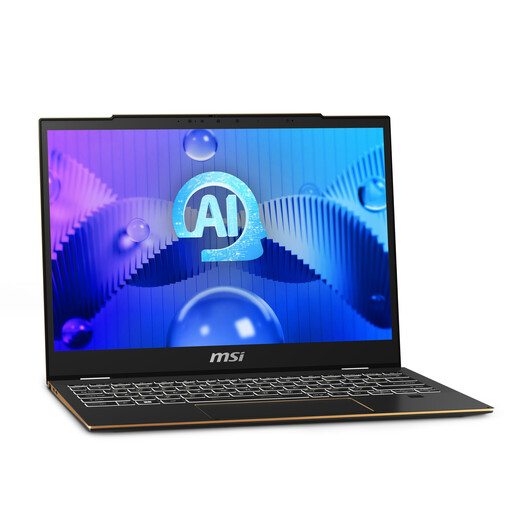
MSI Summit E13 AI Evo, Core Ultra 7 155H, 32GB RAM, 1TB SSD
Consider the 13-inch format if you regularly clear and carry your laptop away from the shared desk, and the stated memory and storage suit your local coursework.
The title specifies an FHD+ 60Hz touch display and Intel Arc graphics. Confirm the exact carry weight for the configuration you choose; do not treat its graphics as a substitute for a course-required NVIDIA GPU.
View on Joybuy
 No image available
Lenovo IdeaPad Slim 3 83K7009MUK, 15.3-inch WUXGA, 24GB RAM, 512GB SSD, Grey
The larger built-in display may be worth considering if you often study without the shared desk's external monitor.
The listed weight is 1.59kg. Confirm the monitor-output and peripheral connections you need before buying.
View on Joybuy
 No image available
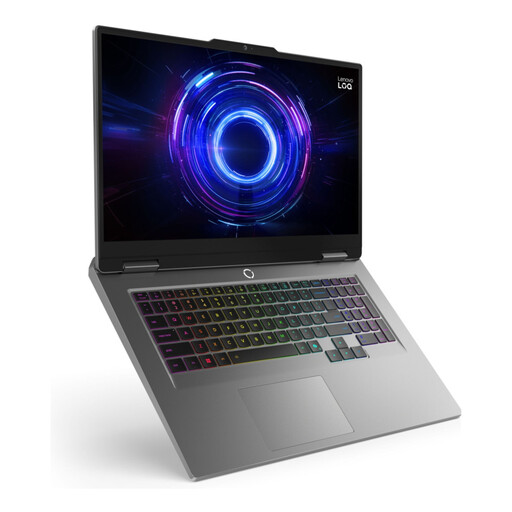
LOQ 17IRX10, i7-13650H, 24GB RAM, 1TB SSD, W11H
Examine this larger laptop only if its exact graphics configuration and software environment match work you need to run locally.
Its listed 17.3-inch size and approximate 2.9kg weight matter if you must carry it regularly or clear the shared desk. For current TensorFlow GPU work on Windows, check the WSL2 requirement.
View on Joybuy
Frequently asked questions
Do I need a dedicated GPU to study data science?
Not unless your course or intended projects require local GPU work. Check the assessed framework and whether university or cloud compute is available before choosing GPU hardware; TensorFlow's current installation guidance also sets platform-specific conditions for GPU use.
What should I check before buying a laptop for a shared desk?
Check the monitor input, the peripherals you need to connect and the space available for the laptop and charger. If you carry it regularly, weight matters too: the University of York suggests less than 1.5kg for laptops carried around campus.
Can I return a faulty laptop bought from a UK retailer?
A faulty laptop may qualify for a remedy under the Consumer Rights Act 2015; this is distinct from a change-of-mind return. For goods bought on or after 1 October 2015, Coventry Trading Standards says a refund is usually available if an item is faulty within 30 days, with the available remedy thereafter depending on the circumstances. Keep your order details and a record of the fault.
How should I dispose of an old laptop?
Remove your personal data and take the laptop to an appropriate electrical-waste collection point rather than putting it in household rubbish. GOV.UK also states that a retailer selling you a new like-for-like electrical product must accept the old one free of charge.


