What to prioritise
Check course compatibility and where the work will run before deciding how much local capacity you need. Then compare the laptop’s actual footprint with the space available for notes, cables and peripherals.
| Concern |
What to check |
Who this matters to |
| Memory and storage |
Compare 16GB memory and a 512GB SSD as a starting configuration; check the fitted capacity and whether memory can be upgraded. |
If I keep notebooks, an editor and browser research open together, I want enough capacity for my usual coursework. Around 31% of consumers would put memory and storage first. |
| Desk footprint |
Compare chassis width and depth, not just the 13- or 14-inch screen diagonal; allow space for notes and cables. |
When my desk must also hold notes and a charger, the laptop’s physical size decides what fits. For around 31% of consumers, footprint would be the primary concern. |
| Course compatibility |
Check the current module software list, operating system and processor architecture. If Docker is required on Windows, check its applicable Windows and WSL requirements. |
I do not want to choose a platform before I know that my required tools will run on it. Compatibility would come first for around 23% of consumers. |
| Local-workload headroom |
Ask whether assignments require local containers, databases, virtual machines or datasets, or whether suitable lab or cloud access is available. |
If I must run several development tools locally, I need to plan for that workload rather than choose by screen size alone. Around 15% of consumers would make local headroom their first priority. |
Joybuy laptop choices
These 13- and 14-inch-class choices include macOS configurations and a Windows laptop with a Snapdragon X processor. Compare each one with your module software list before treating its memory or screen size as a reason to buy.
 No image available
Apple 13-inch MacBook Air (2026), M5, 24GB, 1TB SSD, Midnight
Consider this compact configuration if your course supports macOS and Apple silicon and you expect to keep substantial work on the laptop.
The product name specifies an M5 chip with a 10-core CPU and 10-core GPU, 24GB memory and a 1TB SSD. Check the connections needed for your desk setup.
View on Joybuy
 No image available
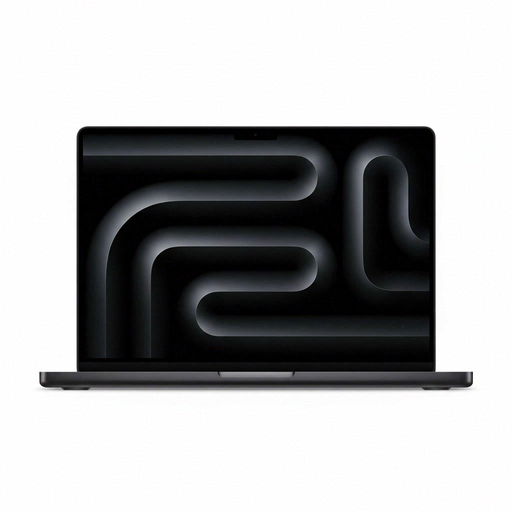
Apple MacBook Pro 14.2-inch, M5 Pro, 24GB, 2TB, Space Black
This is a 14.2-inch option to assess if your course supports macOS and you need more local storage.
The product name specifies an M5 Pro with a 15-core CPU and 16-core GPU, 24GB memory and 2TB storage. Check the exact chassis dimensions and what power adapter is included with the listing.
View on Joybuy
 No image available
Apple 13-inch MacBook Air (2026), M5, 16GB, 1TB SSD, Sky Blue
This compact macOS configuration pairs 16GB memory with more storage than the 512GB option below, provided it supports your course tools.
The product name specifies an M5 chip with a 10-core CPU and 10-core GPU. Check the connections needed for your monitor and other peripherals.
View on Joybuy
 No image available
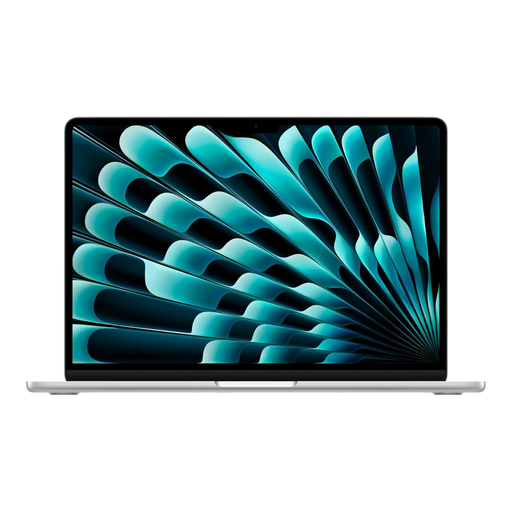
Apple 13-inch MacBook Air (2026), M5, 16GB, 512GB SSD, Silver
This is a compact configuration to compare with the 16GB-memory, 512GB-SSD starting point if your course supports macOS and Apple silicon.
The product name specifies an M5 chip with a 10-core CPU and 8-core GPU. Check its connections against your desk setup.
View on Joybuy
 No image available
ASUS Vivobook 14 X1407QA-LY003W, Snapdragon X, 16GB, 512GB SSD, Quiet Blue
Consider this 14-inch Windows-on-Arm model only after checking that your course applications and development tools support its processor architecture.
The product name specifies a Snapdragon X processor, 16GB RAM and a 512GB SSD. If your course requires Docker, check its Windows-on-Arm requirements in particular.
View on Joybuy
Common questions
Is 8GB of RAM enough for studying data science?
For a new laptop that will run several study tools together, compare 16GB configurations before choosing 8GB. Microsoft Learn’s 4GB Windows 11 requirement is an installation minimum, while London South Bank University describes 16GB–32GB machines in its data-engineering lab; check what your own course expects you to run locally.
Should I choose a 13- or 14-inch laptop for a small desk?
Choose by the space the complete laptop occupies, not its screen diagonal alone. A 13-inch-class model is worth comparing when room beside your notes is tight; consider a 14-inch model if you want more screen area, but measure its actual width and depth against your desk first.
Should I choose macOS or Windows for a data-science course?
Choose an operating system your course supports for its required applications and assignments. If modules prescribe Windows-only software or a WSL workflow, check those requirements before considering macOS; if they support macOS, also confirm Apple-silicon compatibility where relevant. Docker’s Windows guidance makes processor architecture an additional check for container work.
Will I need a dock on a small desk?
A dock may be useful if your monitor and other wired devices need more connections than the selected laptop offers. Apple UK lists two Thunderbolt 4 ports on the cited MacBook Air specification, but check the exact configuration’s ports, display support and charging needs before choosing a dock.


