Desk-based two-screen learners
If most study happens at one desk, prioritise a dependable connection for two monitors, peripherals and charging. Check whether the exact laptop supports the intended direct connections or dock.


Choose the laptop and display connection as a system: the exact configuration, dock or direct connections must support two independent external screens at the resolutions and refresh rates you need. A Windows laptop with a compatible dock suits a desk-based setup; consider a configured NVIDIA workstation when your work requires local CUDA, or an M5 Pro or M5 Max MacBook Pro when your course tools suit macOS. Check cables, charging and software compatibility alongside the display specifications.
If most study happens at one desk, prioritise a dependable connection for two monitors, peripherals and charging. Check whether the exact laptop supports the intended direct connections or dock.
If a module or local project calls for NVIDIA CUDA, the GPU and software environment become part of the purchase decision, not just the screen arrangement.
If you use macOS-compatible study tools and carry your laptop between study locations, check that its exact chip and connection plan also support your two screens at the desk.
Establish how both screens will connect, then check whether your coursework requires local CUDA or supports your preferred operating system. A dock specification alone does not establish what a particular laptop can drive.
| Concern | What to check | Who this matters to |
|---|---|---|
| Two-screen output and docking | Match the exact laptop and dock or direct ports to both monitors’ resolution and refresh rate. Confirm the cables and charging power required. | If I study mainly at one desk, I need both external screens to work together without assuming a USB-C connector is enough; around 50% of consumers would put dependable two-screen output first. |
| Local CUDA capability | Check whether your modules require CUDA. If so, confirm the exact NVIDIA GPU configuration and compatible Windows, framework and driver requirements. | For local machine-learning work that specifically requires CUDA, I cannot choose on display support alone; roughly 30% of consumers would make local CUDA capability their primary concern. |
| Portability and operating-system fit | Confirm that course tools work on your chosen operating system and that the exact chip and connection plan support both monitors. | When I carry my laptop between study locations but use macOS tools at the desk, I need portability without losing the two-screen setup; around 20% of consumers would prioritise that workflow. |
Dell lists dual 4K at 60 Hz for its Pro Thunderbolt 4 Smart Dock, but that dock specification does not establish the output of every connected laptop. Lenovo also provides system-specific ThinkPad display guidance.
Check the exact laptop configuration, dock, monitors, cables and charging requirement together before ordering.
The setup may also require a dock, suitable cables or a charger matched to the laptop.
NVIDIA’s Windows CUDA guidance requires a CUDA-capable GPU and compatible Windows version for CUDA work. That does not make CUDA a requirement for every data-science module.
Check your module guidance and planned local software before choosing a configured NVIDIA laptop—or ruling one out.
Apple states that MacBook Pro models with M5 Pro support up to two high-resolution external displays, while M5 Max models support up to four. The selected chip therefore matters.
Compare the display specification for the exact model and chip with your monitors’ resolutions, refresh rates and planned connections.
Relevant to a Windows desk-and-dock setup or a configured ThinkPad mobile workstation.
Relevant to a Windows laptop-and-dock setup where a Thunderbolt desk connection is under consideration.
Relevant when course software suits macOS and a MacBook Pro must connect to two external screens.
These M5 Pro configurations are options for students whose software suits macOS and who plan to connect two external screens. Compare their CPU and GPU variants, then check each exact model against your monitors and course requirements.
 No image available
Consider this configuration if your study tools work on macOS and you want an M5 Pro laptop for a two-external-screen desk setup.
The listed variant has an 18-core CPU, 20-core GPU, 24GB unified memory and a 2TB SSD. Apple documents support for up to two high-resolution external displays with M5 Pro; confirm your monitors’ resolutions, refresh rates and connections for this exact model. Check course software requirements, particularly if CUDA is specified.
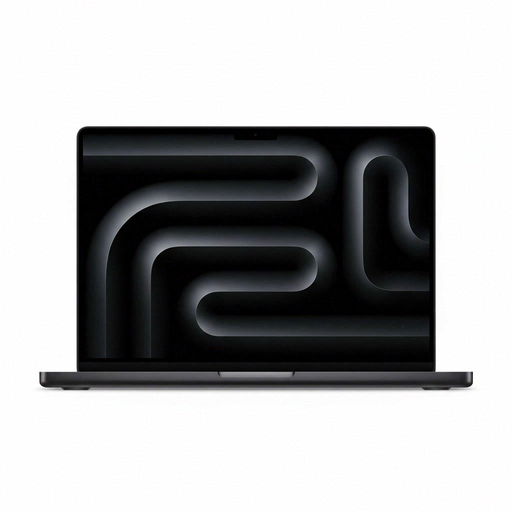 No image available
Consider this configuration if your course tools suit macOS and you need to take your laptop away from a two-screen desk setup.
The listed variant has a 15-core CPU, 16-core GPU, 24GB unified memory and a 2TB SSD. Apple documents support for up to two high-resolution external displays with M5 Pro; check the exact monitor and connection arrangement. Confirm your course software requirements and whether you need a separate compatible power adapter.
No. Check the exact laptop’s display-output guidance alongside the intended dock and monitors. Lenovo publishes system-specific ThinkPad guidance, while Dell’s dock specifications call for a compatible host.
Apple states that M5 Pro MacBook Pro models support up to two high-resolution external displays; it states that M5 Max models support up to four. Check the exact model, monitor resolutions and connection plan before buying.
Not unless your planned work calls for it. If a module requires local CUDA, NVIDIA’s Windows installation guidance specifies a CUDA-capable GPU and compatible Windows version; check the course’s framework and software requirements as well.
The UK Consumer Rights Act 2015 provides protections for consumers when goods sold by a business are faulty, including remedies concerning repair or replacement. Keep the order details and advertised configuration so you can explain the fault to the seller; a retailer’s voluntary returns policy is separate from statutory rights.