Joybuy laptops for schema work
These Windows and MacBook models offer different screen sizes and configurations for student-room schema work. Choose between them only after checking your course software; the operating-system choice matters more than a product's place in this list.
 No image available
HP OmniBook Ultra Flip 14-fh0006na, 2-in-1
Consider this Windows convertible if you want a laptop that can also be used in a 2-in-1 form factor for your study setup.
Windows 11 Home, 16 GB RAM and 1 TB SSD are stated in the product name. Confirm that your course's software, drivers and any virtual machines support the exact configuration.
View on Joybuy
 No image available
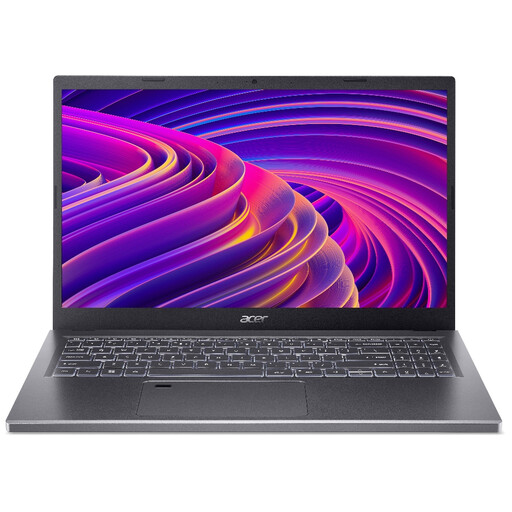
Acer Aspire 5 A515-48M, 15.6-inch Full HD
The 15.6-inch display is worth considering if you want room for a schema diagram and notes on the laptop screen.
The product name states a 1920 × 1080 display, 16 GB RAM and a 512 GB SSD. Confirm the exact processor configuration before relying on it to meet a local tool's requirements.
View on Joybuy
 No image available
Lenovo IdeaPad Slim 3 83K7009MUK, 15.3-inch WUXGA
Consider the 15.3-inch screen if you expect to view diagrams and course material together.
The product name specifies an AMD Ryzen 5 7535HS, 24 GB DDR5 RAM, a 512 GB PCIe SSD and Windows 11 Home. Check the exact model's display output if you intend to connect a monitor.
View on Joybuy
 No image available
Apple 15-inch MacBook Air M5, 16 GB, 512 GB, Starlight
Consider this MacBook if your course permits a macOS workflow and you want a 15-inch screen for diagrams and documents.
The product name specifies an M5 chip with a 10-core CPU and 10-core GPU, 16 GB memory and a 512 GB SSD. Confirm that all required clients, drivers and assessment tools support macOS.
View on Joybuy
 No image available
HP OmniBook X Flip 16-as0004na, 16-inch 2-in-1
The 16-inch touchscreen is an option to consider if you work mainly at a desk and want a larger built-in display.
The product name specifies an Intel Core Ultra 5 226V, 16 GB RAM, a 512 GB SSD and Windows 11 Home. Check carrying size and monitor connections against your own setup before choosing it.
View on Joybuy
Common questions
Do I need a gaming laptop to design a database schema?
No gaming designation is needed for browser-based diagramming alone. If your course uses a local tool such as DataGrip, compare the laptop with that tool's published requirements rather than choosing by gaming branding.
How much memory and storage does DataGrip require?
JetBrains specifies 8 GB total RAM, 3 GB available for DataGrip's IDE processes and 10 GB disk space, alongside a four-core x86_64 or arm64 CPU. Those are DataGrip requirements, not a guarantee that the same configuration will suit every database service and collection of open coursework applications.
Can a Chromebook handle database-schema coursework?
A Chromebook can suit browser-based diagrams, but local coursework tools need additional checks. Confirm that the exact device supports the required Linux environment, that your school permits it and that each named application will run there; Google Chromebook Help says managed devices may restrict Linux.
Can I edit a schema diagram without internet access?
Yes, if you choose an offline-capable workflow and keep the file accessible locally. Draw.io says its desktop application can create diagrams without an internet connection on Windows, macOS and Linux.
What should I check before using a replacement laptop charger?
Check that the replacement is specified for your laptop and has the required wattage; a fitting connector alone is not enough. The UK Office for Product Safety and Standards reported in September 2026 that one particular 45 W charger posed a high risk of fire and electric shock because of its plug pins, so also consider seller traceability and relevant current safety alerts.


