What to prioritise
Start with the reflection you can control, then decide whether colour work, editor space or frequent motion testing places the greatest demand on the monitor.
| Concern | What to check | Who this matters to |
|---|
| Reflections and daylight |
Check desk position and shading, the screen finish and stated typical brightness; do not substitute an HDR peak figure for normal desktop brightness. |
When window light obscures dark panels or fine tile edges, I need to tackle reflections before relying on a brighter display. Around 38% of consumers put glare control and daylight visibility first. |
| Colour and detail |
Check resolution and a documented mode for your output colour space, such as sRGB, Rec.709 or P3. |
If colour-coded mechanics and UI assets are part of my level work, I need to inspect them in the intended colour mode. Around 31% of consumers prioritise colour handling and fine detail. |
| Workspace and connections |
Measure desk depth; check screen size, stand adjustment and whether the laptop’s video output and charging requirements match the connection. |
With editor panels and reference material open together, I want a screen that fits my desk and connects to my laptop as intended. Around 23% of consumers put workspace and connectivity first. |
| Playtest motion |
Check refresh rate at your chosen resolution and input, including GPU and cable support. |
If I frequently inspect moving hazards or camera pans on this screen, refresh rate matters more to me than it does for static layout work. Around 8% of consumers make playtest motion their primary concern. |
Joybuy monitor choices for design and playtesting
These monitors offer different ways to accommodate detailed level work, colour-focused assets or playtesting. For a desk beside a window, assess the exact screen finish and normal desktop brightness alongside what you can do about the light in the room.
 No image available
ASUS ProArt Display PA32UCG-K 32-inch 4K Mini-LED monitor
Consider this model if you need a large 4K design canvas and also plan to assess HDR work or higher-refresh playtests.
Its product title identifies an IPS Mini-LED panel, 120 Hz refresh rate, Thunderbolt 3 and hardware calibration. Confirm typical brightness for normal desktop use rather than relying on the brightness figure in the title when judging your window position.
View on Joybuy
 No image available
ASUS ProArt PA27DCE-K 4K OLED monitor
This is a colour-focused 4K option to consider if a smaller screen fits your desk better than a 32-inch model.
The product name identifies an OLED panel. For use beside the window, check the exact screen finish and typical brightness as well as the colour mode your work requires.
View on Joybuy
 No image available
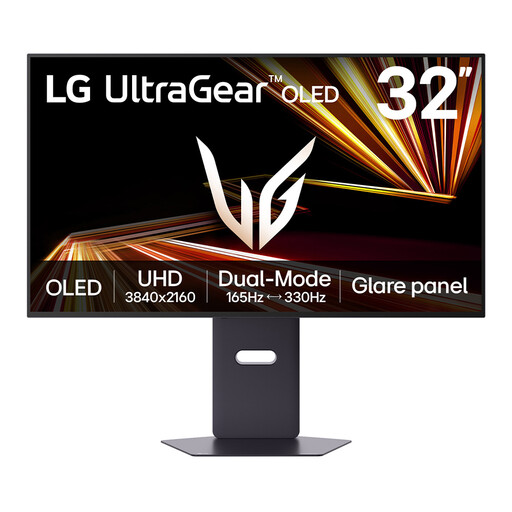
LG UltraGear 32GX850A-B 32-inch 4K OLED monitor
Consider this gaming-oriented model when you want one screen for level layouts and frequent motion playtests.
The title specifies dual modes with a maximum of 330 Hz; check which resolution and connection support the mode you intend to use. Confirm typical brightness for daylight work, and take account of the product warning about prolonged static images when editor panels remain on screen.
View on Joybuy
 No image available
iiyama ProLite XUB2792UHSU-B6 27-inch 4K monitor
Consider this 4K model if a 27-inch screen suits your editor desk and you can manage window reflections through placement or shading.
Check the screen finish and typical brightness for your room. The product name’s Matte Black wording describes its colour, not necessarily the screen coating; confirm USB-C charging capability if you need it for a laptop.
View on Joybuy
 No image available
Lenovo L32p-30 31.5-inch 4K IPS monitor
This larger 4K screen is an option when you want room for level layouts and editor panels and have enough desk space.
The product name identifies an IPS panel and USB-C connection. Check the screen finish and typical brightness for daylight use, and confirm the USB-C video and charging capabilities against your laptop.
View on Joybuy
Common questions
Will a brighter monitor solve glare from the window?
Not by itself: a reflected window can remain distracting on a bright screen. The Health and Safety Executive advises arranging the screen to avoid direct reflections and adjusting curtains or blinds; then assess the monitor’s finish and typical brightness for the light that remains.
Is a matte or anti-reflective screen worth checking?
Yes, particularly when reflected room light is part of the problem, but check the finish on the exact configuration. BenQ specifies a matte coating for the PD3225U, while Apple offers nano-texture as an option rather than the standard Studio Display finish. Neither removes the need to consider screen position.
Do UK display-screen rules specify a monitor I must buy for home work?
The Health and Safety Executive’s display-screen guidance addresses workstation conditions, including glare, rather than identifying a particular monitor model. If you use a screen for work at home, ask your employer how its display-screen arrangements apply to your setup.
How should I dispose of an old monitor in the UK?
Check your local authority’s electrical-equipment recycling arrangements or a retailer’s take-back service before disposing of it. GOV.UK identifies the Waste Electrical and Electronic Equipment Regulations 2013, as amended, as the framework for electrical-equipment recovery, reuse and recycling; the available collection route depends on where you live and the service you use.


