Noise-sensitive home-office workers
If you use the fan during calls, reading or focused work, a controllable low setting matters more than a headline maximum. You also need to aim the breeze without creating a distracting draft.


Choose a compact desk fan or air circulator with a usable low setting and airflow you can direct beside the chair, rather than straight at your face or work surface. If calls or concentration are the priority, check noise at the speed you expect to use; choose cordless operation when socket access or moving the fan matters enough to justify managing its charge. A fan moves air for personal comfort but does not lower the room’s air temperature, as John Lewis & Partners explains.
If you use the fan during calls, reading or focused work, a controllable low setting matters more than a headline maximum. You also need to aim the breeze without creating a distracting draft.
A desk, shelf or side table beside your chair may have room for personal airflow but not a larger fan. Check that the base fits securely and that the fan can point where you need it.
If there is no convenient socket beside the chair, or you regularly move the fan, rechargeable operation may help. Weight, charging and runtime at your chosen speed then become important checks.
Start with a safe place for the fan and the direction the breeze needs to travel. Then consider noise at a usable speed and whether cordless operation would solve a real placement problem.
| Concern | What to check | Who this matters to |
|---|---|---|
| Low-distraction airflow | Check which speed or mode a stated noise figure describes, and whether there are lower speed settings. | During calls or focused work, I want a breeze without fan noise competing for attention; around 36% of consumers put low-distraction airflow first. |
| Airflow direction | Check tilt and oscillation controls, including whether oscillation can be stopped or narrowed. | With the fan to one side of my chair, I need air aimed beside me rather than at my face or paperwork. Directional control is the primary concern for around 29% of consumers. |
| Compact, stable placement | Measure the available surface and base, and plan a cable route clear of the chair. | When desk or side-table space is tight, I need the fan to stand securely without crowding my work area; around 21% of consumers prioritise its placement. |
| Cordless flexibility | Check runtime at the intended speed, charging method, weight and whether the battery is replaceable. | If I move between work spots or lack a nearby socket, I need airflow without fixing the fan to one cable route. For around 14% of consumers, that flexibility comes first. |
A conventional fan moves air to improve personal comfort; it does not lower room air temperature, as John Lewis & Partners explains.
Choose its position for airflow where you sit, and switch it off when you leave the room.
A quiet-mode figure does not describe how a fan sounds at maximum speed. Which? assesses fan noise and wind speeds, making the operating setting important when comparing figures.
Check the speed or mode attached to each noise figure, then consider whether that setting supplies enough airflow at your chair.
A fan near a moving chair can be knocked over or have its cable pulled.
Use a stable surface, route the lead clear of the chair and walkways, and stop using a fan with a damaged cable or casing.
The longest stated runtime may not represent the speed you need for chair-side airflow.
Check the conditions behind the runtime figure, along with charging and battery-replacement options, before relying on a fan throughout a work session.
Charging also takes time between cordless sessions.
Meaco’s Sefte range includes compact, table-oriented and cordless air circulators for personal airflow.
The Dyson Cool CF1 is a bladeless desk-fan option with manual tilt and oscillation for directing airflow.
Duux offers feature-led fans for consumers considering extensive speed control and adjustable airflow.
These rechargeable desk, tower and tabletop-capable fans are options for personal airflow near a home-office chair. Compare their placement and controls with your available surface; do not assume cordless operation also provides the tilt, quiet setting or full-session runtime you need.
 No image available
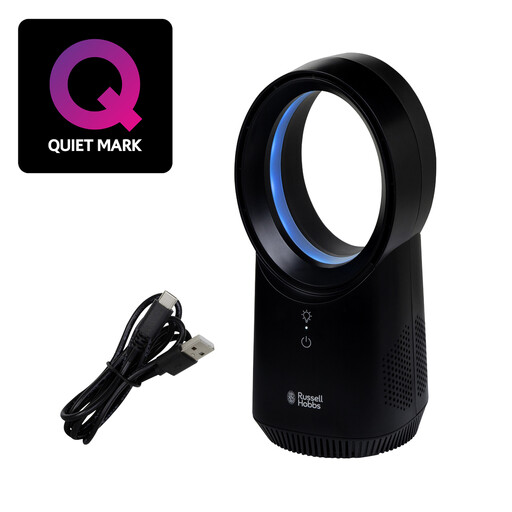
Consider this desk fan if you want rechargeable airflow on a surface beside your chair. Its stated features include three speed settings and USB charging. Check runtime at your intended speed, noise at that setting and whether you can aim the airflow where you need it.
 No image available
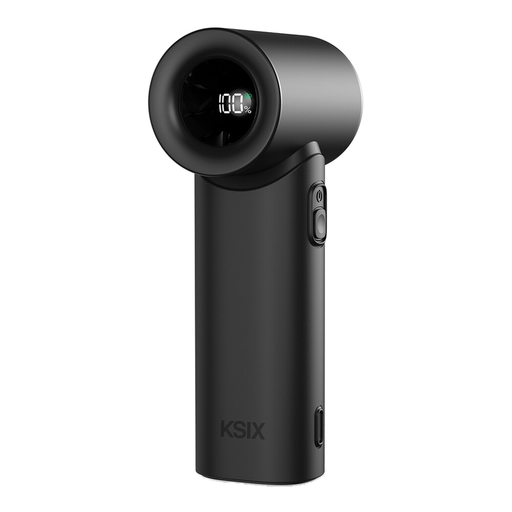
Consider this portable fan if you want the option of placing a handheld-style fan on a flat surface beside your chair. The product name states five speeds and USB-C charging. Check how securely it sits in your chosen spot, how its airflow can be directed and its runtime and noise at your intended speed.
 No image available
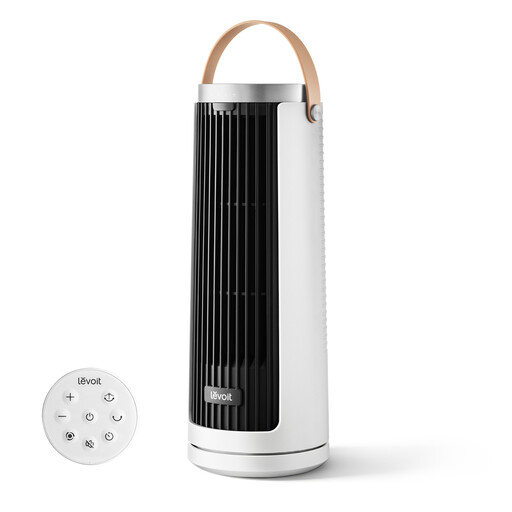
Consider this rechargeable tower-style fan for a stable surface near your work chair. Its stated features include multiple airflow modes and USB Type-C recharging. Check its dimensions against the available space, and confirm direction controls, mode-specific noise and runtime before relying on it for long sessions.
 No image available
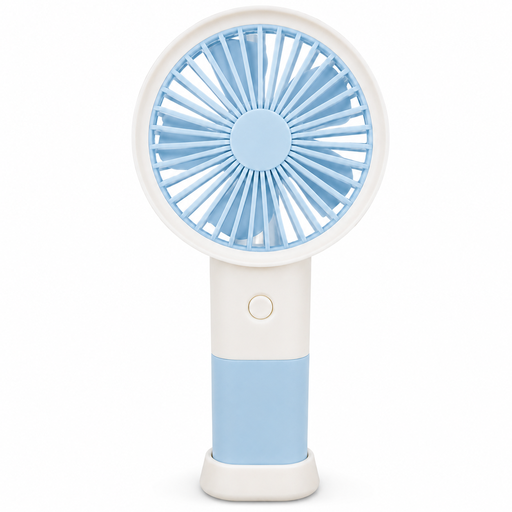
Consider this model if a handheld fan that can also stand on a table suits your chair-side setup. The product name states three speeds and Type-C charging. Check that the stand fits securely, that the airflow can be aimed appropriately, and that runtime and noise suit your work session.
No. A desk fan moves air and may make you feel cooler where you sit, but it does not lower the room’s air temperature, as John Lewis & Partners explains. Switch it off when you leave rather than running it to cool an empty office.
Place it on a stable, level desk, shelf or side table where it cannot easily be knocked over. Aim the breeze across or beside you, and keep any cable clear of the chair and walkways.
Follow the manufacturer’s cleaning instructions and unplug a mains-powered fan before cleaning it. Electrical Safety First advises checking the appliance and cable for damage; stop using the fan if it is damaged, smells of burning or makes unusual noises.
UKCA is not the only marking that may apply: August 2026 GOV.UK guidance says CE marking continues to be recognised alongside or in place of UKCA in relevant cases for products placed on the market in England, Scotland and Wales. Check that the particular fan is supplied appropriately for Great Britain; for a mains-powered fan, Electrical Safety First advises checking for a fused UK three-pin plug. Northern Ireland has different product-marking arrangements.
Electrical Safety First advises against leaving an electric fan running overnight or while you are out of the house. Use it on a secure surface while you are there, and follow its manufacturer’s instructions.