Home workers who take calls
A low, controllable setting matters when airflow or fan noise could distract during calls and focused work.


For airflow around one workstation, start with a compact desk circulator that fits securely and lets you turn down or redirect the breeze during calls. Consider an adjustable-height or hybrid pedestal model when air needs to travel past furniture or serve more than one position, provided you have floor space for it. A fan can improve comfort, but the Health and Safety Executive advises against relying on desk fans for ventilation in a poorly ventilated room.
A low, controllable setting matters when airflow or fan noise could distract during calls and focused work.
Personal airflow needs to fit alongside a monitor, laptop and other equipment without putting the fan at the desk edge.
Air may need to reach past furniture or serve another position rather than blowing only towards the desk chair.
Decide whether the fan needs to serve only your seat or circulate air farther around the room. Then check how its footprint, airflow controls and placement work with your desk.
| Concern | What to check | Who this matters to |
|---|---|---|
| Airflow during calls | Compare speed settings, tilt or oscillation, and the setting to which any quoted noise figure applies. | When I am on calls, I want to reduce the breeze without swapping it for distracting fan noise. Around 31% of consumers put low-distraction airflow first. |
| Desk fit | Measure the available footprint and check base stability, head clearance and cable reach. | If my desk is crowded, I need a fan that sits securely without taking over the work surface. Roughly 25% of consumers make desk fit their primary concern. |
| Airflow beyond the desk | Check the available airflow directions and whether height adjustment would help air pass furniture. | When the room needs circulation beyond my chair, a breeze aimed at one spot is not enough for what I want. About 25% of consumers prioritise reach around the room. |
| Flexible use | Check timer and control options, plus the dimensions of each intended desk or pedestal configuration. | I may move the fan between work positions and want controls I can use without rearranging the desk. Around 19% of consumers put that flexibility first. |
A published minimum may describe only the lowest setting; stronger airflow can sound different during a call.
Check which setting the figure describes and whether the available speed range gives you enough control for calls.
A compact unit may suit personal airflow but leave you unable to direct air past furniture. A pedestal model changes the placement problem rather than eliminating it.
Plan the airflow path and measure both the intended position and nearby clearance before choosing a format.
The Health and Safety Executive advises that desk fans should not be relied on in poorly ventilated areas.
Address fresh-air ventilation separately, then direct the fan where its airflow feels comfortable.
Electrical Safety First warns that overloaded extension devices can overheat and create a fire risk.
Check the extension device’s rating and condition, avoid chaining extension devices, and keep the fan cable clear of walkways.
Its air-circulator range includes table and pedestal formats. The MeacoFan 1056 illustrates the table-fan features to compare when directional control matters.
Its named models include a compact desk circulator and an AirFlo Plus hybrid that converts between desk and pedestal heights.
The TurboPoly 508S is an adjustable-height option for shoppers considering controls and airflow direction beyond one desk position.
This compact desk fan is worth considering when placement around one workstation matters. Check its size and airflow direction against your setup before choosing it for wider room circulation.
 No image available
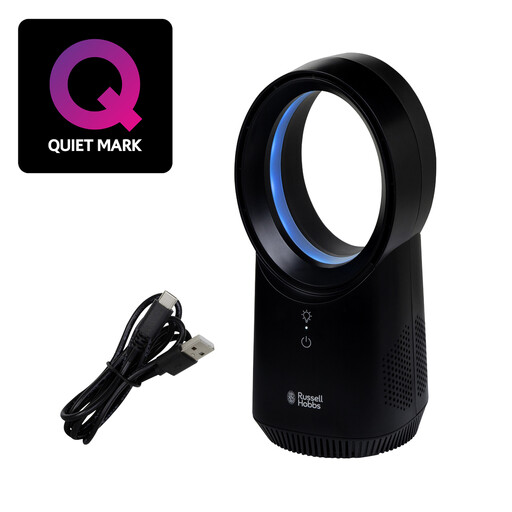
For a workstation where wireless placement is useful, this desk fan offers three speed settings and USB charging. If calls or circulation beyond your seat are priorities, check its noise at the speeds you would use and whether its airflow can be directed as needed. Measure the available desk space, and check battery runtime if you need it to run unplugged for a full work period.
No. The Health and Safety Executive advises against relying on desk or ceiling fans in poorly ventilated areas. Use the circulator for comfort while addressing fresh-air ventilation separately.
Put it on a flat, stable surface away from the desk edge, as Electrical Safety First advises. Keep the cable clear of walkways and, if the airflow feels uncomfortable, lower the speed or redirect the fan.
Check the plug and cable for damage and make sure any extension device is not overloaded or chained to another. Electrical Safety First also advises buying electric fans from a reputable retailer or known manufacturer and checking for a UK three-pin fused plug.
Electrical Safety First advises against leaving an electric fan running overnight or while you are out of the house. A timer can help you arrange shut-off, but you should still follow the model’s safety instructions.
An air circulator moves air rather than cooling the room like a cooling system. For a hot home office, consider airflow alongside the UK Health Security Agency’s home-cooling advice, including reducing heat entering the room.