People sharing a room
If several occupants need air movement in a home office or lounge, look beyond how the fan feels from the nearest seat. Its direction and placement matter when people sit in different parts of the room.


When several people need airflow, look for a desk air circulator with oscillation or multi-directional adjustment rather than choosing solely for a strong breeze at one seat. A compact, directable fan may suit someone sitting nearby, but check how it can be aimed, how much space it occupies and what noise information is available for the settings you expect to use.
If several occupants need air movement in a home office or lounge, look beyond how the fan feels from the nearest seat. Its direction and placement matter when people sit in different parts of the room.
For calls, focused work or sleep, low-speed control and noise at the intended setting may matter more than maximum output.
In a busy shared space, consider whether the fan can stand securely, whether its surfaces are accessible for cleaning and whether its plug, cable and instructions suit the intended use.
Decide whether the fan needs to reach several seats or serve a nearby workstation, then check its controls, footprint and suitability for where it will run.
| Concern | What to check | Who this matters to |
|---|---|---|
| Airflow around the room | Check the exact model for horizontal oscillation, vertical adjustment and a position from which its airflow can reach the occupied area. | If people sit in different parts of my room, a breeze aimed at just one chair will not meet my main need; around 36% of consumers put shared-room reach first. |
| Noise during work or sleep | Look at low- and mid-speed controls and any noise figure stated for the exact setting; compare figures only when measurement conditions are clear. | During calls or at bedtime, I want airflow without a distracting sound or strong direct draught; quiet operation comes first for around 29% of consumers. |
| Desk fit and direction | Measure the available surface and check the model’s footprint and head adjustment. | At a crowded workstation, I need a fan I can place and aim without giving up too much usable space; around 21% of consumers prioritise compact, directable placement. |
| Safe use and cleaning | Check stable placement, access for cleaning, the plug and cable, and instructions for the intended environment. | With a fan in a busy shared space, I want to keep it clean and use it as instructed around people and cables; safety and upkeep are the primary concern for around 14% of consumers. |
A strong breeze at the nearest seat does not show where airflow will reach elsewhere in the room.
Check oscillation or directional adjustment on the exact model, then consider where the fan could stand in relation to each occupied area.
The highest setting may create more noise or a stronger direct draught than you want during calls, work or sleep.
Consider the lower settings you would actually use, along with any model-specific noise information, timer and directional controls.
A desk fan is a portable electrical appliance, so its placement, plug, cable and instructions remain important alongside airflow features.
Follow the manufacturer’s instructions, inspect the plug and cable, and register the appliance if the manufacturer offers registration for safety updates.
Speed controls, oscillation, timers and cleaning arrangements can differ between models and variants.
Check the complete model number and its instructions before relying on a feature described for another fan.
Meaco positions its MeacoFan 1056 as an air circulator for moving air beyond one nearby seat.
The Philips Table Fan 2000 Series CX2050/00 is a directable table-fan option for a nearby desk position.
The Dyson Cool CF1 is a desk-fan model for people considering a design without fast-spinning exposed blades.
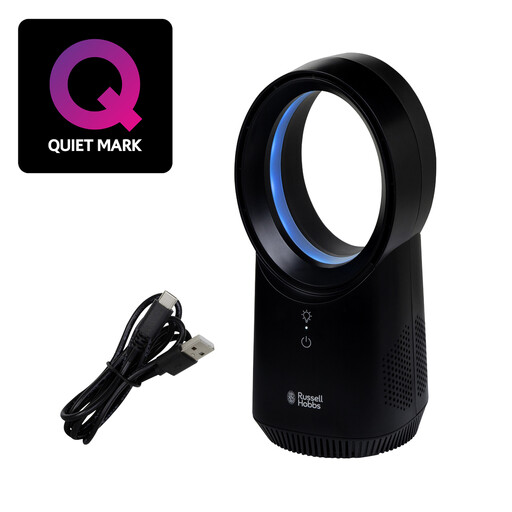
This compact bladeless desk fan offers adjustable personal airflow at a desk or bedside. If the aim is to reach several occupants, check its directional coverage before choosing it for the shared room.
 No image available
Consider this compact fan for personal airflow at a desk or bedside. Its title specifies three speed settings, USB charging and a wireless, bladeless design.
For use around several occupants, check whether the fan can oscillate or be aimed where needed. Also check noise at your preferred speed and how long it runs between charges.
A desk fan moves air rather than cooling a room in the way an air conditioner does. If several people need to feel airflow, look for oscillation or multi-directional adjustment and consider where the fan will stand; a fixed-head fan aimed at one seat serves a different need.
Choose by the sound and airflow at the settings you expect to use, rather than relying on a single universal decibel threshold. Meaco states noise as low as 29 dB for its 1056, but that figure does not establish its noise at every speed or allow a direct comparison without matching measurement conditions.
Electrical Safety First advises against leaving a fan running overnight or while you are out of the house. Follow the instructions for your model and keep it on a stable surface during use.
Check that the fan is supplied for use in Great Britain and comes with an identifiable manufacturer, model and clear safety instructions. Product-marking requirements depend on the applicable product rules; a listing or mark alone should not be treated as proof that every requirement has been met.
Unplug the fan and follow the cleaning instructions for its exact model. Check whether a conventional fan’s grille is designed to be removed; Dyson describes the exterior of its Cool CF1 as wipe-clean, but that model-specific feature does not replace normal electrical care.