Students needing quiet desk airflow
If you read, write or attend online classes at your desk, usable airflow on a low setting matters alongside how much noise the fan makes.


For airflow around a compact student desk, look for a stable desk fan or air circulator with adjustable tilt and oscillation, provided it fits the available space. A smaller personal fan makes more sense if you mainly want a close-range breeze; whichever format you choose, check low-speed noise and placement, and address fresh-air ventilation separately when the room feels stuffy.
If you read, write or attend online classes at your desk, usable airflow on a low setting matters alongside how much noise the fan makes.
If you want to move air beyond the spot where you sit, look at head tilt and oscillation rather than relying on a narrow breeze aimed at your face.
On a crowded desk, a portable fan still needs a stable, fully supported base and a cable route that stays clear of the chair and walkway.
Choose it when: You need to aim airflow across the desk and nearby room, particularly if the fan must also serve a nearby bed.
Bear in mind: Check that its base and oscillating head have enough clear space.
Choose it when: A portable, close-range breeze is your main aim.
Bear in mind: A fixed head may not direct air around the wider desk area.
Choose it when: One fan needs to work at desk height and away from the desk at other times.
Bear in mind: The larger format needs suitable floor or desk space.
| Concern | What to check | Who this matters to |
|---|---|---|
| Airflow direction | Check head tilt and horizontal oscillation; check for vertical movement if you need it. | I want air to move across my desk and nearby room, rather than blow at my face throughout a study session. Around 42% of consumers put wider circulation first. |
| Quiet study use | Check the range of low-speed settings and the setting used for any quoted noise figure. | When I am reading or working online, I need a setting I can use without distracting fan noise. Quiet operation comes first for around 33% of consumers. |
| Safe desk placement | Check base dimensions, a fully supported position and cable routing; for a mains-powered fan, check the supplied plug. | My desk has little clear space, so the fan must stand securely without its lead crossing a busy area. Compact, safe placement is the primary need for around 25% of consumers. |
A fan can move air around the room, but recirculating indoor air does not itself bring in fresh outdoor air or remove stale air.
Choose tilt and oscillation for airflow comfort. If the room is stuffy, address ventilation separately where opening a window or using a vent is safe and permitted.
Electrical Safety First advises buying from a reputable retailer or known manufacturer and advises against second-hand fans.
Use a traceable seller, retain proof of purchase and register the fan if its manufacturer offers registration for recall contact.
A fan can be knocked over or its cable pulled on a crowded desk, risking damage or injury.
Make room for the entire base on a level surface, away from the edge, and keep the lead clear of feet and chair wheels.
A timer or night mode does not replace safe use. Electrical Safety First advises against leaving a fan running overnight or while you are out.
Use a suitable low setting while awake, then switch off and unplug the fan before sleeping.
Consider its desk-scale air circulators if you want to direct airflow around more than your immediate sitting position.
Its Cool CF1 is a bladeless desk-fan option for consumers interested in tilt, selectable oscillation and sleep controls.
Consider its convertible format if you want to move one fan between desk-height and standing use.
These compact fans suit consumers considering a nearby desk breeze or portable airflow. Before choosing one for circulation around the wider desk area, check whether its airflow direction can be adjusted as you need.
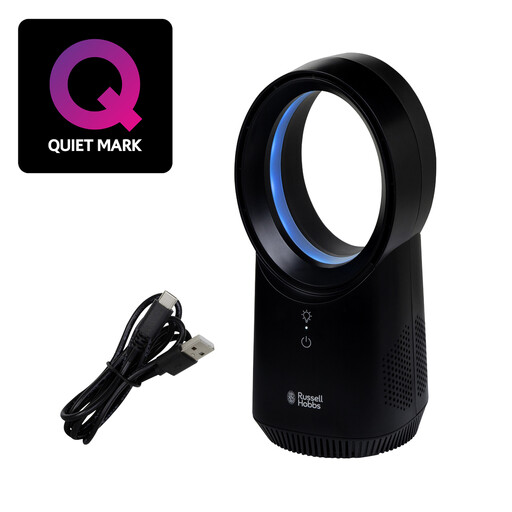 No image available
A compact option for a nearby breeze where desk space is limited.
Three speed settings; wireless design with USB charging. If you need airflow across the wider desk area, check its directional adjustment before buying. Check low-speed noise, battery runtime and the supplied charging equipment if those affect your setup.
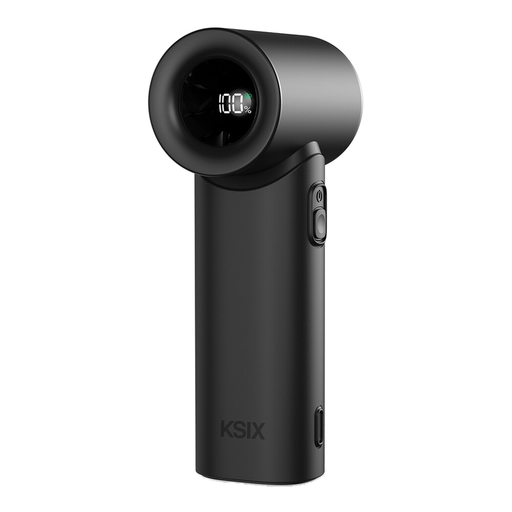 No image available
Consider this handheld and desktop format if you mainly want portable, close-range airflow.
Five speeds and USB-C charging are listed. Check how securely it sits on your desk, its battery runtime and the supplied charging equipment; do not assume it will direct air across the wider room.
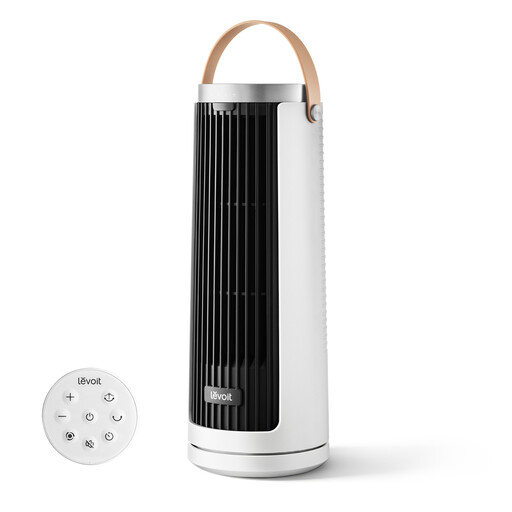 No image available
This portable tower format is worth considering for airflow at a desk or bedside table.
Multiple airflow modes and USB Type-C recharging are listed. Check its dimensions, battery runtime and whether you can direct the airflow where you need it. If quiet use is important, compare noise information for the setting you expect to use.
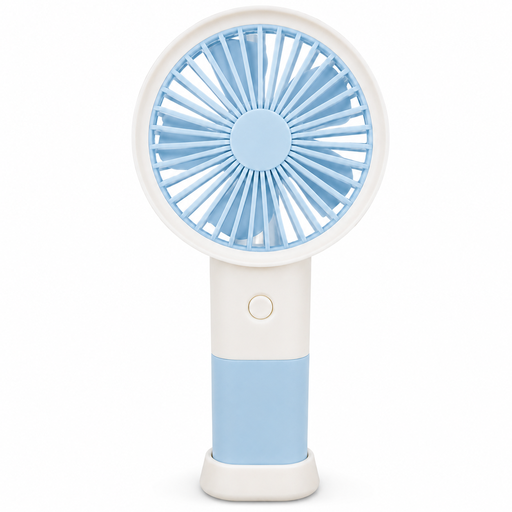 No image available
The table stand makes this handheld fan an option for hands-free, close-range desk airflow.
Three speeds and Type-C charging are listed. Check that the stand is stable in your available space, and confirm battery runtime and charging equipment if you plan to use it away from a socket.
A desk fan that only recirculates indoor air does not replace fresh-air ventilation. Government education guidance describes ventilation as bringing in fresh outdoor air and removing stale indoor air, so address a stuffy room separately where it is safe and permitted to do so.
Give its entire base a level, stable surface away from the edge, and route the cable where it cannot be caught or pulled. Do not use a fan with a damaged unit or cable; Electrical Safety First also advises unplugging it when it is not in use.
Yes: check that a mains-powered fan is supplied with a plug suitable for where you will use it, and buy from a reputable retailer or known manufacturer. Great Britain electrical-equipment guidance concerns products placed on the GB market; its provisions should not be assumed to settle requirements in Northern Ireland.
Unplug the fan and follow its manufacturer’s cleaning instructions before storing it somewhere dry. Inspect the cable before using it again, and do not use the fan if you find cuts, fraying or exposed wires.