Students working at a desk
A desk fan suits someone who can position it near their chair for a personal breeze while reading or revising. Which? notes that you generally need to sit fairly close to a fan to feel its full effect.


Choose a desk fan if you mainly want a breeze while sitting or sleeping near it: as Which? explains, a fan moves air rather than lowering the room’s temperature. For more than one nearby position, look for adjustable direction and oscillation; for overnight use, check the noise figure at the speed you would actually use. Desk space, cable placement and accommodation rules matter too.
A desk fan suits someone who can position it near their chair for a personal breeze while reading or revising. Which? notes that you generally need to sit fairly close to a fan to feel its full effect.
If the fan will run near your bed, consider its lower speed settings and whether a stated noise figure applies to the mode you plan to use. A sleep mode or timer may also be worth checking where offered.
If another chair or bed needs a breeze, look for oscillation and tilt rather than assuming a fixed fan will reach both positions. A desk fan remains a close-range choice; consider a larger fan type if circulation across the room is the main aim.
Start with where people will sit relative to the fan, then check whether its sound and power arrangement work for a room used for both study and sleep.
| Concern | What to check | Who this matters to |
|---|---|---|
| Close-range airflow | Check the footprint, stable placement and whether you can aim the breeze at your desk or bed. | If I mainly sit in one place, I want a breeze within reach without losing useful desk space. Around 31% of consumers would put close-range comfort first. |
| Quiet study and sleep | Look for adjustable speeds and a noise figure tied to a particular speed or mode. | When I revise or sleep in the same room, a distracting fan could outweigh the benefit of its breeze. Quiet operation would come first for around 31% of consumers. |
| Shared airflow | Check for oscillation and tilt, including their stated ranges where available. | If another person sits nearby, I need airflow that can move between our positions rather than stay fixed on mine. Around 23% of consumers would prioritise that shared reach. |
| Placement and power | For cordless use, check charging and runtime; for mains use, check cable length and a safe route to the socket. | With a crowded desk or an awkwardly placed socket, I need to move the fan without creating a cable hazard. Flexible, safe placement would be the main concern for around 15% of consumers. |
Which? explains that a fan moves air rather than cooling the air itself. Its benefit is most noticeable when someone is near the airflow.
Choose one for a personal breeze. If reducing the temperature throughout the room is your aim, assess a different cooling product and whether it is practical in your accommodation.
A low noise figure may describe only a particular setting. For example, Meaco states a 22 dB minimum for the MeacoFan Sefte 6, while Dyson describes the Cool CF1’s quiet mode as 29 dBA; those figures do not describe every operating speed.
Check which mode a stated figure covers and whether a lower speed gives you enough airflow where you plan to sleep or study.
Electrical Safety First warns that overloaded extension equipment can overheat and create a fire risk.
Check the extension device’s rating, do not connect one extension lead to another, and avoid using damaged plugs or leads.
Appliance and electrical-use conditions can depend on the particular hall or tenancy, especially if your intended position requires an extension lead.
Check your accommodation rules or ask the residence team before buying for that setup.
The battery-powered MeacoFan Sefte 6 illustrates a compact air-circulator approach for desk and bedside placement.
The mains-powered Cool CF1 illustrates a bladeless desk-fan option with directional controls and a quiet mode.
The ZNMDF1201MB illustrates a conventional bladed desk fan with dial controls.
The BSF002-01 illustrates a mains desk fan with variable speed, oscillation and manual tilt.
These choices focus on portable or compact fans for a breeze at a desk or bedside. If airflow must sweep across two occupied positions, check directional adjustment before choosing one.
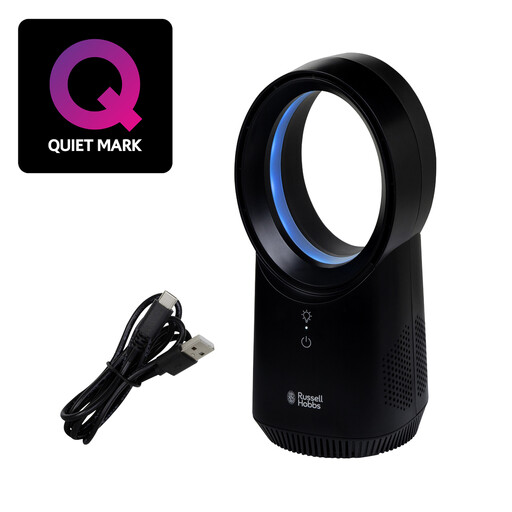 No image available
Consider it for cordless personal airflow at a desk or bedside. The title specifies three speed settings and USB charging. Check battery runtime, operating noise and directional adjustment against your intended use.
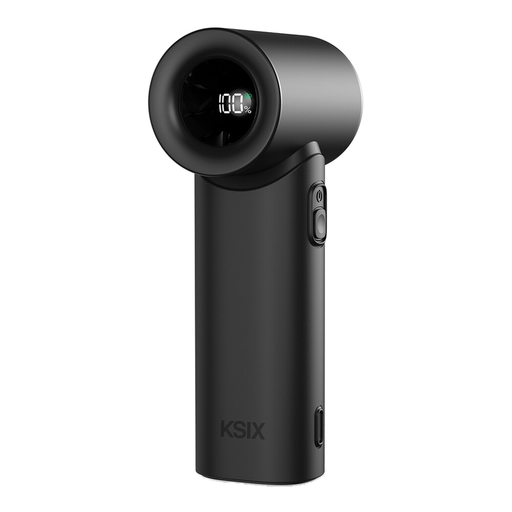 No image available
Consider it when a personal fan needs to move between handheld and desktop use. The title specifies five speeds, USB-C charging and an LED display. Check how it sits on your desk, along with runtime and operating noise, if you plan to use it for study or sleep.
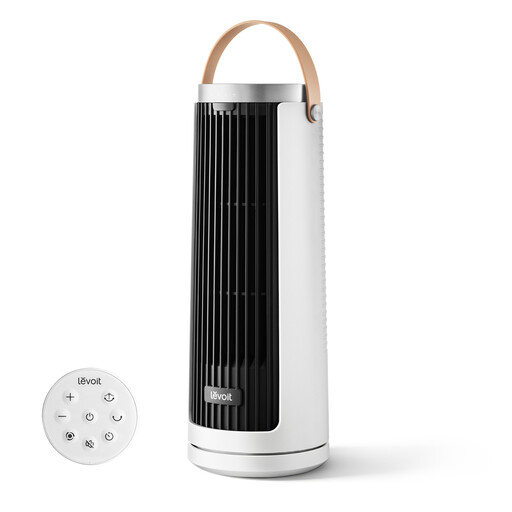 No image available
Consider it for rechargeable personal airflow at a desk or bedside. The title specifies USB Type-C recharging and multiple airflow modes. Check its footprint, runtime and any directional controls if space or shared airflow matters.
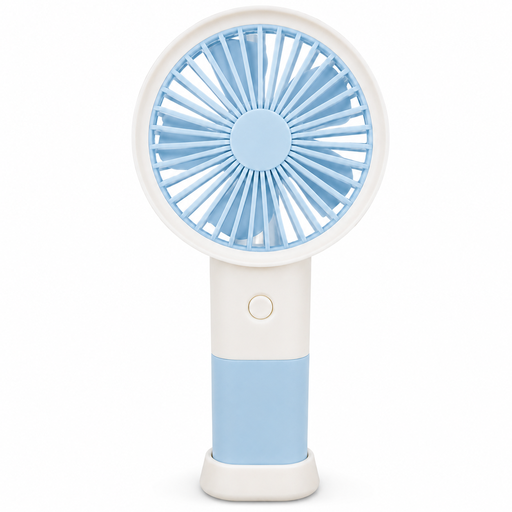 No image available
Consider it if you want a handheld fan that can stand on a desk for close personal airflow. The title specifies three speeds and Type-C charging. Check the stand’s fit on your surface and the runtime needed between charges.
No: a desk fan moves air rather than lowering the room’s air temperature, as Which? explains. Place it where an occupant can feel the breeze; if lowering the room temperature is the goal, assess a different cooling product and whether your accommodation can accommodate it.
It may provide a breeze to two nearby positions if it can oscillate and be aimed appropriately. Check where both people will sit or sleep; if you need circulation across the full room, consider whether a larger tower or pedestal fan better fits that requirement.
Choose a stable position clear of bedding and spills, and check the plug and lead before use. For comfort, look at the noise figure for the mode you intend to run, rather than treating a model’s minimum figure as its sound level at every speed.
Use one only if it is suitable for the connected equipment and permitted by your accommodation rules. Electrical Safety First advises against overloading extension equipment or connecting extension leads to one another; stop using a plug, lead or socket that shows damage or signs of overheating.