People who want quiet bedroom airflow
If the fan will run while you read or rest, compare sound figures at the relevant speed or mode. A timer or sleep mode may also matter more to you than maximum airflow.


Choose a compact fan with adjustable tilt if you want airflow aimed at one chair. If you also want air to move around the bedroom, consider oscillation or an air circulator. For either choice, check the sound level at the speed you expect to use and make sure the fan and its cable can sit safely beside the chair.
If the fan will run while you read or rest, compare sound figures at the relevant speed or mode. A timer or sleep mode may also matter more to you than maximum airflow.
If you mainly want air directed towards your seat, look for an adjustable head, useful speed choices and a stable place to put the fan.
If a breeze at the chair is not enough, consider oscillation or multi-directional circulation. Check that the fan still fits safely in the space available.
For a fan beside a bedroom chair, decide whether quiet use, airflow aimed at your seat or a secure fit in the available space is your primary need. Then check whether the model can also meet your other needs.
| Concern | What to check | Who this matters to |
|---|---|---|
| Noise near the chair | Compare a stated sound level for the speed or mode you would use, and check the available speed settings. | If I want airflow while reading or settling down, the sound at my usual setting matters more than the maximum airflow. Around 40% of consumers would put quiet use first. |
| Airflow direction | Check tilt or pivot adjustment; consider oscillation if air needs to reach beyond the chair. | If the fan sits to one side of my chair, I need to aim its airflow towards my seat. Around 30% of consumers would make directed airflow their primary concern. |
| Safe, compact placement | Check the base footprint against a stable surface and keep the cable clear of feet and chair movement. | If space beside my chair is limited, I need a fan that can sit securely without obstructing the walkway. Roughly 30% of consumers would prioritise placement. |
A fan aimed at one seat addresses a different need from moving air around more of the room. Electrical Safety First describes desk fans as portable and air circulators as intended for wider room airflow.
Start with tilt and speed control if the chair is your focus. If you want air to reach other parts of the bedroom, compare oscillation or multi-directional circulation.
A sound figure for a quiet setting does not necessarily describe the fan at the speed you will use. Dyson, for example, attributes its stated 29 dB figure for the Cool CF1 to Quiet Mode.
Check which operating mode a quoted sound level covers, then consider whether that setting provides the airflow you need at the chair.
The base or cable could be caught when you stand up, move the chair or walk past. Electrical Safety First advises placing fans where they cannot be knocked over and keeping cables out of the way.
Measure the intended surface, leave the fan unobstructed and route its cable clear of the chair and walking path.
The MeacoFan 1056 is an air-circulator example for shoppers who want airflow beyond one chair.
The Turbo Force HT900E illustrates a compact fan for directing air towards a chair.
The Cool CF1 is a desk-fan example for shoppers considering bladeless construction and sleep controls.
The cited 12-inch desk fan is a conventional option with controls for both chair-directed and sweeping airflow.
These choices include portable fans for personal airflow, a desk fan and an air circulator for a wider sweep. Check direction control, sound at your intended setting and placement before deciding which suits your chair.
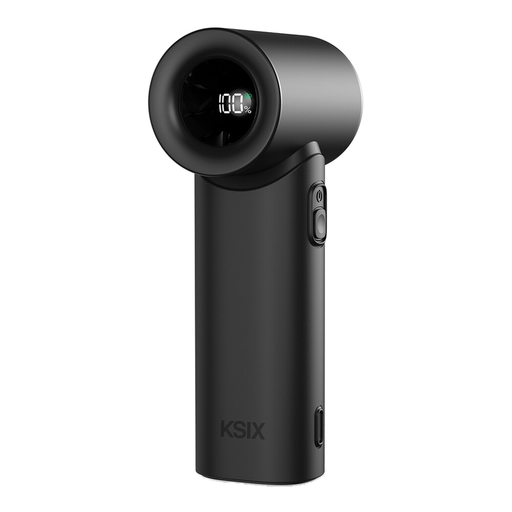 No image available
Consider this portable fan if you want a personal breeze beside the chair and can place it securely. Its title specifies five speeds, USB-C charging and a maximum air speed of 9.0 m/s; check how it can be aimed and how it sounds at the setting you would use.
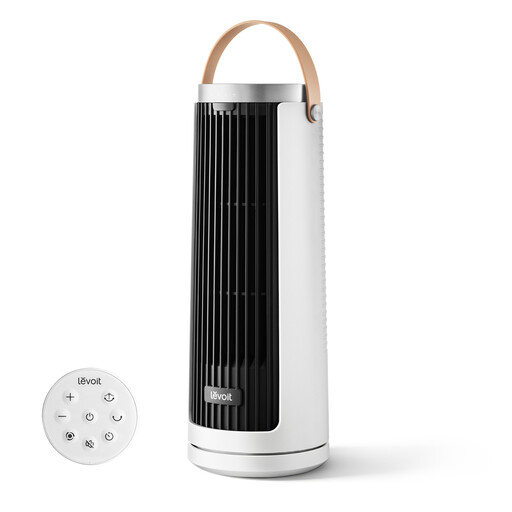 No image available
This portable tower format is worth considering for personal airflow from a nearby surface. The title lists USB Type-C recharging and multiple airflow modes; check its footprint, airflow direction and sound at your preferred mode.
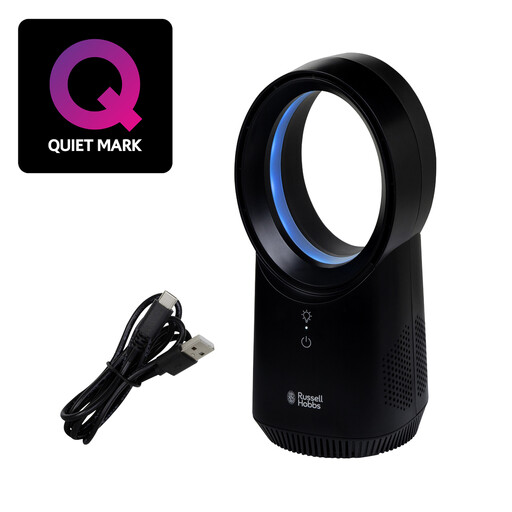 No image available
Consider this desk fan if a wireless, bladeless format suits the surface beside your chair. Its title specifies three speeds and USB charging; check airflow direction, operating sound and whether it meets your intended use while charging.
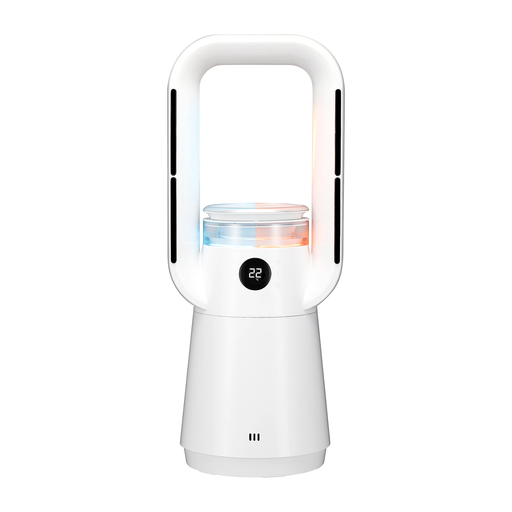 No image available
Consider the circulator format if you want airflow to sweep beyond the chair. The title specifies 65° oscillation and an included HEPA filter; check the appliance's footprint, fan-mode sound and placement requirements. Follow its heater clearance and safety instructions even if airflow is your main reason for choosing it.
 No image available
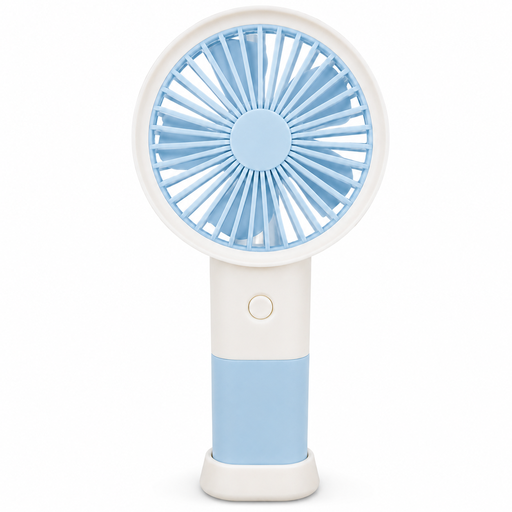
The table stand makes this handheld format worth considering for a personal breeze beside the chair. Its title specifies three speeds and Type-C charging; check that the stand fits securely and that the airflow points where you need it.
Choose a desk fan with adjustable tilt for a breeze directed at the chair; consider an air circulator if you also want air moving around more of the bedroom. Electrical Safety First describes desk fans as portable and air circulators as intended for wider room airflow.
Start with a head you can aim and speeds you can adjust; add oscillation if the airflow needs to sweep beyond the chair. For the cited models, the Honeywell Turbo Force is listed with a pivoting head, and the Bush desk fan with tilt plus oscillation.
Electrical Safety First advises against leaving an electric fan running overnight. If you want airflow while settling down, consider a timer, and follow the manufacturer's instructions for the fan you choose.
Put it on a stable surface where the chair cannot knock it over, and keep the cable clear of feet and the walking path. Electrical Safety First also advises against using a fan or cable that is damaged.