Students sharing a bedroom
If you study printed diagrams while someone else rests nearby, an adjustable lamp lets you direct light towards the papers instead of lighting the whole room. Check its position with your books and largest sheets laid out.


Choose a lamp you can aim at the paper rather than relying on broad room lighting. An adjustable base lamp works when you have space for its base; a clamp lamp needs a compatible desk edge, while a monitor light bar makes most sense when diagrams stay directly in front of the screen. In a shared bedroom, check how much light reaches both the papers and the other occupant before settling on a format.
If you study printed diagrams while someone else rests nearby, an adjustable lamp lets you direct light towards the papers instead of lighting the whole room. Check its position with your books and largest sheets laid out.
When books and papers take up most of the surface, the lamp’s base, clamp or monitor mount affects where you can work. Allow room for the cable as well as the lamp itself.
If your diagrams sit in front of a monitor, a light bar may suit that arrangement. Check monitor fit and where the light lands on the papers, particularly if you also spread sheets elsewhere on the desk.
Choose it when: You move paper diagrams around the desk and have room for a lamp base. IKEA describes an adjustable arm and head on its NÄVLINGE work lamp.
Trade-off: The base takes up working space; light-source and brightness controls differ between models.
Choose it when: You need to keep the desk surface clear and have a suitable edge. Anglepoise specifies a 7–60 mm horizontal clamping surface for its Type 75 clamp lamp.
Trade-off: An obstructed or unsuitable edge rules out the mount, regardless of the lamp’s reach.
Choose it when: Study is centred on a monitor and the diagrams usually sit immediately in front of it.
Trade-off: Monitor fit and the position of the papers matter; this format should not be assumed to cover sheets spread across the desk.
| Concern | What to check | Who this matters to |
|---|---|---|
| Light directed at the work | Check the head’s aiming range and any brightness control on the exact model. | If someone is resting nearby, I want light on my papers without lighting their side of the room. Around 36% of consumers put considerate, targeted lighting first. |
| Coverage of paper diagrams | Compare your largest sheet with the lamp’s stated work area and where you can position its head. | When I study a large diagram, I need to see the whole area I am using without repeatedly shifting the page. For around 29% of consumers, diagram coverage is the primary concern. |
| Desk fit | Measure free surface space or the clamping edge, including obstructions underneath; check the cable route. | My desk is crowded with papers, so the lamp must fit without taking away the space I need to study. Desk fit comes first for around 21% of consumers. |
| Light-source maintenance | Check whether the exact lamp’s light source is replaceable and any specified bulb fitting or maximum rating. | I want to know what happens when the light source needs replacing before I commit to a lamp. Around 14% of consumers prioritise that maintenance question. |
A lamp that cannot be aimed at the work may leave part of a diagram poorly lit. IKEA describes adjustable arms or heads on its NÄVLINGE and KRUX work lamps, but positioning still matters in your room.
Lay out your largest diagram and check whether the head can sit above or beside it without shining towards your eyes or the other bed.
A clamp needs an edge it can grip. Anglepoise specifies a horizontal surface 7–60 mm thick for its Type 75 clamp lamp; other models may have different limits.
Measure the edge and inspect its underside for a lip, drawer or cable tray before choosing a clamp-mounted model.
These features vary by model. IKEA says the built-in source in KRUX can be ordered as a spare part, while Anglepoise specifies a replaceable E27 LED bulb for the Type 75 clamp lamp.
Check the exact model’s dimming instructions, replacement arrangement, bulb fitting and maximum rating before purchase.
If a light source fails and there is no supported replacement for that model, replacing the lamp may be necessary.
BenQ describes its ScreenBar work area as the space in front of a monitor. That placement may not suit diagrams spread widely across a desk.
Compare your usual paper position with the stated work area; if sheets move well beyond it, consider an adjustable paper-lighting lamp instead.
Compact work-lamp options for desks where a conventional adjustable lamp is practical.
Articulated task lighting, including a Type 75 configuration that mounts to a desk edge.
Monitor-mounted light bars for workstations where papers sit near a screen.
These monitor-mounted options are for screen-centred study with diagrams near the display. For each one, check monitor fit and whether its light reaches your usual paper position; they are not substitutes for every adjustable base or clamp lamp.
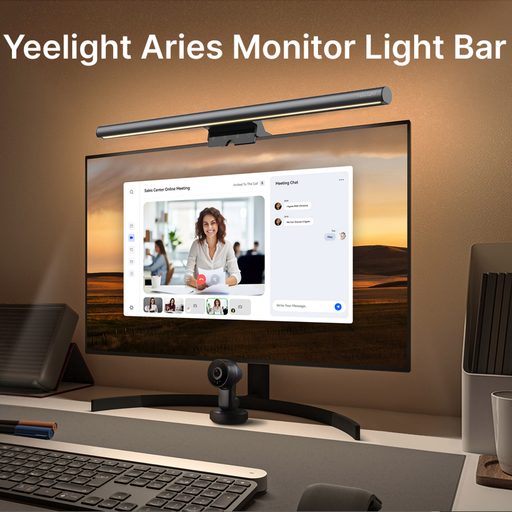 No image available
Consider this monitor bar when your diagrams sit near the screen. Its title specifies USB-C, dimming and adjustable colour temperature. Check that its mount fits your monitor and that the light reaches your largest diagram.
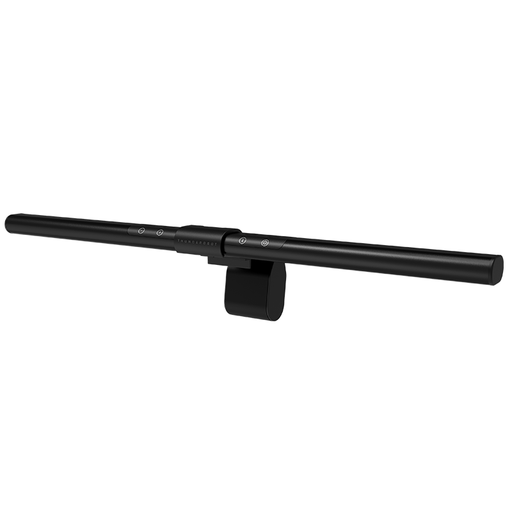 No image available
This is another screen-centred option to consider when papers remain near the monitor. The product title specifies Ra95, an asymmetric light source and ten-level dimming. Check monitor compatibility and the light’s reach across your papers.
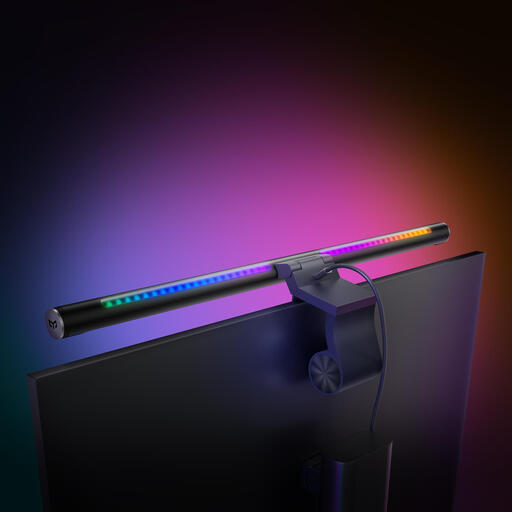 No image available
Consider this light bar for diagrams kept in front of a monitor. Its title specifies knob control and Matter compatibility, including support for Alexa, Google Home and Apple Home. Confirm monitor fit and paper coverage separately.
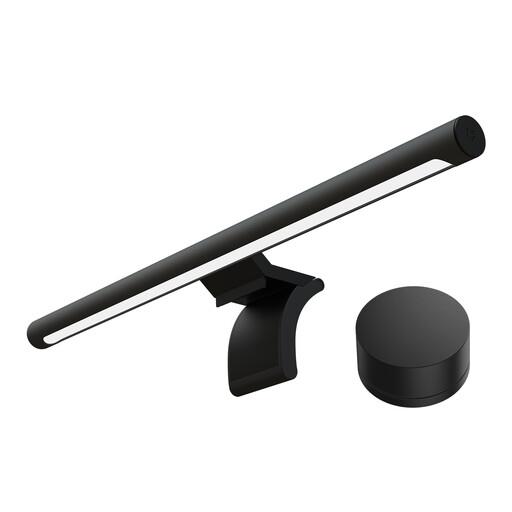 No image available
This monitor-mounted format is worth considering if your papers stay beside the screen. Before choosing it for diagram study, check that it fits your monitor and illuminates the part of the desk where you work.
Choose an adjustable desk lamp if diagrams move around the desk or cover a broad area; a monitor light bar is more relevant when papers stay immediately in front of the screen. BenQ states a 60 cm × 30 cm work area at 500 lux for its ScreenBar, which should not be taken as coverage for every paper layout.
Measure the horizontal edge where the clamp would attach and check beneath it for obstructions. Anglepoise specifies a 7–60 mm surface thickness for its Type 75 desk clamp; check the range of any other model separately.
Replacement depends on the exact lamp. Anglepoise specifies a replaceable E27 LED bulb with a 10 W LED maximum for the cited Type 75 clamp configuration, while IKEA says the built-in KRUX source is available as a spare part. Check the instructions for the model you intend to buy.
Check the product identification, instructions and any stated power or replacement-bulb limits for the exact model. GOV.UK’s electrical-equipment guidance concerns products placed on the Great Britain market; provisions differ in Northern Ireland, so do not assume that Great Britain-specific guidance settles requirements there.