People who write on paper at small desks
If notebooks, pens and a keyboard share your worktop, consider whether a clamp fits your desk or a lamp base leaves enough room to write.


Choose the lamp format around the space available for writing: a clamp lamp keeps its base off the worktop if your desk edge fits, while a compact-base lamp works where clamping is impractical. Aim the light at the page without creating glare; a monitor light bar is worth considering only if you write in front of a compatible screen and its light reaches your paper.
If notebooks, pens and a keyboard share your worktop, consider whether a clamp fits your desk or a lamp base leaves enough room to write.
Lighting the page also means watching for screen reflections. A monitor light bar is an option when it fits the display and illuminates the paper where you place it.
Check how the lamp is powered, whether its light source can be replaced, and whether the listing gives clear instructions and safety information.
For consumers choosing a lamp primarily for handwriting at a small desk, decide where it can sit before comparing lighting controls. If you also use a monitor, check the page and screen together for reflections.
Consider it when: Your desk has a suitable edge and keeping the worktop clear matters most.
Trade-off: The clamp needs a secure attachment point and clearance beneath the desk edge.
Consider it when: You cannot clamp to the desk but have room beside the paper for a measured base.
Trade-off: Even a compact base occupies part of the writing surface.
Consider it when: You write in front of a compatible monitor and want to avoid a lamp base on the desk.
Trade-off: Monitor fit, power and the position of your paper all affect whether it works for your setup.
| Concern | What to check | Who this matters to |
|---|---|---|
| Light on the page | Check whether you can aim the head or arm at your usual paper position without a bright source in your line of sight. | When I move between a notebook and other desk items, I want light that follows the page. Around 34% of consumers put aimable task lighting first. |
| Clear writing space | Measure the desk edge and clearance for a clamp, or compare a lamp base with the space left for your notebook. | If my writing hand and notebook already fill the desk, the lamp must leave usable surface clear. Preserving desk space comes first for around 33% of consumers. |
| Screen reflections | Check the lamp position with both paper and screen in place; for a light bar, confirm monitor fit and whether light reaches the page. | I write beside a monitor and need to see the paper without a reflection obscuring the display. Around 20% of consumers prioritise managing paper-and-screen glare. |
| Power and upkeep | Check the power connection, supplied equipment, light-source replacement options, instructions and safety information. | If I plan to keep the lamp for regular use, I want to understand how it is powered and maintained before buying. Around 13% of consumers put that clarity first. |
A clamp saves worktop space only where the edge and underside allow secure attachment. Anglepoise specifies a 7–60 mm horizontal-surface range for its Type 75 Mini desk clamp; that range does not apply to other lamps.
Measure the edge and check for drawers, lips and cable trays before choosing a clamp model.
IKEA specifies an adjustable arm and head for the NÄVLINGE, but its integrated 2700 K LED driver is not suitable for dimming.
Check aiming, dimming, colour-temperature control and light-source replacement separately, according to the adjustments you need.
The Health and Safety Executive advises arranging desks and screens to avoid glare and bright reflections. A lamp position that works for paper may still cause a distracting screen reflection.
Set out the screen and paper before settling on a lamp position; if considering a monitor bar, check that its light reaches your writing area.
The Office for Product Safety and Standards has reported serious electric-shock risks in a particular desk lamp with inadequate insulation and poor construction. Its online-shopping guidance recommends checking product information, safety warnings and seller details.
Look for clear power details, instructions, warnings, seller contact information and recognised safety markings, and check relevant product-safety alerts before purchase.
The Type 75 Mini with Desk Clamp is an adjustable option for a desk with a suitable edge.
The NÄVLINGE LED desk lamp offers a compact-base format where clamping is not practical.
The ScreenBar Halo is a monitor-mounted option for writing in front of a compatible display.
These choices cover monitor light bars for handwriting in front of a screen and one clip-on lamp for a desk or shelf with a suitable attachment point. Check mounting fit and where the light falls on your paper before choosing.
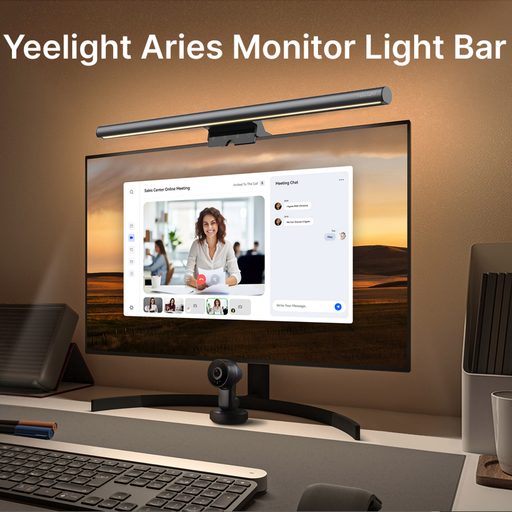 No image available
Consider this monitor bar if you write in front of a screen and want to keep a separate lamp base off the desk.
The product name specifies USB-C and dimming with adjustable colour temperature. Check monitor fit, whether light reaches your paper and what power equipment is supplied.
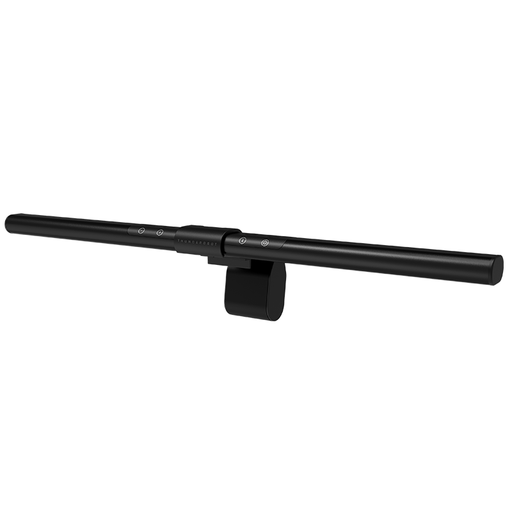 No image available
This monitor-mounted format is relevant if your handwriting takes place beside a screen.
Its product name specifies ten-level dimming. Confirm that it fits your monitor, lights your paper position and works with your available power connection.
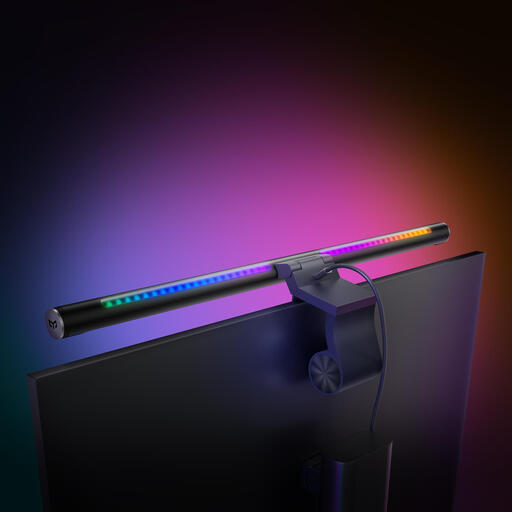 No image available
Consider this light bar if you write directly in front of a monitor and have no room for a separate lamp base.
The product name identifies knob control and Matter compatibility. Check the monitor mount, paper coverage and power requirements for your setup.
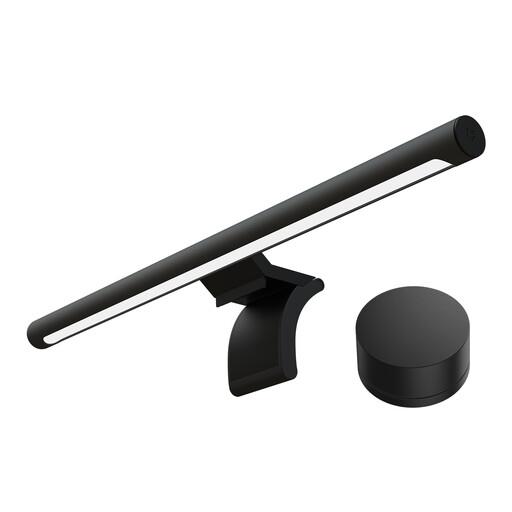 No image available
This monitor-bar format may suit a small desk when you write beside a compatible display.
Check the monitor’s shape and thickness against the mount, then confirm that the illuminated area covers your paper and that you have the required power equipment.
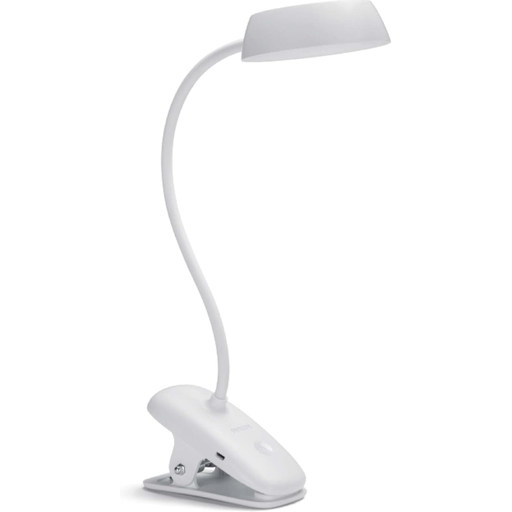 No image available
Consider this clip-on lamp if your desk or shelf offers a suitable attachment point and you want to leave the writing surface free of a lamp base.
The product name specifies USB rechargeability and 3W. Check the clip opening against your attachment point and whether the light reaches the part of the page where you write.
No: a compact-base lamp can work if it leaves enough room for your notebook and writing hand. Choose a clamp only when the desk has a suitable, unobstructed edge; Anglepoise specifies a 7–60 mm horizontal-surface range for its Type 75 Mini desk clamp.
It can be an option when you write in front of a compatible monitor and its light reaches your paper. Check the display mount and power requirements, then position the bar and screen to avoid the glare and bright reflections highlighted by the Health and Safety Executive.
Choose based on whether you can light your page comfortably in your actual setup, rather than relying on one specification. The Health and Safety Executive notes that detailed tasks generally need more light; aim the lamp at the writing area and check for glare before deciding which adjustments matter to you.
Check the seller and product information, power details, instructions, warnings and applicable recognised safety markings. The Office for Product Safety and Standards also advises looking for UK contact details; a marking alone should not replace reading the full listing and checking relevant product-safety alerts.