What should you check before buying?
Decide where the light can sit or mount, then check whether you can aim and adjust it over your sketchbook. Colour-rendering figures matter more if you also judge coloured work; they do not replace a workable position for graphite drawing.
Adjustable drawing lamp
Choose it when: Paper drawing is your main task and you want to position the light around hand shadows, particularly if you also work in colour.
Allow for: The lamp’s reach and mounting needs. Daylight Company specifies a maximum clamp opening of 55 mm for its Techne 2, so measure the desk edge.
Compact freestanding lamp
Choose it when: A small desk or shelf leaves little room for a larger drawing-lamp setup.
Allow for: The base and arm still need to leave room for the sketchbook. Check the exact model’s reach and colour-rendering specification if you work in colour.
Monitor light bar
Choose it when: You regularly sketch beside a monitor and want to keep a lamp base off the desk.
Allow for: Display fit, power and light placement. A bar mounted above a screen still needs to illuminate the paper where you draw.
| Concern |
What to check |
Who this matters to |
| Paper coverage and shadows |
Check arm and shade movement, dimming and the area lit at your drawing position. Compare lux figures only at their stated measurement distances. |
When I inspect fine lines or erased marks, I need to move the light so my hand does not obscure the sketch. Around 34% of consumers put drawing detail and shadow control first. |
| Fit on a small desk |
Measure the available surface and the lamp’s base or clamp opening; check its reach and cable route. |
If paper, books and a screen share my desk, I need a lamp that leaves enough room to draw. Preserving usable workspace comes first for around 33% of consumers. |
| Adjustable light and reflections |
Check brightness and colour-temperature controls, and whether you can aim the light away from a screen. |
As daylight and room lighting change, I want to adjust the lamp without creating reflections beside my sketchbook. Around 25% of consumers prioritise flexible lighting for this reason. |
| Power and upkeep |
Confirm the power connection and cable length, and check whether the light source can be replaced. |
If my desk has limited sockets or awkward cable routes, I want a setup I can power and maintain easily. That is the primary concern for around 8% of consumers. |
Joybuy product choices
These choices cover a folding desk lamp for a paper-first setup and two monitor light bars for drawing beside a screen. Check each lamp’s fit and light placement against your own sketchbook and workspace.
 No image available
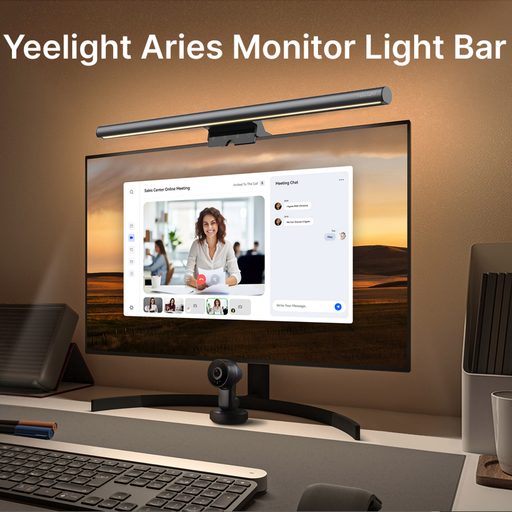
Yeelight Aries Monitor Bar Light, USB-C
Consider this bar if you sketch beside a monitor; confirm that it fits the display and lights the paper where you work.
The product name specifies USB-C (Type C), dimming and adjustable colour temperature.
View on Joybuy
 No image available
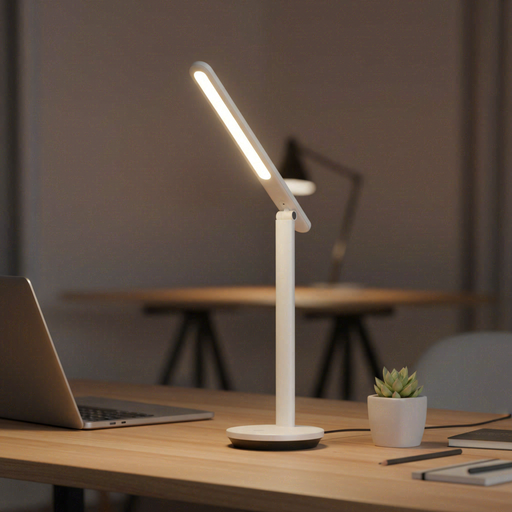
Yeelight LED Folding Desk Lamp Z1 Pro, White
This freestanding choice is relevant when you need to position a lamp beside paper rather than mount it on a monitor; check its reach and the area it lights at your desk.
The product name specifies a folding design, rechargeable operation and adjustable brightness. Check the charging arrangement and runtime for your intended use.
View on Joybuy
 No image available
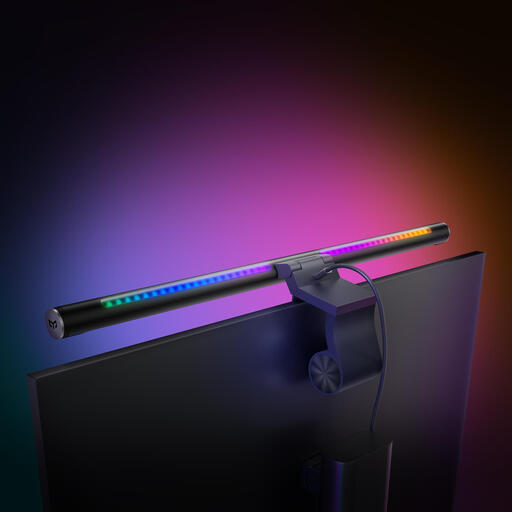
Yeelight Screen Light Bar Pro Libra 2
This monitor-bar format is a conditional choice for a screen-and-sketch desk, not a paper-only workspace; check display fit, power and paper coverage.
The product name specifies knob control and Matter compatibility, with Alexa, Google Home and Apple Home named as supported platforms.
View on Joybuy
Frequently asked questions
Do graphite pencil sketches need a 95+ CRI lamp?
Not necessarily: for graphite work, first check whether you can position the light over the paper, adjust its brightness and see detail without disruptive shadows. CRI becomes more relevant if you also judge coloured media; compare the exact model’s figure rather than treating its colour temperature as proof of colour rendering.
Can a monitor light bar replace a desk lamp for drawing?
It can serve a desk where you sketch beside a compatible monitor, provided its light reaches the paper, but it is not a general replacement for a paper-only setup. For example, BenQ specifies that the ScreenBar Halo fits flat monitors 0.7–6 cm thick and curved monitors 1.6–3.8 cm thick; check the limits of the model you actually choose.
Where should the lamp go if I also use a screen?
Position the lamp to illuminate your sketchbook without casting a strong hand shadow or reflecting brightly in the screen. The Health and Safety Executive advises display-screen users to arrange the desk and screen to avoid glare and bright reflections.
What should I check about an integrated LED?
Check whether the light source is user-replaceable and what servicing the manufacturer specifies. For the Anglepoise 90 Mini Mini, Anglepoise specifies an integrated LED whose replacement should be handled by a professional or competent person; that instruction is specific to the model.
What conformity information matters when buying a desk lamp?
Check the product’s applicable safety and conformity information for the place where it will be supplied. Department for Business and Trade guidance says CE marking continues to be recognised for relevant products in Great Britain where the applicable regulatory requirements are met; Office for Product Safety and Standards guidance treats Northern Ireland separately. A marking alone should not replace checking the product information and seller details.


