For loose prints, choose an adjustable task lamp whose light you can direct across the photograph, with controllable brightness and a manufacturer-declared high colour-rendering index (CRI) as useful selection criteria. A monitor light bar can leave more desk space clear when prints are reviewed beside a compatible screen, but its fixed position may not suit prints elsewhere. Before using either type in a student room, check the plug and cable, the accommodation rules and the marking applicable where the lamp is supplied.
Who needs which setup?
Students checking print colour
If you compare hues, shadows and fine detail in physical photographs, consider a task lamp with controllable brightness and a declared high CRI. Daylight Company lists these features for its UnoPro and Libra lamps, but a CRI specification is not a colour-management certification.
Students working at a small desk
When prints share the desk with coursework and a laptop, consider where the lamp base, arm and illuminated area will fit. An adjustable head can help you direct light towards a print; a monitor-mounted bar keeps its base off the desk if it fits your display.
Students switching between screen and print
If you review photographs beside a monitor, a light bar may keep the desk surface clear. Check the monitor fit and whether the light reaches your usual print position; BenQ publishes thickness limits for its ScreenBar Halo clamp.
What matters when choosing?
Adjustable table lamp
Choose it when: Loose prints or photo books need light at different positions on the desk.
Trade-off: Its base takes up desk space, but its head or arm can be repositioned independently of a monitor.
Monitor light bar
Choose it when: Prints are usually reviewed beside a monitor and keeping the desk clear matters most.
Trade-off: The monitor must fit its mount, and the fixed screen-adjacent position may not light prints elsewhere.
| Concern |
What to check |
Who this matters to |
| Print colour and detail |
Check the exact lamp’s declared CRI, brightness controls and any lux figure’s measurement distance. |
When comparing subtle colours and shadows in prints, I need lighting I can adjust without treating a CRI claim as proof of colour-managed accuracy. Around 50% of consumers put print colour and detail first. |
| Position and desk space |
Check the base or clamp fit and whether the head can be aimed across the print without obstructing your work. |
If prints, coursework and a laptop share my desk, I need room to work and a way to move light away from reflections or hand shadows. For around 30% of consumers, positioning and usable space are the primary concern. |
| Screen-adjacent review |
For a light bar, check monitor compatibility and whether its stated coverage includes your print area. |
With prints beside my monitor, I want desk lighting that suits both my screen position and the space where I place photographs. Avoiding screen reflections comes first for around 20% of consumers. |
Mistakes to avoid
-
Treating a high CRI as proof of print-proofing accuracy
A manufacturer’s CRI declaration does not establish that your whole print-viewing setup is colour-managed or that different lamps will make colours look identical.
Use CRI as one selection criterion, then compare prints under a consistent lighting setup at your intended desk position.
-
Ordering a light bar without measuring the monitor
A clamp designed for a specified monitor thickness may not fit a display outside that range. BenQ lists separate flat- and curved-monitor ranges for the ScreenBar Halo.
Measure the relevant monitor edge and compare it with the exact light bar’s fitting requirements.
-
Overloading extension leads to reach the desk
Electrical Safety First warns that an overloaded extension lead or adaptor can overheat and cause a fire.
Check the extension device’s marked rating, avoid connecting extension leads to one another, and stop using damaged plugs or cables.
-
Assuming every student room permits the same equipment
Accommodation rules can affect where you place a lamp or whether you can use a clamp, integrated charger or external power supply.
Check your hall handbook or tenancy terms before ordering equipment that depends on a particular installation.
Brands to consider for this setup
Daylight Company
Adjustable table lamps to consider when physical prints are the main task.
- Daylight Company specifies 95+ CRI and four brightness levels for the UnoPro. Its Libra specification lists 95+ CRI, three colour temperatures and up to 2,500 lux at 30 cm.
- These are manufacturer specifications, not independent colour-accuracy results. Check the lamp’s footprint and the distance at which any lux figure was measured.
BenQ
Monitor-mounted lighting for prints reviewed close to a compatible display.
- BenQ specifies Ra≥95 and 800 lux at 45 cm for the ScreenBar Halo, alongside clamp-thickness ranges for flat and curved monitors.
- A screen-mounted bar cannot be positioned as freely as a table lamp. Check both monitor fit and the location of your prints.
OttLite
Flexible-neck desk lamps to compare for close work at a student desk.
- OttLite lists a flexible neck, three brightness settings and CRI 95+ for its Inspire model; its Refine model lists CRI 95 and four brightness settings.
- For a unit offered by a UK seller, confirm the plug, applicable marking and warranty terms for that specific product.
Monitor lights on Joybuy
These monitor-mounted lights are choices for reviewing prints beside a screen. Before relying on one for physical photographs, check that its mount fits your monitor and that its light reaches your usual print position.
 No image available
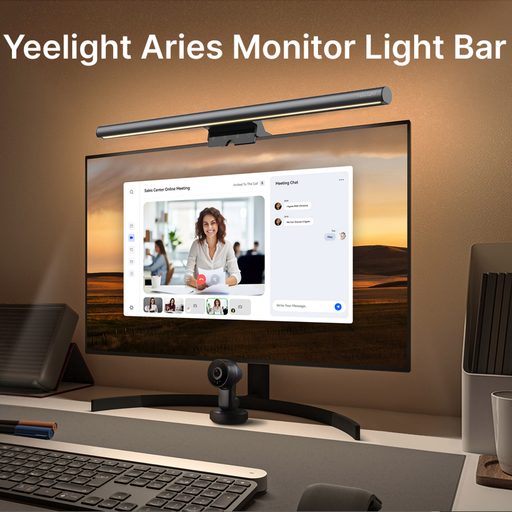
Yeelight Aries USB-C Monitor Bar Light
Consider this format if prints sit beside your monitor and you want to keep the desk surface available.
The product name specifies USB-C, dimming and adjustable colour temperature. Check the monitor fit and whether the light reaches your print area before ordering.
View on Joybuy
 No image available
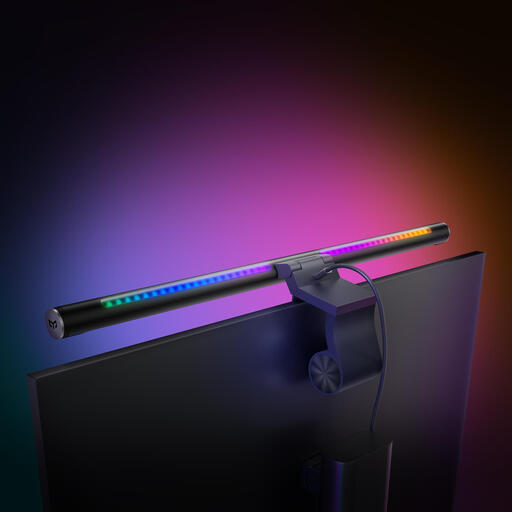
Yeelight Screen Light Bar Pro Libra 2
This monitor-mounted format is worth considering when you inspect prints immediately beside a screen.
The product name specifies knob control. Check its mounting requirements and whether your print area falls within the light’s reach.
View on Joybuy
 No image available
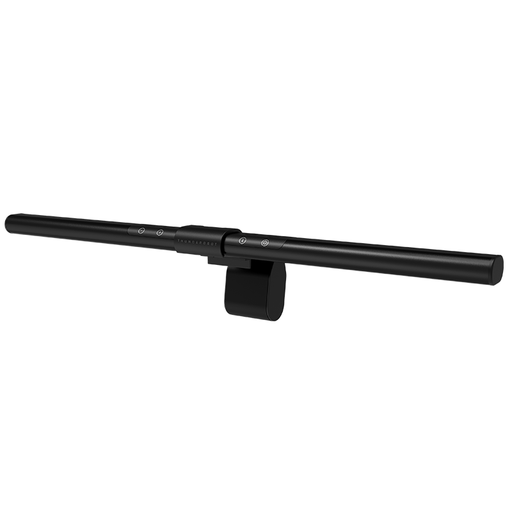
Thunderobot L1 Monitor Light Bar
Consider this light bar if you review photographs next to a monitor rather than moving loose prints around the room.
The product name declares Ra95, an asymmetric light source and ten-level dimming. Confirm the clamp fit and print-area coverage; the Ra95 declaration alone does not establish colour-managed accuracy.
View on Joybuy
Frequently asked questions
Is a 95+ CRI lamp enough for reviewing printed photographs?
A manufacturer-declared 95+ CRI is a useful starting specification, but it does not establish a colour-managed viewing environment. Check that you can position and dim the lamp for your prints, and keep your viewing conditions consistent when comparing them.
Can a monitor light bar replace an adjustable desk lamp?
A light bar can serve prints reviewed beside a compatible monitor if its light reaches the print area. An adjustable table lamp gives you more freedom to light loose prints in different positions; check the bar’s clamp fit and coverage before choosing it instead.
What electrical marking should I check for a lamp supplied in Great Britain?
GOV.UK guidance dated 31 March 2026 lists UKCA or CE marking for electrical equipment placed on the Great Britain market. That applies to England, Scotland and Wales; Northern Ireland has distinct marking requirements, so check the requirements for the market where your lamp is supplied.
How can I use a desk lamp safely in student accommodation?
Check the plug and cable for damage, follow your accommodation’s equipment rules and avoid overloading extension leads. Electrical Safety First advises checking electrical equipment for wear or damage; report unsafe installed sockets or supplied equipment rather than attempting electrical repairs yourself.


