For checking fine print at a small desk, choose a light you can aim at the document and adjust without sacrificing the space needed for paper. A clip-on lamp suits a secure, compatible edge; a compact freestanding lamp works when clamping is impractical but needs room for its base. A monitor bar depends on screen fit and paper position, while print that remains difficult to read may call for magnification as well as better lighting.
Who needs this kind of light?
Small-desk document checkers
If invoices, labels or forms compete with a keyboard for space, start by checking whether a clip can grip the desk or whether a compact lamp base will fit. The Daylight Company and Anglepoise publish examples of these two formats.
Readers who need light precisely placed
If you can read the type but struggle when light falls behind or beside the page, look for an adjustable arm or head and brightness control. RNIB also identifies lighting as one of several approaches to reading print.
Screen-and-paper workstation users
If you check documents beside a monitor, consider where the paper sits before choosing a monitor-mounted bar. BenQ’s published coverage and fitting conditions for ScreenBar Halo illustrate why screen fit alone is not the whole decision.
What matters when choosing?
Start with the position of the print and the space available for a clamp, base or monitor mount. Then decide whether the difficulty is poorly placed light or print that needs enlarging.
| Concern |
What to check |
Who this matters to |
| Light on the page |
Check brightness control and whether the head or arm reaches the print. Compare lux figures only at their stated measurement distances. |
If I can read small type once light falls on the right spot, I need control over its direction and brightness. Around 36% of consumers would put directed close-work light first. |
| Usable desk space |
Measure the intended clamping point or the area available for a base, then check the lamp’s reach. |
When papers already fill my desk, I want lighting that leaves enough room to handle them. Around 29% of consumers would make free work surface their primary concern. |
| Print readability |
Consider whether directed light helps enough; if it does not, look at magnification or other reading options. RNIB describes lighting and magnifiers as distinct options. |
If the characters remain too small to make out under well-placed light, another brighter lamp may not address my main difficulty. For around 21% of consumers, deciding whether they need readability support beyond lighting comes first. |
| Monitor-based work |
Check the bar’s monitor-fitting conditions and whether its stated coverage includes the document position. |
I move between a screen and paper kept close to it, so a monitor mount appeals only if the light reaches my work. Around 14% of consumers would prioritise that screen-centred arrangement. |
Mistakes to avoid
-
Choosing by brightness claims alone
An output figure does not tell you whether light will reach the fine print without shining towards your eyes. The distance used for an illuminance figure matters too.
Check how the head or arm moves and whether brightness is adjustable. Compare published illuminance at the stated distance, then aim the lamp at the paper rather than directly at yourself.
-
Assuming a clamp will fit any small desk
A lip, frame or drawer rail can obstruct the intended fixing point even when a clip-on format would save surface space.
Measure the edge you plan to use and confirm the clamp’s fitting requirements with the maker or seller before buying.
-
Treating a monitor bar as a movable paper lamp
A bar stays centred on its monitor, so documents placed elsewhere may fall outside the useful lit area.
Check monitor thickness, flat or curved screen compatibility and published coverage. Choose an aimable task lamp if the paper moves around the desk.
-
Expecting light to enlarge small print
Lighting changes how a page is illuminated, not the size of its characters. RNIB identifies magnification alongside lighting as a reading option.
If directed light still leaves the print difficult to read, consider a magnifier suited to the material and a low-vision assessment where relevant.
Relevant brands to consider
Daylight Company
Its Smart Clip-On Lamp and Twist 2 illustrate two ways to light close work: fixing a light off the desktop or using a folding freestanding lamp.
- Daylight Company lists a 20.5 cm gooseneck, three brightness levels and 95+ CRI for the Smart Clip-On Lamp.
- The clip needs a suitable fixing point. The freestanding Twist 2 weighs 1 kg, according to Daylight Company.
Anglepoise
The 90 Mini Mini is a compact freestanding option for a desk that cannot take a clamp but has space for a lamp base.
- Anglepoise specifies a 38 cm maximum reach, H32 × W25 × D12 cm dimensions, dimming and USB power.
- Anglepoise states that its integrated LED is replaceable only by a professional or competent person.
BenQ
ScreenBar Halo is a monitor-mounted route for desks where printed material stays close to a compatible display.
- BenQ states an illuminated area of 63 × 40 cm at 500 lux under its published measurement conditions.
- BenQ lists monitor-thickness limits for mounting; a fixed, screen-centred light may not reach paper placed elsewhere.
Joybuy product choices
These choices include a clip-on lamp for keeping a base off the desk and monitor light bars for screen-centred work. Check the fixing point and the position of your paper before choosing either format.
 No image available
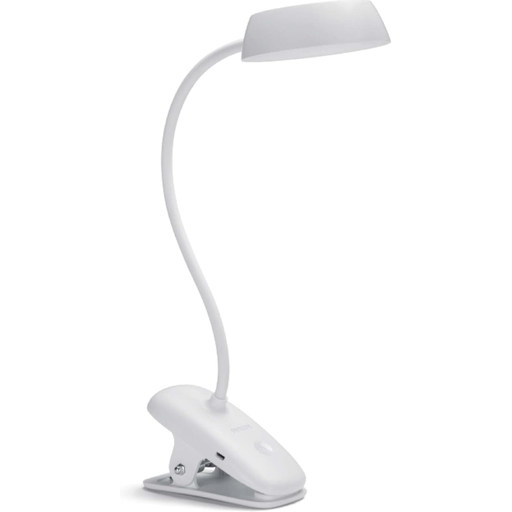
Philips Doughnut Desk Clip USB Rechargeable 3W, White
The clip-on format suits a desk where a lamp base would obstruct papers, provided there is a suitable place to attach it.
USB rechargeable; stated power 3W. Confirm that the clip fits your surface and that the light can reach the document.
View on Joybuy
 No image available
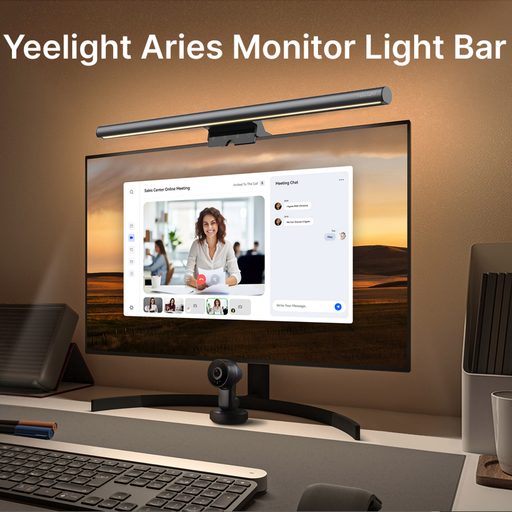
Yeelight Aries USB-C Monitor Light Bar
This monitor-mounted format is worth considering when printed material stays near the screen and desk surface is limited.
The product title describes dimming and adjustable colour temperature. Check that the mount fits your monitor and that light reaches your usual paper position.
View on Joybuy
 No image available
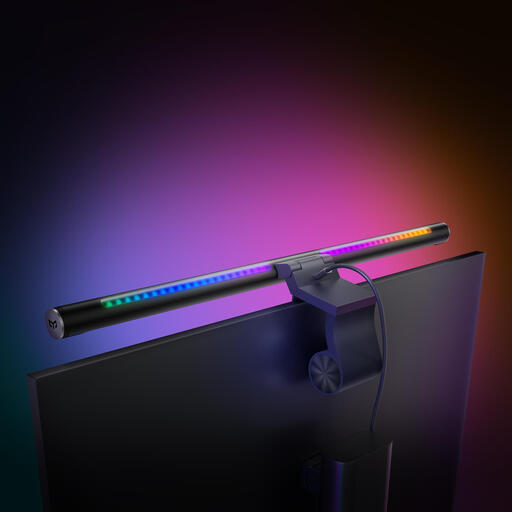
Yeelight Screen Light Bar Pro Libra 2
Consider this screen-mounted light if you want a monitor-based arrangement rather than a lamp base on the desk.
The product title lists knob control and Matter compatibility. Confirm the installation requirements and whether the light covers your document position.
View on Joybuy
 No image available
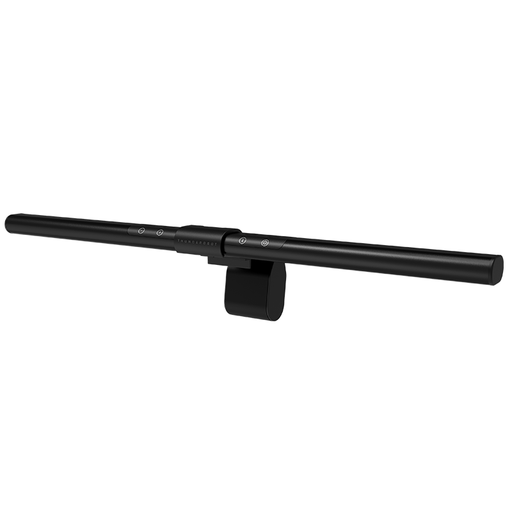
Thunderobot L1 Monitor Light Bar
This is another monitor-mounted option for a small desk where papers are handled near the display.
The product title states Ra95 and ten-level dimming. Check the monitor attachment and the location of the paper rather than assuming the bar lights the whole desk.
View on Joybuy
Common questions
Will a brighter desk lamp always make fine print readable?
No: more light cannot enlarge the characters. If directing light onto the page still leaves standard print difficult to read, RNIB identifies magnifiers and other reading formats as options; a low-vision assessment may also be relevant.
What should I check before buying a clip-on lamp?
Check that the intended edge or shelf provides a secure fixing point and that the lamp can reach your document. Measure around lips, frames and drawer rails, then confirm the clamp’s fitting requirements rather than relying on the desk’s overall thickness.
Can a monitor light bar replace a lamp aimed at paper?
It can serve a screen-centred workspace if it fits the monitor and lights the paper’s usual position. BenQ publishes both monitor-fitting limits and measured coverage for ScreenBar Halo; a movable task lamp is more appropriate when documents need light in other positions.
What should I check if a desk lamp has an integrated LED?
Check how its light source can be replaced, along with the applicable warranty and seller’s return terms. For the 90 Mini Mini, Anglepoise says LED replacement is a job for a professional or competent person, not a routine user replacement.


