Full-page diagram readers
If plans, maps or patterns fill your working area, look for a lamp whose position and light spread can cover the paper, not just one point on it.


Choose a lamp you can position to light the area of the diagram you actually use, rather than relying on its lumen figure alone. For fine coloured markings, check the exact lamp’s colour-rendering specification; an articulated lamp with a replaceable bulb may suit a smaller working area, while a monitor light is a conditional choice for a desk with a compatible screen. Check reach, glare, mounting and power arrangements before ordering.
If plans, maps or patterns fill your working area, look for a lamp whose position and light spread can cover the paper, not just one point on it.
Small labels, line weights and colour coding make the exact lamp’s stated colour-rendering specification worth checking. A magnifying lamp is a separate option for exceptionally small print, rather than a substitute for lighting a full page.
A clamp lamp can leave more of a compact desk clear for paper. A monitor light is another possibility when you also use a computer, provided the monitor fits and the light reaches the paper.
Start with the size and position of your diagram, then decide whether fine detail or preserving desk space places further demands on the lamp.
| Concern | What to check | Who this matters to |
|---|---|---|
| Whole-page light | Check the lit area and whether the arm or head reaches across your paper. Compare stated lux values only at comparable measurement distances and setups. | If my diagram fills the page, I want to see its edges and notes without repeatedly moving the lamp; around 42% of consumers put page coverage first. |
| Fine detail and colour | Look for a stated CRI or Ra value for the exact lamp if colour distinctions matter. Consider magnification specifically for tiny labels. | When small symbols or colour-coded lines carry the information, I need to inspect them clearly; roughly 33% of consumers make fine detail and colour their main concern. |
| Desk fit | Measure the usable edge for a clamp. For a monitor light, check the monitor-fit range, power requirement and coverage over the paper. | If tools and a screen already occupy my hobby desk, I need lighting that fits around them; about 25% of consumers prioritise a compact mixed-use setup. |
Daylight Company states 2,100 lux at 30 cm for its DuoPro, while BenQ states 800 lux at 45 cm at the centre for its ScreenBar Halo. Different distances and measurement positions make those figures unsuitable for a simple higher-is-better comparison.
Check the measurement distance, position and lit area alongside any lux figure, then consider where your diagram will sit.
A clamp needs an accessible edge, not merely a desktop of sufficient width. Daylight Company states a maximum clamp opening of 55 mm for the Slimline 4.
Measure the unobstructed edge thickness and look for drawers, framing or shelves that could block the clamp.
BenQ’s ScreenBar Halo depends on monitor fit and USB power. Its stated coverage does not establish that it will reach every diagram position on your desk.
Check the monitor’s dimensions against the specified fit range and compare the stated lit area with where you place the paper.
Anglepoise specifies a 470-lumen, 2700 K E27 LED bulb with the Original 1227; that bulb information does not establish its colour rendering for your diagrams.
Check the bulb’s specifications for the detail you need to distinguish. If you want dimming on the Original 1227, account for Anglepoise’s stated requirement for additional electrical hardware.
Task-lighting models for crafts and reading include clamp, table and magnifying lamps.
Articulated lamps are relevant when repositioning the head and using a replaceable bulb matter more than a stated wide lit area.
Monitor-mounted lighting is relevant to desks used for both screen and paper work.
These adjustable desk lamps are relevant when you want to direct light onto paper. Compare their fit with your diagram size and working position before choosing between them.
 No image available
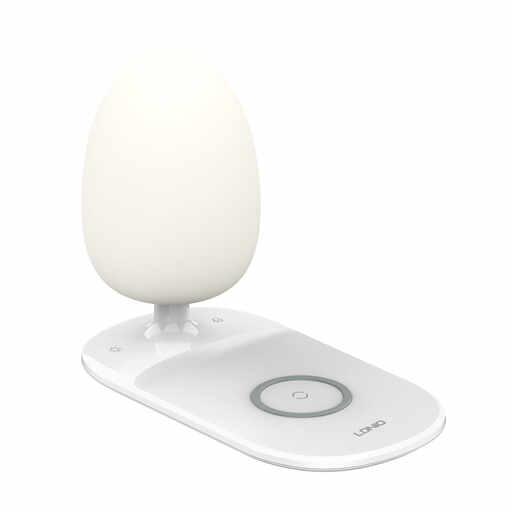
Consider this lamp if you want to redirect light on a compact desk and also want a charging point. Check its illuminated area for your paper size and confirm the power arrangement for your socket.
 No image available
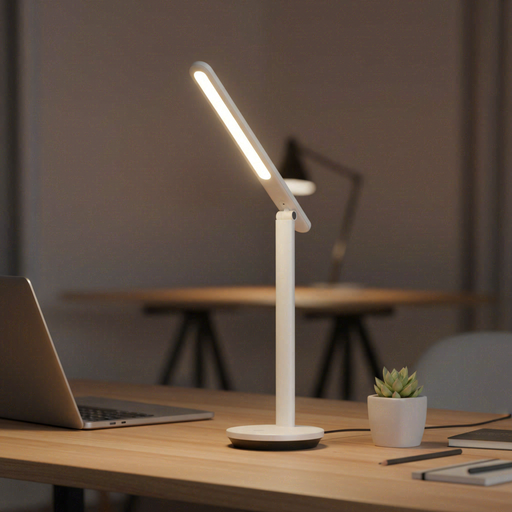
The folding, rechargeable design is relevant if you clear or rearrange your hobby workspace between sessions. The named variant has adjustable brightness; check battery runtime, charging arrangements and whether its light reaches the whole diagram.
A stated lux reading at a named working distance is more directly relevant to light reaching the paper than lumens, which describe total light output. Compare lux readings only when their measurement conditions are comparable, and check that the lit area suits your diagram.
Use an adjustable arm or head to direct light onto the paper rather than towards your eyes or a screen. If you also work at a monitor, arrange the screen and lighting to reduce reflections, as the Health and Safety Executive advises for display-screen work.
A clamp lamp will fit only if the desk has an accessible edge within that model’s stated opening range. Measure around any lip, drawer or framing; Daylight Company gives a maximum clamp opening of 55 mm for the Slimline 4, not for other lamps.
Check the exact lamp’s stated power requirements, supplied connection and suitability for the socket or USB supply you plan to use. For a rechargeable model, also check how it charges before deciding where you will place it.