Who needs which changes?
The useful change depends on whether the main constraint is a laptop’s fixed layout, a shared surface or more than one place of work.
Laptop-first home workers
If you use a laptop for sustained screen work, consider how to position its screen separately from the keyboard and mouse. The Health and Safety Executive describes separate input devices alongside an elevated laptop screen for prolonged use.
People using a shared or compact table
Measure the space available while working and consider where equipment will go afterwards. Which? identifies a laptop stand as an option when space is short; its fit still depends on the laptop and the room left for input devices.
Hybrid workers
If you work at home and elsewhere, consider each workstation rather than assuming one purchase will suit both. The Health and Safety Executive advises looking at equipment, furniture and working conditions as a whole.
What should you check before buying?
Work out where the screen and input devices can sit, then check the space and hardware requirements of the route you are considering.
| Priority | What to check | Your needs |
|---|
| Screen and input position |
For prolonged laptop use, check whether a raised screen leaves room for a separate keyboard and mouse, as the Health and Safety Executive advises. An external display also needs a suitable position for its stand or support. |
I use a laptop for long work sessions and want to position the screen without raising the keys I type on. |
| Available space |
Measure usable table depth and where the keyboard, mouse and display will sit. For a shared surface, consider whether equipment must be cleared away; an arm also needs a suitable desk attachment. |
My table is used for other things, so the setup needs to fit while I work and leave the surface usable afterwards. |
| Device compatibility |
Check a laptop stand’s stated size and weight limits. For an external monitor, match its inputs to the laptop’s video output and required cable; for an arm, check the monitor mount, load limit and desk fixing. |
I want the equipment to work with the laptop, monitor and desk I already have, rather than choosing by product category alone. |
| Display adjustment |
Check the exact monitor stand’s adjustments. A riser needs to fit and support the existing display; an arm needs compatible mounting and a desk where it can be attached. |
My existing display needs a different position, or I need to move it aside when the desk is used for another task. |
| Mouse fit |
Check handedness, grip, hand-size guidance and device compatibility for the exact mouse. A different mouse shape does not change an unsuitable screen or keyboard position. |
I would like a separate mouse that suits how I hold it and fits alongside my keyboard. |
| Whole workstation |
Consider equipment, furniture and working conditions together. The Health and Safety Executive advises assessing the whole display-screen workstation, rather than treating one accessory as the complete answer. |
Before adding equipment, I need to know which part of my current arrangement actually needs changing. |
Brand and product-line references
These examples illustrate features to check on specific product lines; a brand name alone does not establish fit for your workspace.
Kensington
Kensington’s SmartFit Laptop Riser is an example of a laptop-stand route for a compact desk.
- Kensington specifies four height settings and compatibility with laptops up to 15.6 inches and 7.7 lb for this riser.
- Check your laptop against those limits and leave room for a separate keyboard and mouse when raising the screen for prolonged use.
Logitech
Logitech’s Lift line illustrates how handedness and hand fit can matter when choosing a vertical mouse.
- Logitech lists right- and left-handed versions and describes Lift as intended for small to medium hands.
- Check the exact version, your preferred grip and device compatibility; the mouse does not change screen or keyboard position.
Ergotron
Ergotron’s LX desk-mount arm is an example of a display support that the manufacturer says can be folded aside to reclaim desk surface.
- The folding arrangement is relevant when the screen needs to move between tasks.
- Check the exact arm’s monitor mount and load requirements, plus whether its attachment suits your desk.
Dell
Dell UK lists external monitors with differing stand adjustments and connection options.
- An individual model’s stand and ports can help narrow a display for a fixed home workspace.
- Confirm the exact monitor’s adjustments, inputs, cable requirements and compatibility with the laptop; do not assume features apply across the range.
Joybuy options for your setup
These options cover separate keyboards and mice, external monitors and a standalone mouse for a home screen-work setup. Choose the type that addresses your layout, then check the exact product against your devices and available space.
 No image available
HP 680 CFT Dual-Mode Keyboard/Mouse Combo
A separate keyboard-and-mouse set to consider when positioning a laptop screen independently from its input devices. Check the keyboard layout, device compatibility and space needed for both items; the set does not raise the screen.
View on Joybuy
 No image available
ASUS ProArt Display PA32UCG-K 32-inch 4K monitor
This external-display option is for a workspace with room for a separate 32-inch screen. Check the exact ports, required cables and laptop video output before purchase; plan separately for keyboard and mouse position.
View on Joybuy
 No image available
Dell 24 Monitor P2425, 24-inch
A 24-inch external monitor to consider where a separate screen fits the desk. Confirm the exact port configuration, required cable and laptop compatibility, and allow space for separate input devices if you use a laptop for prolonged work.
View on Joybuy
 No image available
Philips 3000 Series SPT6318B/05 Wireless Keyboard/Mouse Combo, UK English
The UK English version provides separate input devices for a laptop-based setup. Check the keyboard’s footprint, receiver connection and operating-system compatibility; you will still need another way to position a raised laptop screen.
View on Joybuy
 No image available
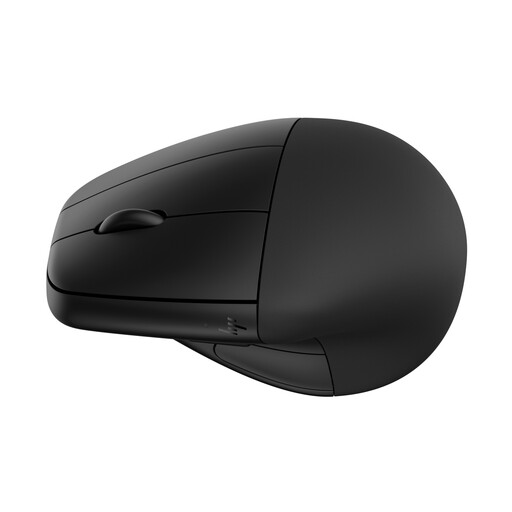
HP 920 Ergonomic Wireless Mouse with Detachable Wrist Rest, Black
A standalone mouse option if you already have, or plan to add, a separate keyboard and suitable screen position. Check hand fit and device compatibility; its shape and detachable wrist rest do not establish a comfort or health outcome.
View on Joybuy
Common questions
Do I need a laptop stand if I work on a laptop every day?
Not automatically. For prolonged laptop use, the Health and Safety Executive advises a separate keyboard and mouse so the screen can be elevated on a riser or similar support. Check that the resulting arrangement fits your table and tasks.
Is a larger monitor automatically the right upgrade?
No. An external monitor can be positioned separately from a laptop’s keyboard, but it needs enough space, a compatible video connection and a suitable stand, riser or arm. Check the exact monitor inputs against the laptop’s output before choosing one.
What works for a temporary or shared-table setup?
Consider equipment that fits the working surface and can be cleared away when needed. Which? suggests a laptop stand as an option where space is short; for prolonged laptop use, also allow room for the separate keyboard and mouse advised by the Health and Safety Executive.
When should I reconsider my home screen-work setup?
Reconsider it when the workspace, equipment or way you use them changes. Look at the screen, input devices, furniture and working conditions together; if you work both at home and elsewhere, consider how the arrangement works in each location.


