Choose the operating system around the browsers you must test, then check how the desktop will fit the shared workstation. A compact Windows PC is worth considering for a Windows-based office workflow, while a Mac mini is an option when macOS belongs in the test plan. If future hardware expansion matters more than desk space, assess a larger business desktop by its exact configuration rather than its product-family name.
Who is this for?
Cross-browser extension developers
If your extension must work in more than one desktop browser or browser channel, start with the test plan rather than a processor label. Google describes Chrome extensions as using web technologies including HTML, CSS and JavaScript; Mozilla provides Firefox for Windows, macOS and Linux. Check which of those environments your project actually requires.
Developers working at shared desks
A compact computer may leave more room on the desk, but the workstation still needs suitable monitor connections, input devices and cabling. Compare the connections on the exact computer with the equipment already approved for the shared desk.
Teams managing office workstations
An employer-managed desktop needs an appropriate operating system, support arrangements and a workable desk setup. The UK Health and Safety Executive says employers must assess workstations and reduce risks for workers covered by display-screen-equipment duties; choosing a small computer does not replace that assessment.
What should you check before choosing?
Compact Windows desktop
Consider it when: Your office tools and browser test plan run on Windows, and the computer must fit a constrained desk.
Trade-off: A small chassis does not establish its upgrade capacity or the monitor connections and accessories supplied with a particular configuration.
Mac mini
Consider it when: macOS is required for your browser test plan and you can provide compatible workstation peripherals.
Trade-off: Check the selected configuration, ports and peripheral setup; do not treat specifications for one Mac mini configuration as applying to every variant.
Larger business desktop
Consider it when: Your planned workflow calls for particular hardware expansion or more storage, and the desk has room for a larger case.
Trade-off: A larger case occupies more space; confirm the actual expansion options rather than assuming they come with the form factor.
| Concern |
What to check |
Who this matters to |
| Browser and OS coverage |
List the browsers, channels and operating systems in the test plan; check whether the chosen computer can run the required tools. |
If my extension must be checked on macOS as well as other platforms, I need a way to run those tests rather than assuming one Windows PC covers them. Around 31% of consumers put test-platform coverage first. |
| Shared-desk fit |
Match the computer's display connections to the desk's monitors, and check which input devices and adaptors the setup needs. |
At a shared desk, I need the computer to connect to the available monitors without leaving essential peripherals out of the setup. Desk and display fit is the primary concern for around 31% of consumers. |
| Support and future capacity |
Check the exact memory, storage, operating system, warranty and any expansion options against your concurrent tools. |
If our team expects to add local services or change its development workflow, I want a configuration IT can support as those needs change. Around 23% of consumers put support and capacity first. |
| Complete configuration |
Compare the exact configured desktop and the peripherals required for a working desk, not just the product-family name. |
For a straightforward extension project, I do not want to choose specifications I cannot justify or overlook the devices needed to use the computer. Avoiding that mismatch comes first for around 15% of consumers. |
Buying pitfalls
-
Assuming a desktop family has one specification
Processor, memory, storage, ports and bundled accessories can differ between configurations. Lenovo's published details for one ThinkCentre Neo 50s Gen 6 configuration, for instance, should not be applied to every computer with that family name.
Compare the configured model or part number with your browser plan, monitors and office requirements before ordering.
-
Planning for the computer but not the whole desk
A compact case still needs a usable display and input devices. Lenovo lists no keyboard or mouse with the cited ThinkCentre Neo 50s Gen 6 configuration.
Check what the selected configuration includes and identify the monitors, keyboard, mouse and connections the shared workstation will use.
-
Treating an editor requirement as a workflow requirement
Microsoft's published VS Code recommendation concerns the editor itself; it does not size a desktop for simultaneous browsers, local services and other tools.
Write down what the team will run at the same time, then assess memory, storage and display needs for that combined workload.
-
Overlooking the shared workstation
A small computer does not resolve monitor placement or an employer's display-screen-equipment duties. The UK Health and Safety Executive says employers must assess workstations and reduce risks for workers within the rules' scope.
For an employer-provided desk, address the workstation assessment and individual setup needs alongside the computer choice.
Relevant desktop brands for reference
Apple
Mac mini is a compact macOS route when the extension test plan requires macOS and suitable external peripherals are available.
- Apple's UK Mac mini specifications describe configurations with 16 GB unified memory and Thunderbolt and HDMI connections.
- Check the selected variant's chip, storage, display support and required peripherals; specifications for one configuration do not establish those of another.
Dell
Dell's OptiPlex small-form-factor line is relevant when considering a compact desktop for an office-managed setup.
- Dell describes its OptiPlex small-form-factor desktop as compact and desk-friendly.
- Confirm the chosen model's operating system, ports, monitor support and warranty rather than relying on the family description.
Lenovo
ThinkCentre Neo small-form-factor desktops are another route to consider for a space-constrained office workstation.
- Lenovo lists one UK ThinkCentre Neo 50s Gen 6 configuration with 16 GB DDR5 memory, a 256 GB SSD and support for two independent monitors.
- That configuration lists no keyboard or mouse. Check the contents and specifications of the exact model selected.
Our top recommendations: compact desktops
These compact desktops are options to assess against a shared desk and your browser test plan. The two Mac mini configurations address a macOS route; check the operating system of any other model against the tools your team requires.
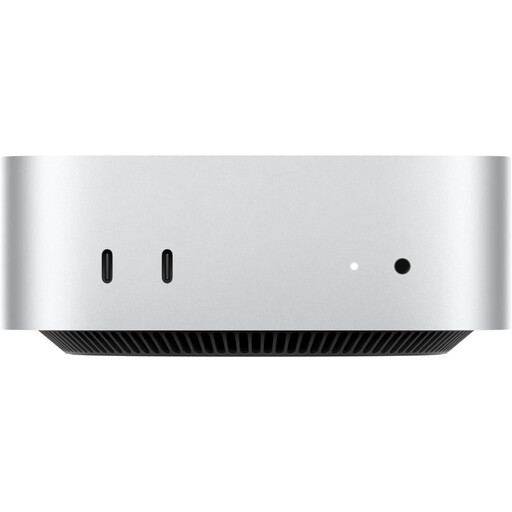 No image available
Apple Mac mini (2026), M6 12-core CPU and GPU, 24GB, 512GB SSD
Consider this compact desktop if macOS is part of your extension test plan.
The listed configuration has 24GB RAM and a 512GB SSD. Check its connections against the shared desk's monitors, confirm the peripherals needed and review the warranty terms for this configuration.
Joybuy
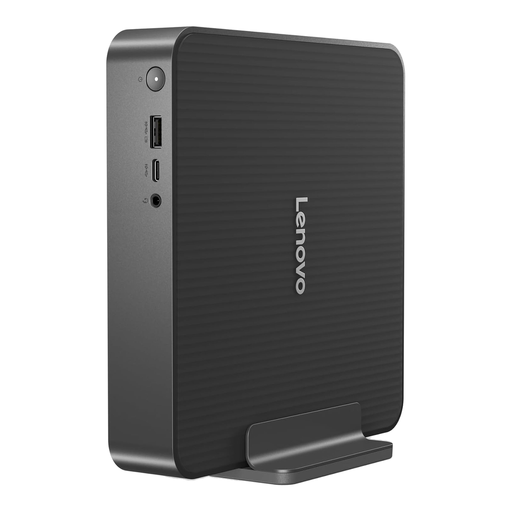 No image available
Lenovo IdeaCentre Mini PC 01IRH10R, Core 5, 16GB, 512GB SSD, 91B2000XUK
Consider this mini desktop for a shared desk if its operating system supports your development tools and browser tests.
The title specifies an Intel Core 5 processor, 16GB RAM and a 512GB SSD. Confirm its video connections and display support, bundled input devices and warranty for the exact configuration.
Joybuy
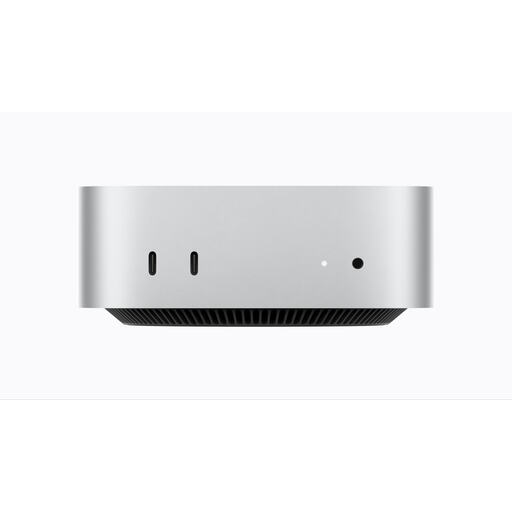 No image available
Apple Mac mini (2026), M6 12-core CPU and GPU, 16GB, 256GB SSD
This is another compact option when the project needs a macOS desktop.
Its listed 16GB memory and 256GB SSD distinguish it from the other Mac mini shown here. Check the selected configuration's external-display support, required peripherals and warranty before choosing between them.
Joybuy
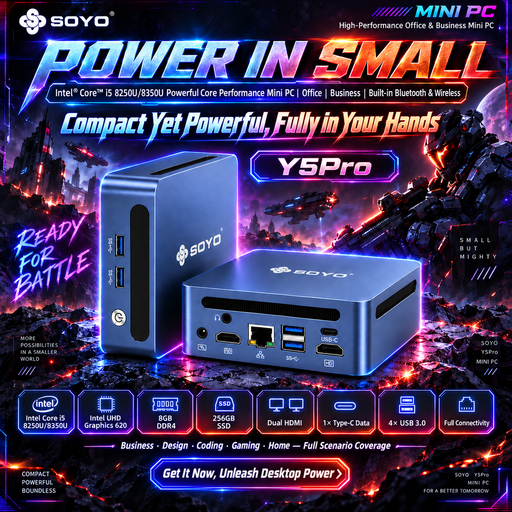 No image available
SOYO Y5Pro Mini PC, Core i5-8250U or i5-8350U, 8GB DDR4, 256GB SATA SSD
Consider this small Windows 11 computer only after checking that its configuration suits the browsers and tools you will run together.
The title lists 8GB DDR4 memory and a 256GB SATA SSD but names two possible processors, so confirm which one is supplied. Check monitor compatibility, peripherals and warranty for the selected unit.
Joybuy
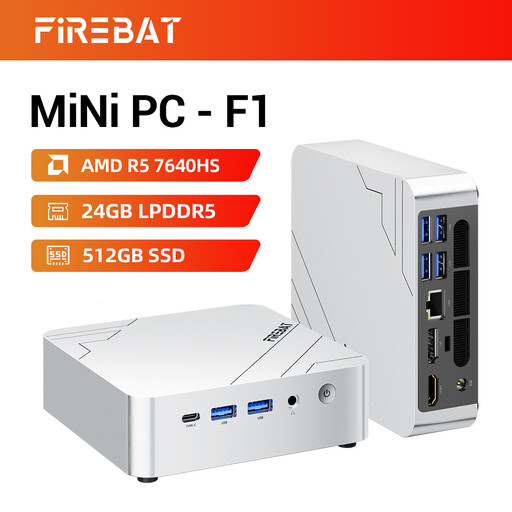 No image available
FIREBAT F1 Mini PC, Ryzen 5 7640HS, 24GB LPDDR5, 512GB PCIe 4.0 SSD
This mini PC is worth assessing if the shared workstation uses several displays, provided its operating system supports the team's development and browser tools.
The title specifies 24GB LPDDR5 memory, a 512GB PCIe 4.0 SSD and 4K triple-screen output. Confirm the operating system, the connections required by your monitors, included peripherals and warranty; the title's noise description is not a measured acoustic specification.
Joybuy
Common questions
Do I need a workstation desktop to build a browser extension?
Not necessarily: choose for the full set of tools you will use, rather than assuming extension development requires workstation hardware. Microsoft's VS Code hardware recommendation applies to the editor itself, not to several browsers, local services and other tools running alongside it.
Should I choose Windows, macOS or Linux?
Choose an operating system that covers your required browser tests and workplace tools. Mozilla makes desktop Firefox available on Windows, macOS and Linux, but that does not mean testing on one operating system covers a project that specifically requires another. Confirm the project's test matrix before committing to a desktop.
Does a compact desktop settle the shared-desk setup?
No: it still needs compatible displays, input devices and a suitable workstation arrangement. For workers covered by UK display-screen-equipment duties, the Health and Safety Executive says employers must assess workstations and reduce risks; those duties concern the working setup, not the size of the computer alone.


