What matters when choosing?
Check the club’s software and everyday workload first, then work out how the computer and screen will fit the standing desk. A compact case does not settle display compatibility or the practicalities of sharing member records.
| Concern |
What to check |
Who this matters to |
| Everyday administration |
Check that the exact configuration runs the club’s software and has an SSD, suitable memory and a supported operating system. Microsoft’s Windows 11 installation minimums of 4 GB RAM and 64 GB storage are compatibility baselines, not a recommendation for simultaneous work. |
If I regularly move between subscription records, spreadsheets and email, I want those tasks to run on the same computer without choosing specifications solely from installation minimums. Around 37% of consumers put dependable everyday administration first. |
| Standing-desk and display fit |
Check usable desk space, the exact PC’s video outputs, monitor inputs and support for the intended display arrangement. The Health and Safety Executive advises positioning the top of a screen around eye level and the screen about an arm’s length away. |
With little room on an adjustable desk, I need a screen I can position comfortably and a computer that connects to it. Roughly 27% of consumers make workstation fit their primary concern. |
| Member-data protection |
Plan who can access the PC and accounts, how the screen locks and how records are backed up. The Information Commissioner’s Office says organisations must use appropriate measures to protect personal data they hold. |
When subscription records identify members, I need to control access even if several people help administer the club. About 18% of consumers put protection of those records first. |
| Shared use and expansion |
List the monitors, network connection, USB devices and storage the club needs now and may need later; check ports, inclusions and upgrade options for the exact model. |
If volunteers share one office PC or the peripheral setup may change, I want to know what can connect or be added later. Approximately 18% of consumers prioritise shared-use flexibility and expansion. |
Relevant brands to consider
These product lines illustrate different space and expansion choices; check the configuration of any particular desktop before relying on a range-level feature.
Dell
Dell’s OptiPlex small-form-factor line is relevant when a club wants a compact conventional desktop with scope to consider internal expansion.
- Dell lists DDR5 memory options, SSD or HDD configurations and up to three PCIe slots for its cited OptiPlex 7020 small-form-factor model.
- Those options do not establish the ports or expansion available in every OptiPlex configuration; check the chosen model.
HP
HP’s ProDesk Mini line is relevant where a standing desk has little spare surface area.
- HP describes its cited ProDesk 4 Mini as a one-litre PC that can be mounted behind a monitor, subject to a compatible setup.
- Check the exact configuration and whether the monitor, mount, adapters and input devices are supplied separately.
Lenovo
Lenovo’s ThinkCentre Neo tiny desktops are another compact route for an office workstation.
- Lenovo lists configurations of its cited ThinkCentre Neo 50q Gen 5 with 8 GB or 16 GB memory and 512 GB SSD storage.
- Processor, operating system, connections and supplied peripherals depend on the selected configuration.
Compact desktops on Joybuy
These mini desktops are options to examine when saving standing-desk space matters. Before choosing one for club subscriptions, confirm that its operating system works with the club’s software, its display connections suit the monitor setup and the necessary peripherals are included or available separately.
 No image available
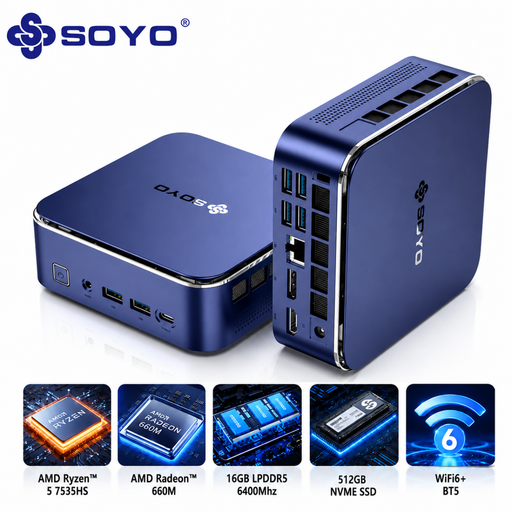
SOYO S5Air Mini PC, Ryzen 5 7535HS, 16 GB, 512 GB SSD
A compact option to consider where standing-desk surface space is limited.
The listed configuration has Windows 11 Pro, 16 GB LPDDR5 memory and a 512 GB NVMe SSD.
Confirm operating-system compatibility for the exact configuration, the intended display arrangement and which workstation accessories are included.
View on Joybuy
 No image available
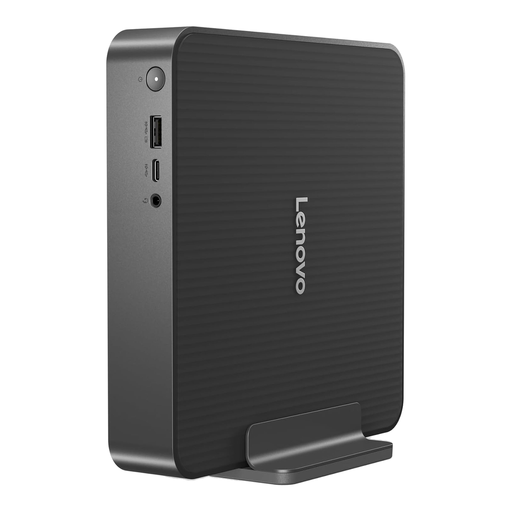
Lenovo IdeaCentre Mini PC 01IRH10R, 91B2000XUK
Consider this compact desktop for a desk where the monitor and input devices need most of the available space.
The listed variant has an Intel Core 5 processor, 16 GB RAM and a 512 GB SSD.
Check operating-system and software compatibility, the physical video outputs, display support and included peripherals for this variant.
View on Joybuy
 No image available
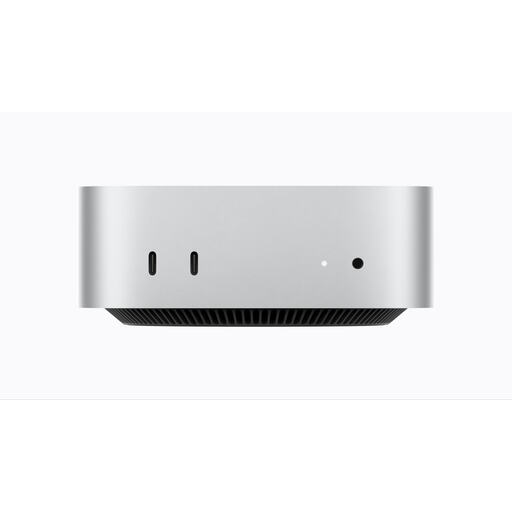
Apple Mac mini (2026), M6, 16 GB, 256 GB SSD
This compact macOS option is worth considering if the club’s subscription tools and other required software work on that platform.
The listed variant has an M6 chip, 16 GB unified memory and a 256 GB SSD.
Confirm software and operating-system support for the exact model, the intended monitor arrangement and included peripherals.
View on Joybuy
 No image available
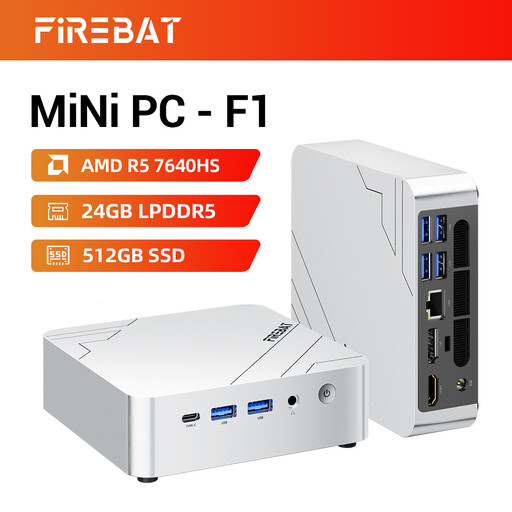
FIREBAT F1 Mini PC, Ryzen 5 7640HS, 24 GB, 512 GB SSD
This mini PC offers a compact case for a standing-desk setup, provided its software and display connections meet the club’s needs.
The title lists 24 GB LPDDR5 memory, a 512 GB PCIe 4.0 SSD and HDMI 2.1. It claims 4K triple-screen output; confirm the supported resolutions for the planned arrangement.
Check the installed operating system, its support status and whether the required cables and peripherals are included.
View on Joybuy
 No image available
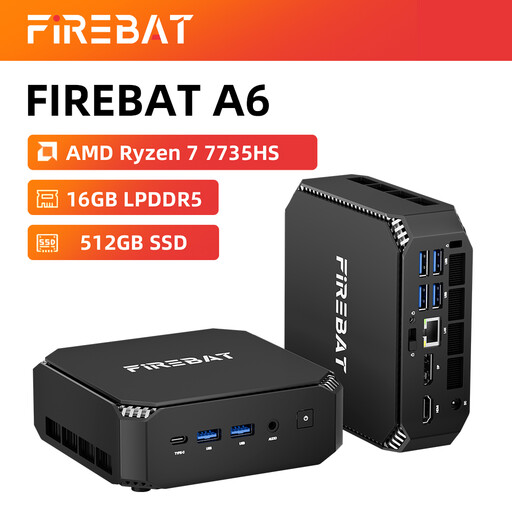
FIREBAT Mini PC, Ryzen 7 7735HS, 16 GB, 512 GB SSD
Consider this compact model if its connections and software support suit the club’s existing workstation.
The title lists 16 GB RAM, a 512 GB SSD and dual M.2 slots. It claims triple-display support; confirm the exact display configuration and resolutions before planning multiple screens.
Check the installed operating system and which cables, monitor and input peripherals are included.
View on Joybuy
Frequently asked questions
Do club subscriptions require a gaming desktop?
Routine browser portals, spreadsheets and email do not, by themselves, call for gaming-focused hardware. Check the club’s actual software, the configured memory and SSD, operating-system support and monitor connections instead; Microsoft’s Windows 11 minimum requirements are installation baselines, not a workload recommendation.
Should a standing-desk setup use a mini PC or a small-form-factor desktop?
A mini PC suits a cramped desk when its ports and mounting arrangement meet your needs; a small-form-factor desktop is worth examining when internal expansion is a priority. For either type, check the exact model’s monitor connections and supplied accessories before deciding.
What should I check before using two monitors?
Confirm that the exact desktop configuration supports the intended number of screens and resolutions, that its outputs match the monitors and that the required cables are available. Leave enough room to position the screens comfortably; the Health and Safety Executive advises placing the top of a screen around eye level and the screen about an arm’s length away.
When does a club need a display-screen-equipment workstation assessment?
In the UK, the Health and Safety Executive says employers must assess workstations for employees who use display screen equipment daily, continuously for an hour or more, as a significant part of their normal work. Whether that duty applies to a particular club role depends on the working arrangement; check the person’s status rather than assuming every volunteer or contractor falls under the same condition.
How should a club protect subscription records on a shared PC?
If the records contain personal data, the Information Commissioner’s Office says the organisation must use appropriate security measures. Restrict access to authorised people and consider strong unique passwords, multi-factor authentication where available, updates, screen locking and regular backups according to the data and risks involved.


