What matters when choosing
Decide where the screen can sit without a direct window reflection, then choose a desktop that fits the available space and runs a supported operating system.
| Concern |
Buying checks |
Who this matters to |
| Daylight readability |
Check the exact monitor’s finish and stated brightness, and whether you can position it away from reflections. |
When sunlight falls across tariff tables, I need to read rates without fighting reflections. Around 36% of consumers put glare control first. |
| Room for comparison |
Assess screen size, native resolution and scaling at your usual viewing distance. |
I want bills, supplier terms and email to remain legible while I compare them. Roughly 29% of consumers prioritise that viewing space. |
| Desk space |
Measure the space for the screen, stand and desktop; compare an all-in-one with a compact PC and separate monitor. |
On a narrow desk, I need the computer to fit without losing useful working space. About 21% of consumers make a tidy footprint their primary concern. |
| Ongoing support |
Confirm the exact operating-system edition and its support status before choosing a desktop for household accounts. |
I expect to use the machine for bills and account access beyond this tariff search. For around 14% of consumers, software support is the leading need. |
For a bright room, ENERGY STAR advises paying attention to screen brightness and notes the advantage of a matte finish under challenging lighting. Neither feature guarantees a reflection-free view: the window’s position and the screen’s placement still matter. Microsoft states that Windows 10 reached end of support on 14 October 2025, so check the precise servicing arrangement before choosing a Windows 10 desktop.
Joybuy desktop choices
These desktops can be considered for a setup with a separately chosen, positionable monitor. The compact models suit a tighter desk; the gaming towers are larger alternatives if the computer will serve other purposes too. Judge the screen separately for use beside the window.
 No image available
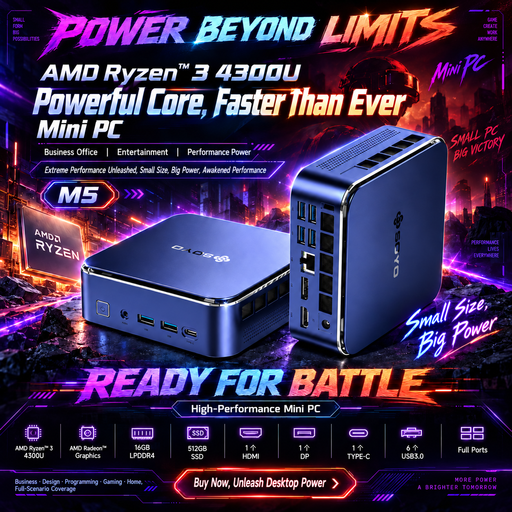
SOYO M5 Mini PC, Ryzen 4300U, 16GB/512GB
A compact PC to consider when you want to place the tariff-comparison screen independently of the computer.
The title specifies an AMD Ryzen 4300U, Windows 11, 16GB LPDDR4 memory and a 512GB SSD, with HDMI 2.0, Type-C and DP 1.4 display connections.
Confirm the bundle contents and match your chosen monitor’s input to a stated output. Check the monitor’s finish and brightness for the window position.
View on Joybuy
 No image available
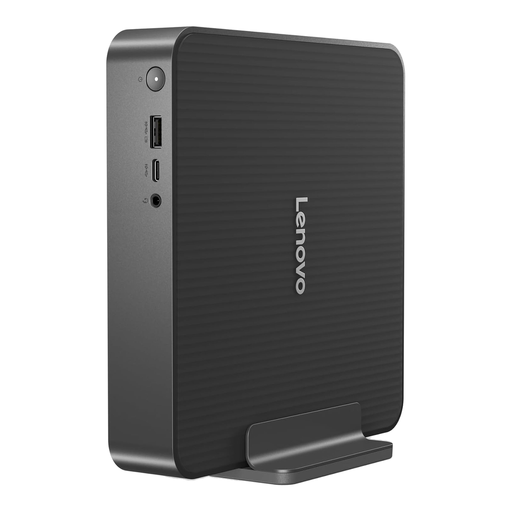
Lenovo IdeaCentre Mini PC 01IRH10R, 91B2000XUK
Consider this mini desktop if you want the PC and tariff-comparison screen to occupy separate positions on a small desk.
The title identifies an Intel Core 5 processor, 16GB RAM and a 512GB SSD.
Check the bundle contents and confirm that the exact computer’s display connection matches the monitor you intend to use. Assess that monitor’s finish and brightness beside the window.
View on Joybuy
 No image available
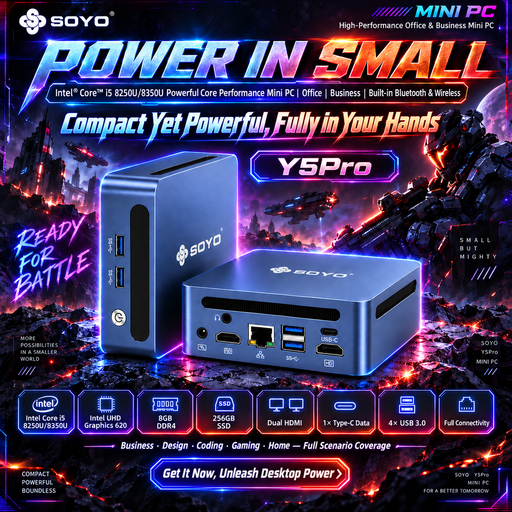
SOYO Y5Pro Mini PC, Core i5 8250U/8350U, 8GB/256GB
This mini PC is another option for a limited desk where you want to position the display separately.
The title specifies Windows 11, 8GB DDR4 memory and a 256GB SATA SSD. It lists the processor as either an Intel Core i5 8250U or 8350U, so confirm which variant will be supplied.
Check the monitor bundle and display connections, then assess the chosen screen’s finish and brightness for the bright-window position.
View on Joybuy
 No image available
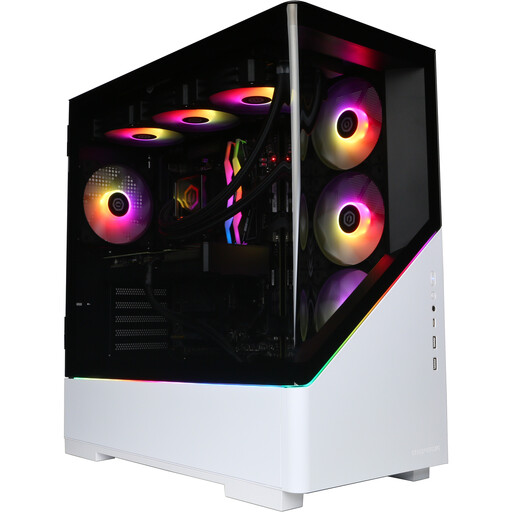
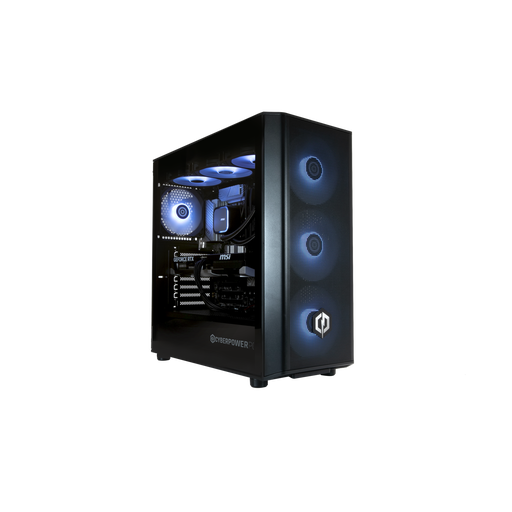
CyberPowerPC JOYB1013, Ryzen 7 9800X3D, RTX 5080
Consider this gaming tower only if the desktop will also serve needs beyond tariff comparison; its graphics hardware does not, by itself, make tariff tables easier to read.
The title specifies an AMD Ryzen 7 9800X3D, NVIDIA GeForce RTX 5080 16GB, 32GB DDR5, a 2TB NVMe SSD and Windows 11 Home.
A monitor is not included. Check its inputs against the tower’s outputs, allow space for the chassis and choose a screen that works beside the window.
View on Joybuy
 No image available
CyberPowerPC JOYB1010, Core Ultra 7 265KF, RTX 5070
This gaming tower is relevant if you need the computer for other tasks as well; choose the display for tariff reading on its own merits.
The title specifies an Intel Core Ultra 7 265KF, NVIDIA GeForce RTX 5070 12GB, 32GB DDR5, a 1TB NVMe SSD and Windows 11 Home.
A monitor is not included. Check display connections and chassis space, then assess the monitor’s finish, brightness and position near the window.
View on Joybuy
Common questions
Is an all-in-one or a separate monitor easier to use beside a bright window?
A separate monitor gives you more freedom to position or change the display if reflections are the main difficulty. An all-in-one can suit a simpler desk setup, but check its exact panel finish, brightness and stand adjustment where you plan to place it.
How should I position the screen near the window?
Place the screen so the window does not reflect directly in it, and adjust its position and surrounding light where possible. ENERGY STAR notes that matte displays work better under challenging lighting and that screen brightness matters in a brightly lit room.
What should I have ready to compare energy tariffs?
Have your postcode, current tariff, unit rates, annual energy use and payment details to hand. Ofgem advises comparing tariffs to find one that fits your circumstances; check the standing charge and any relevant terms alongside the unit rate.
Does the energy price cap predict my total bill?
No. Ofgem describes the cap in terms of unit rates and standing charges on covered default tariffs, not a fixed total bill. The applicable rates vary with factors including location, payment method and meter type, while your usage also affects what you pay.
Should I choose a Windows 10 desktop for household account tasks?
Do not assume an ordinary Windows 10 installation remains supported for a new purchase. Microsoft states that Windows 10 reached end of support on 14 October 2025; check for a supported operating-system configuration or confirm the exact servicing arrangement of a Windows 10 device.


