What to check before buying
For a routine desktop replacement, settle the connection first; then assess screen placement, usable workspace and the role audio plays in your day.
| Concern | What to check | Who this matters to |
|---|
| Connections |
Match the desktop output to a monitor input, and confirm the resolution supported through the cable or converter you will use. VESA says VGA requires a separate converter; passive DisplayPort-to-HDMI or DVI adaptation depends on a DP++ source. |
If my ageing desktop has a legacy output, I need to know the replacement will show my work at the intended resolution. Around 36% of consumers put connection compatibility first. |
| Desk fit |
Measure the space and stand footprint, then check height and tilt adjustment individually. The Health and Safety Executive advises a screen position with its top around eye level, about an arm’s length away. |
When I spend long stretches reading documents, I need a screen I can position comfortably without crowding the desk. Desk fit is the main concern for around 29% of consumers. |
| Work area and hub |
Compare the screen’s size, resolution and aspect ratio with your work. If considering a hub, check the required ports, USB-C video support and power-delivery rating for the connected computer. |
I may want more room for documents or a simpler way to connect peripherals, but only if those features suit my computer. Around 21% of consumers make workspace or hub convenience their primary concern. |
| Audio |
Check the exact monitor’s speaker and audio-output specifications. If considering separate audio, check its desk space, power and computer connection needs. |
For regular calls or playback, I want to choose sound deliberately rather than assume the screen includes speakers. Audio arrangement comes first for around 14% of consumers. |
Office monitor choices on Joybuy
These monitors offer different screen sizes and connection choices for replacing a desktop display. Compare the exact input, desk fit and audio arrangement you need; the models below are not interchangeable with the separately discussed P2425DE, 724pu or Lenovo examples.
 No image available
Dell P2425H 24-inch Full HD monitor
Consider this model for routine desk work if your desktop uses one of its listed HDMI, DisplayPort or VGA inputs; confirm the display mode through your chosen connection.
The product name specifies a 1920 × 1080 IPS display and 100Hz refresh rate. Check audio provision separately if you need sound from the monitor.
View on Joybuy
 No image available
Dell P2425 24-inch monitor
This is an option to examine for document work and desktop peripherals. Check that its HDMI or DisplayPort connection suits your computer and that its screen format suits the space you want for documents.
Confirm the exact refresh rate before buying. If you need USB-C video, laptop charging or monitor audio, check those functions for this P2425 configuration rather than assuming they accompany its hub features.
View on Joybuy
 No image available
Samsung Essential S3 S31D (LS24D310EAUXXU) monitor
Consider this model for a desktop using HDMI or VGA, provided its screen position works on your desk. Check the exact stand adjustment and audio specification if either affects your setup.
View on Joybuy
 No image available
AOC Q32V4 31.5-inch IPS monitor with speakers
Its larger screen is worth considering only if your desk has enough width and viewing distance. The product name identifies an IPS display with built-in speakers; decide whether integrated audio meets your needs.
Check how the stand positions the screen before buying, particularly if you need height adjustment.
View on Joybuy
 No image available
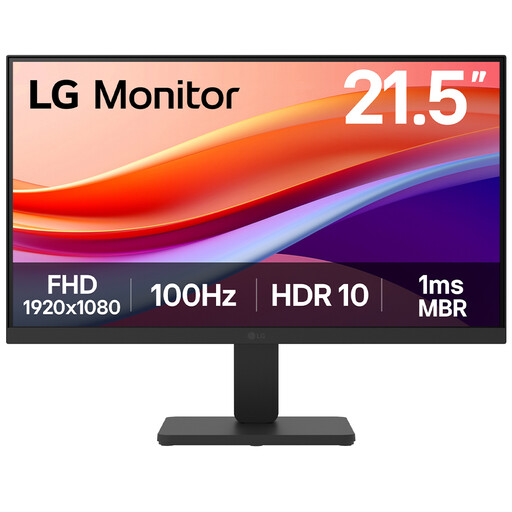
LG 22U401A-B 22-inch Full HD monitor
This smaller-screen option may suit a desk with limited space and a desktop using HDMI or VGA. Check whether its stand places the screen at a suitable height, and confirm audio provision if needed.
The product name specifies a VA panel, 100Hz refresh rate and HDMI connection.
View on Joybuy
Frequently asked questions
What should I check before replacing an old desktop monitor?
Identify the computer’s video output, then check the proposed monitor’s input and the resolution supported through the intended cable or converter. VESA’s DisplayPort guidance cautions that VGA needs a separate converter and that passive DisplayPort-to-HDMI or DVI adaptation depends on a DP++ source.
Is a 27-inch QHD monitor necessarily a better office choice than a 24-inch screen?
No: choose the size and resolution that your computer can drive and your desk can accommodate. Check the stand or arm as well; the Health and Safety Executive advises positioning the display about an arm’s length away, with its top around eye level.
When is a USB-C hub monitor useful?
It is useful when your computer supports the required USB-C display mode and you will use the monitor’s hub connections or laptop charging. Check the exact power-delivery rating against the laptop’s requirements: LG, Lenovo, Dell and HP list substantially different ratings on the individual models discussed here.
Can I rely on built-in monitor speakers?
Rely on them only after checking that the exact model includes speakers and that integrated sound suits your intended use. Dell lists no speakers for the P2425DE, whereas Lenovo lists dual 3W speakers for the L27h-4A; separate audio remains an option when sound is a primary requirement.
Can I return an online monitor purchase if it does not suit my desk?
For an eligible UK consumer distance sale, the usual change-of-mind cancellation period ends 14 days after the day the goods are received, subject to the applicable conditions and exceptions in the Consumer Contracts Regulations 2013, regulation 30. GOV.UK distinguishes this from remedies for faulty or misdescribed goods. A purchase made by a business should be assessed under its own contract rather than assuming consumer cancellation rights apply.


