Who is this setup for?

Multi-screen race-data analysts

If you keep results, filters and spreadsheets visible together, check display support for the exact PC configuration rather than assuming its ports will drive every screen you want. UK Racing Data describes Excel exports for further analysis, while Lenovo UK and HP Store UK specify multi-display support for particular desktop models.

Standing-desk space optimisers

If the desk changes height, consider where the computer, displays and cables will go at both positions. A compact PC or integrated display may help with placement, but the Health and Safety Executive advises considering the whole workstation, including equipment and furniture.

Users planning for growing archives

If you expect to retain more results or run several analysis tools, look at the exact model’s memory and storage options alongside your software’s requirements. UK Racing Data describes filtering, historical analysis and Excel export, but those activities alone do not establish a hardware specification.

What matters when choosing?

Compact PC with separate monitors

Consider it when: desk space is tight but you want to position each monitor independently.

Trade-off: display support and upgrade options depend on the exact model; separate screens and mounts also need planning.

Tower with separate monitors

Consider it when: access to future memory, storage or display-hardware upgrades is a priority.

Trade-off: a tower needs a suitable location and cable routing as the desk moves; monitor capacity still varies by configuration.

All-in-one desktop

Consider it when: one integrated screen fits the workflow and its stand offers the positioning you need.

Trade-off: the computer and main display are tied together, so check adjustment and external-display options before committing.

Concern What to check Who this matters to
Screen layout Confirm the exact PC’s independent-display support and match its outputs to your monitors’ inputs. If I compare results and spreadsheets side by side, I need screens that can work together in my chosen configuration. Around 36% of consumers would put screen layout first.
Desk fit and positioning Check computer placement, display position and cable movement at both desk heights. When my desk rises, I want the screen and controls to remain conveniently positioned without cables getting in the way; around 29% of consumers would prioritise the workstation layout.
Room for analysis files Compare the software’s requirements with installed memory, storage and the exact model’s upgrade options. If my local results archive grows, I need a setup that can accommodate my files and tools. For around 21% of consumers, expansion would be the primary concern.
Operating-system readiness Confirm the installed Windows version, licence and compatibility with your analysis software. Before choosing screens or expansion options, I want to know the PC can run a supported system and my chosen applications; around 14% of consumers would make that their first check.

Buying pitfalls

  • Assuming every desktop will run your planned monitors

    Display-count claims apply to particular configurations, not every PC in a product family. Lenovo UK and HP Store UK describe multi-display support for selected systems.

    List your monitors and their inputs, then confirm the exact PC’s independent-display count, outputs and supported resolutions.

    Additional screens, arms, cables or adapters may be needed for the layout you choose.

  • Using Windows installation minimums as an analysis specification

    Microsoft lists 4 GB of memory and 64 GB of storage among Windows 11 requirements; these are not performance recommendations for a particular spreadsheet or analysis workload.

    Check your application’s requirements and the size of your active files and local archive before deciding on memory and storage.

  • Choosing the PC without planning the standing workstation

    A small computer does not settle monitor, keyboard or cable placement. Health and Safety Executive guidance considers equipment, furniture and working conditions together.

    Plan the display and controls at both desk heights, leaving appropriate cable movement and checking desk stability.

    A separate monitor, mount or cable-management accessories may be needed.

  • Overlooking the installed operating system

    Microsoft states that Windows 10 support ended on 14 October 2025. An older desktop’s hardware specifications alone therefore do not answer whether its installed system suits connected use.

    Confirm the Windows installation and licence, Windows 11 eligibility if needed, and compatibility with your analysis software.

Brands to consider

Lenovo

Lenovo’s ThinkCentre M-series includes compact, tower and all-in-one formats relevant to different standing-desk layouts.

  • Lenovo UK advertises multi-display capability for selected ThinkCentre models and adjustable stands for selected all-in-ones.
  • Check the exact configuration’s outputs, components and supplied stand; those features do not apply uniformly across the range.

HP

The HP Pro Tower line is relevant if you want a separately placed desktop and independently chosen monitors.

  • HP Store UK lists support for up to three displays on its cited Pro Tower 400 G9 configuration.
  • That display claim and the listed components are configuration-specific; confirm the unit you intend to buy.

Dell

Dell’s OptiPlex all-in-one format may suit a workstation built around an integrated main display.

  • Dell UK lists a DisplayPort output on the cited OptiPlex all-in-one configuration.
  • Check the exact screen, stand adjustment, ports and components rather than assuming they match across OptiPlex models.

Compact desktop choices on Joybuy

These mini desktops are options for a race-results workstation with separately positioned monitors. Compare their stated memory and storage with your software needs, and confirm display compatibility and desk-height cable routing for the exact setup.
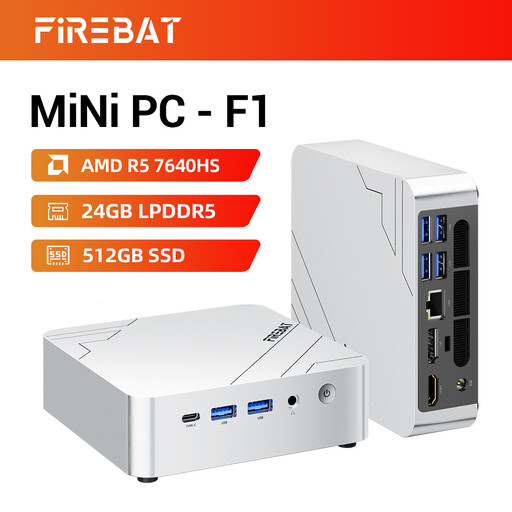
FIREBAT F1 Mini PC with AMD Ryzen 5 7640HS

FIREBAT F1 Mini PC, AMD Ryzen 5 7640HS, 24GB RAM, 512GB SSD

Consider this compact PC if you want to arrange separate monitors around your results workflow.

The title specifies LPDDR5 memory, a PCIe 4.0 SSD, HDMI 2.1 and USB 4.0. Its triple-screen claim needs checking against the simultaneous outputs and resolutions required by your monitors.

View on Joybuy
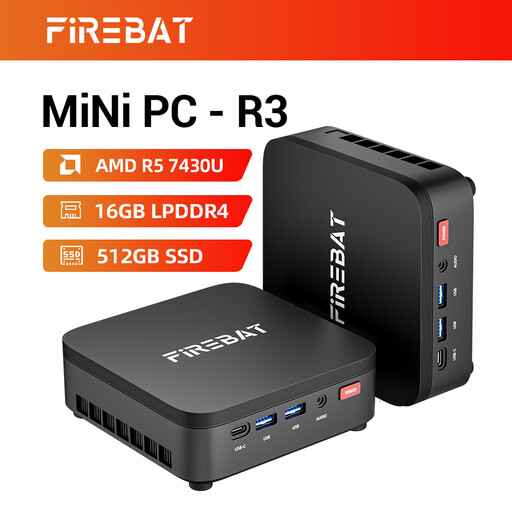
FIREBAT R3 Mini PC with AMD Ryzen 5 7430U

FIREBAT R3 Mini PC, AMD Ryzen 5 7430U, 16GB RAM, 512GB SSD

This mini PC is another option where computer placement matters and you plan to use separate displays.

The title specifies LPDDR4 memory and advertises triple-screen output. Confirm simultaneous display operation and compatibility with your intended monitors before relying on that claim.

View on Joybuy
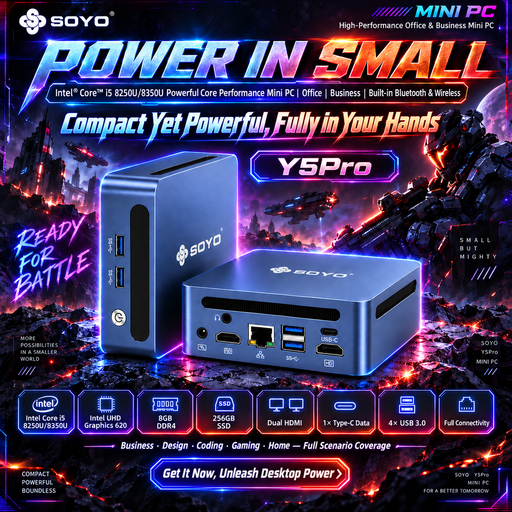
SOYO Y5Pro Mini PC with Intel Core i5 8250U or 8350U

SOYO Y5Pro Mini PC, Intel Core i5 8250U/8350U, 8GB RAM, 256GB SSD

Consider its small PC format if you can verify that the supplied configuration meets your analysis and display needs.

The title lists DDR4 memory, SATA SSD storage and Windows 11. Confirm which of the two named processors is supplied, its Windows 11 eligibility and how many monitors can run simultaneously.

View on Joybuy
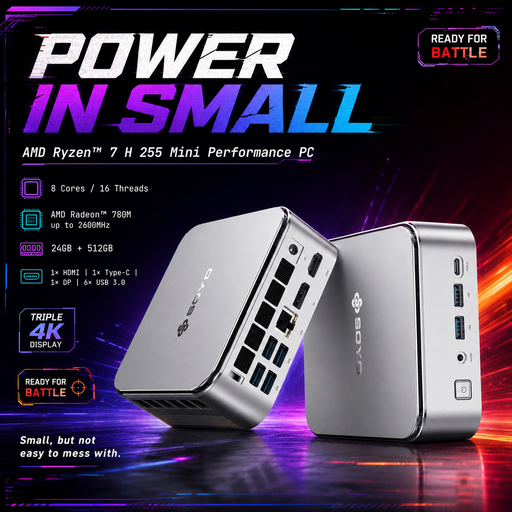
SOYO S4PLUS Mini PC with Ryzen 7 H 255

SOYO S4PLUS Mini PC, Ryzen 7 H 255, 24GB RAM, 512GB SSD

This compact desktop may suit a separate-monitor layout if its connections match your planned screens.

The title specifies LPDDR5 memory, a PCIe 3.0 SSD and Windows 11. Check the exact video outputs, simultaneous display count and supported resolutions before choosing a multi-screen arrangement.

View on Joybuy
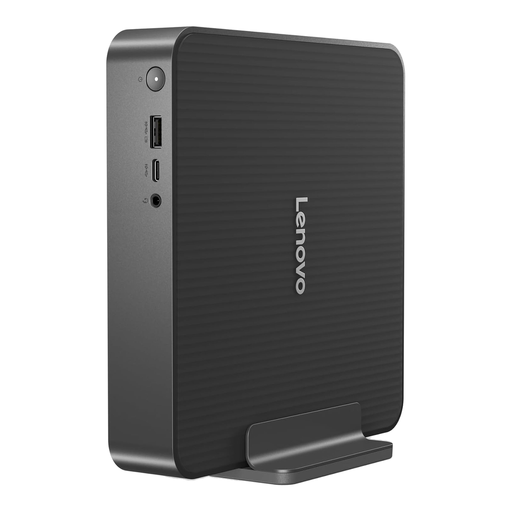
Lenovo IdeaCentre Mini PC 01IRH10R, variant 91B2000XUK

Lenovo IdeaCentre Mini PC 01IRH10R, 91B2000XUK, 16GB RAM, 512GB SSD

Consider this mini desktop for a Windows-based setup with independently positioned monitors.

The title identifies an Intel Core 5 processor. Confirm that Windows 11 Home suits your software and that the exact video outputs support your intended screen arrangement.

View on Joybuy

Frequently asked questions

Do I need a workstation or gaming PC for race-results analysis?

Not automatically: choose hardware against the requirements of your actual analysis software and files. UK Racing Data describes filtering and Excel export, but those functions alone do not establish a need for gaming graphics or a particular processor.

Is multi-monitor support worth prioritising?

Prioritise it if you need results, spreadsheets and source material visible at once. Check the exact configuration’s independent-display count, outputs, supported resolutions and compatibility with your monitors; manufacturer claims for selected Lenovo and HP systems do not apply to every model.

What should I check when putting a desktop at a standing desk?

Plan the computer, monitor, keyboard, mouse and cables as one workstation at both desk heights. The Health and Safety Executive advises considering equipment, furniture and working conditions together; leave room for cable movement and check the stability of your chosen layout.

Should I buy a desktop that still runs Windows 10?

For a connected analysis PC, check its upgrade path before buying: Microsoft states that Windows 10 support ended on 14 October 2025. Confirm the installed licence, Windows 11 eligibility and support for your chosen software rather than judging the PC by its hardware alone.

What should I confirm before ordering a desktop online?

Confirm the exact configuration, operating-system licence, included monitor and peripherals, warranty terms and who handles faults. Terms can differ by listing: the cited Joybuy Stormforce listing, for instance, states a one-year manufacturer warranty covering hardware defects and technical failures.