Households sharing a budget spreadsheet
People using one desk for browser banking, spending records and charts, who want each user to pick up the work without rearranging the setup.


Choose a desktop that runs the household’s existing spreadsheet tools and connects to the monitor already at the shared desk. A compact Windows PC is the more straightforward route when files or applications require Windows; a Mac mini is an alternative if the household already uses macOS and has checked its workbook and peripheral compatibility. Compare the exact memory, storage and box contents before settling on a configuration.
People using one desk for browser banking, spending records and charts, who want each user to pick up the work without rearranging the setup.
People whose existing workbook, accounting application or peripheral needs Windows or desktop Excel features rather than a browser-only workflow.
People already comfortable with macOS who want a compact fixed computer and have checked that their budgeting files and required services work on it.
Start with the spreadsheet and operating system the household needs, then check the existing desk equipment and the exact computer configuration.
| Concern | What to check | Who this matters to |
|---|---|---|
| Everyday responsiveness | Compare installed memory and SSD capacity for the browser windows, spreadsheets and local files you expect to use. | If I switch between bank exports, charts and browser tabs, I need a configuration that fits that routine rather than a processor name alone. Around 33% of consumers put everyday charting and multitasking first. |
| Shared-desk fit | Match the monitor’s input to the computer’s output, and check the exact keyboard, mouse and other box contents. | A computer shared at an established desk needs to work with the screen and peripherals already there. For around 42% of consumers, desk and equipment compatibility is the primary concern. |
| Software and charting needs | Check the operating system against existing workbooks, applications and add-ins; decide whether desktop Excel features or multiple displays are required. | If our charts depend on an advanced workbook or a familiar operating system, keeping that workflow matters more to me than choosing by size alone. Around 25% of consumers place those software or ecosystem needs first. |
Box contents differ by configuration: HP lists a wired mouse with the cited Pro Mini 400 G9, while Lenovo lists no keyboard or mouse with the cited ThinkCentre M90q Gen 6.
Check the exact product’s box contents and connections against the monitor, keyboard, mouse and other equipment already on the desk.
Microsoft’s 4 GB RAM and 64 GB storage figures are system minimums, not a recommendation for working across several browser and spreadsheet windows.
Choose memory and SSD capacity against your actual files and routine, comparing the precise configuration rather than only its processor.
Microsoft distinguishes Office for the web from desktop applications and notes that some users need advanced charting in desktop Excel.
Check the household’s most complex workbook, including any charts, macros or add-ins, before changing applications or operating systems.
GOV.UK’s waste electrical and electronic equipment guidance addresses recovery, reuse and recycling of electrical equipment.
Back up and erase household data, then check an appropriate retailer take-back, reuse or local-authority collection route.
HP’s Pro Mini 400 G9 is a compact Windows business-desktop option for a fixed desk.
Dell Pro Micro is a compact Windows desktop line with configuration choices.
Lenovo’s ThinkCentre Tiny line includes compact Windows desktops for more demanding business-style setups.
Mac mini is a compact macOS option for households whose budgeting workflow works with Apple software.
These desktop and mini-PC choices can be assessed for a household spending-chart setup. Match each one to your software, monitor and available desk space; the list includes different case sizes and configurations.
 Image unavailable
Consider this tower if the shared desk has room for a larger case and the household uses Windows applications.
The named configuration has 8 GB RAM, a 1 TB SSD and Windows 11 Home. Check its footprint and the existing monitor’s connection before buying.
 Image unavailable
Consider this mini PC where keeping the shared desk clear matters and the household needs a Windows setup.
The product name lists 8 GB DDR4 memory and a 256 GB SATA SSD. Confirm which of the two named processors is supplied and whether a keyboard and mouse are included.
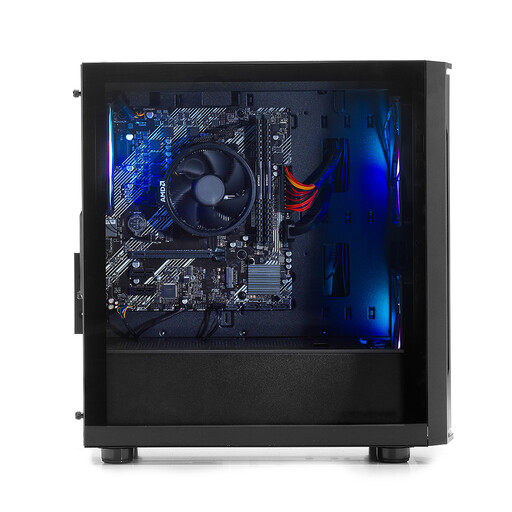 Image unavailable
This Windows desktop is worth comparing if a compact case, rather than a mini PC, fits the shared desk.
The named configuration has 8 GB DDR4 memory, a 500 GB NVMe SSD and Windows 11 Home. Check the monitor connection and whether you need to supply a keyboard and mouse.
 Image unavailable
Consider this mini desktop for a space-limited shared desk that already uses Windows.
The named variant has an Intel Core 5 processor, 16 GB RAM and a 512 GB SSD. Confirm its video outputs against the monitor and check the keyboard and mouse box contents.
 Image unavailable
Consider this mini PC only after checking that its operating system works with the household’s budgeting applications.
The product name lists 24 GB LPDDR5 memory, a 512 GB PCIe 4.0 SSD and support for 4K triple-screen output. Check the connections needed by your monitors and whether a keyboard and mouse are included.
Gaming specifications are not the starting point for ordinary spending charts. Check the applications, simultaneous browser and spreadsheet use, storage and monitor setup; Microsoft’s Windows 11 minimum requirements establish system compatibility, not comfort for a particular workload.
Yes, if the household has access to the appropriate Office for the web features, a supported browser and an internet connection. Microsoft notes that some people need desktop Excel for advanced charting, so check a complex existing workbook before relying entirely on the browser version.
Check the monitor connection and the exact keyboard, mouse and other box contents. Included accessories vary: HP lists a wired mouse with the cited Pro Mini 400 G9, while Lenovo lists no keyboard or mouse with the cited ThinkCentre M90q Gen 6 configuration.
Back up and erase personal data, then check an appropriate reuse, retailer take-back or local-authority collection route. GOV.UK’s waste electrical and electronic equipment guidance addresses recovery, reuse and recycling rather than disposal with general waste.