Sales reviewers working in a quiet study
If you check orders, invoices and dashboards near where you read or take calls, fan noise matters as well as desk space. A small case alone is not evidence that a particular desktop will stay quiet.


For reviewing sales dashboards, spreadsheets and routine records in a quiet study, start with a compact desktop that runs every application and peripheral your shop needs. A Windows mini PC is a sensible route when the workflow requires Windows; consider a Mac mini only after confirming full macOS compatibility, or a small-form-factor Windows PC if internal expansion matters. None of these form factors guarantees quiet operation, so check noise evidence for the exact configuration and workload before choosing.
If you check orders, invoices and dashboards near where you read or take calls, fan noise matters as well as desk space. A small case alone is not evidence that a particular desktop will stay quiet.
If a dashboard, spreadsheet, email and reports need to remain open together, check installed memory and the connections for your intended monitors. High-end graphics are not a substitute for the ports and software your work requires.
If the desktop provides access to essential shop records, confirm software compatibility and plan how to recover the data after a device failure. The National Cyber Security Centre advises organisations to back up data they need to operate, including invoicing and customer information.
Settle the operating-system and expansion questions before comparing individual configurations: a compact Windows PC, an expandable Windows desktop and a Mac mini serve different requirements.
Consider it when: Windows-dependent shop software or peripherals must fit into a small workspace.
Allow for: A monitor and input devices may be separate, and noise varies by configuration rather than case size alone.
Consider it when: You expect to add internal storage or expansion cards beyond the sales-review workload. Dell lists up to three PCIe slots for its OptiPlex Small Form Factor line.
Allow for: A larger chassis than a mini PC; expansion options do not establish how quietly a specific build runs.
Consider it when: Every essential sales, accounting, export and peripheral workflow supports macOS.
Allow for: Confirm storage needs before selecting a configuration. Notebookcheck’s noise observations for an older M4 Mac mini do not establish how a current M6 model sounds.
| Concern | What to check | Who this matters to |
|---|---|---|
| Noise in the study | Look for acoustic information covering the exact configuration and everyday office work, not just a product-family description. Check the seller’s return terms if you cannot assess it beforehand. | When I review figures or take calls nearby, changing fan noise would distract me. Around 36% of consumers put low-distraction operation first. |
| Work windows and displays | Check installed memory and whether the desktop’s display outputs match your monitors; confirm which setup accessories are included. | I need to see a dashboard beside a spreadsheet without repeatedly switching windows. For around 29% of consumers, this workspace need comes first. |
| Software and records | Confirm the required sales and accounting applications, exports and peripheral drivers work on the chosen operating system. Arrange a recoverable backup. | If the computer fails or cannot open an essential report, I still need access to the shop’s records. Keeping that workflow available is the first concern for around 35% of consumers. |
For affected digital tax-record workflows, HMRC says compatible software is needed to create, store and correct records. Check the requirements of your own software rather than assuming that either operating system covers every shop task.
A compact computer is of limited use if its display connections do not match your monitor or an essential input device is absent.
List the monitor, keyboard, mouse, cables and shop peripherals you will use, then check the exact configuration’s ports and included items. Lenovo states that the monitor, keyboard and mouse are optional for the ThinkCentre neo 50q Gen 5 configuration described on its UK page.
Fan behaviour can change with the configuration and workload. Notebookcheck tested an HP Elite Mini 800 G9 with a Core i5-14500, not the Core i7-14700 configuration on HP’s UK product page; its separate Mac mini test covered an older M4 model, not an M6.
Seek acoustic information for the precise desktop you intend to buy and check the applicable return terms before relying on it in a noise-sensitive room.
A desktop may have suitable memory and connections yet still fail to run a required application, printer driver or report-export process.
Check the sales platform, accounting and tax tools, browser requirements, exports and device drivers against Windows or macOS before ordering.
Changing systems can also mean rebuilding templates or replacing a peripheral that lacks a compatible driver.
A device failure or malware incident could interrupt access to records needed to run the shop. The National Cyber Security Centre identifies invoicing, documents, contacts and customer information among data organisations should back up.
Arrange a recoverable backup and test that you can restore essential files. If you use an external backup drive, disconnect it when it is not in use, as the National Cyber Security Centre advises.
The HP Elite Mini 800 G9 is a compact business-desktop line. HP’s UK page describes a Windows 11 Pro configuration with an Intel Core i7-14700, 16 GB RAM and a 512 GB SSD.
The ThinkCentre neo 50q Gen 5 Tiny is a compact business-PC option for a workspace with limited desk space.
Mac mini is a compact macOS route when the shop’s complete software and peripheral workflow supports that operating system.
These compact Windows desktops and Mac mini configurations are relevant to a small sales-review workstation. Choose between them by checking your shop software, monitor connections and the noise evidence for the precise model—not by assuming the order below is a quietness ranking.
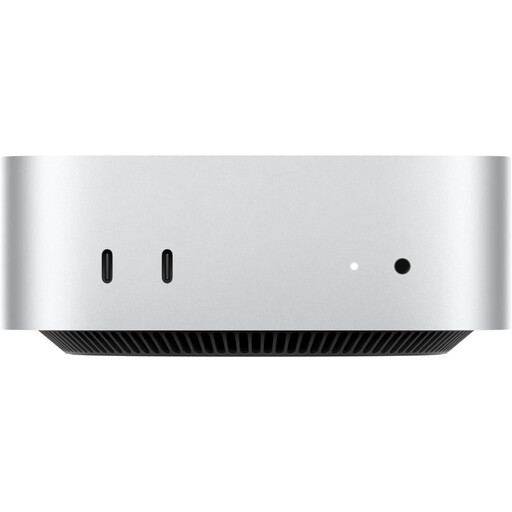 Image unavailable
Consider this compact Mac mini if every essential shop application and peripheral supports macOS. Its listed configuration has 24 GB memory and a 512 GB SSD; check its acoustic behaviour for the work you will do in the study.
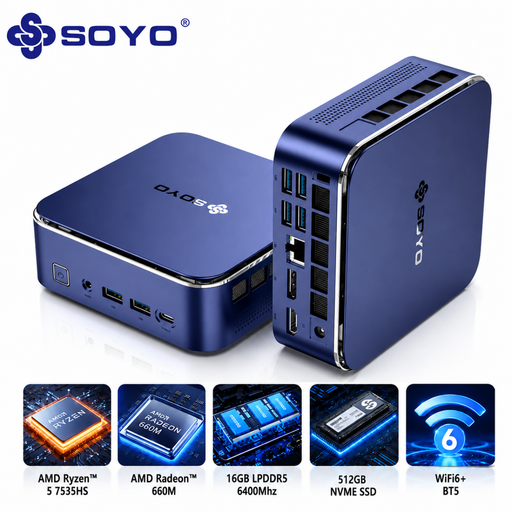 Image unavailable
A compact Windows 11 Pro option if your shop workflow requires Windows. The named configuration has 16 GB LPDDR5 memory and a 512 GB NVMe SSD; confirm that your applications and peripherals work with it, and assess noise for this configuration before using it in a quiet study.
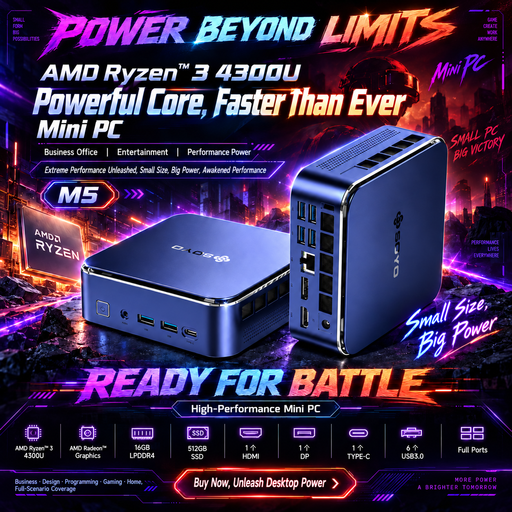 Image unavailable
Consider this compact Windows 11 desktop if it meets your sales-software requirements. Its name specifies 16 GB LPDDR4 memory, a 512 GB SSD and triple-display output via HDMI 2.0, Type-C and DP 1.4; confirm monitor compatibility and how quietly the exact configuration runs.
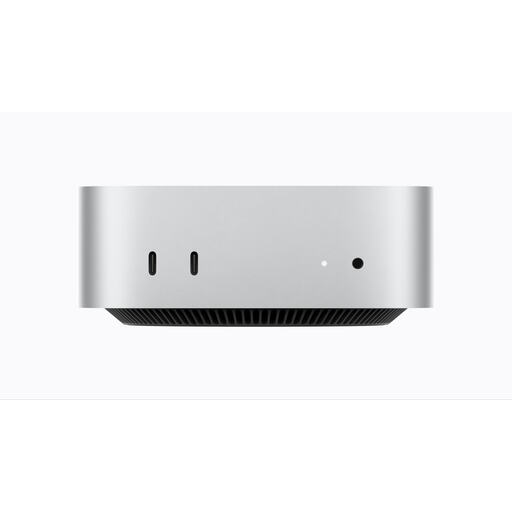 Image unavailable
This compact macOS configuration is an option only after you confirm the shop’s applications, exports and peripherals work on a Mac. It has 16 GB unified memory and a 256 GB SSD; check that the storage suits the reports you keep locally, as well as the exact model’s noise behaviour.
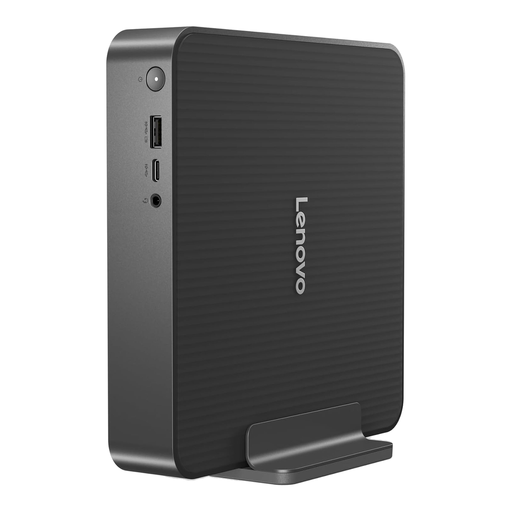 Image unavailable
A compact Windows desktop to consider for a space-conscious sales-review station. This variant has 16 GB RAM and a 512 GB SSD; check the display outputs and included accessories against your setup, along with software compatibility and noise for the exact configuration.
Choose Windows if an essential shop application or peripheral requires it; a Mac mini is an option if every required workflow supports macOS. Check the sales platform, accounting tools, report exports and printer or scanner drivers individually before deciding.
Do not assume it will. Lenovo lists the monitor, keyboard and mouse as optional for its ThinkCentre neo 50q Gen 5 UK configuration; check the included items and required display cable for whichever desktop you choose.
Make a recoverable copy of the business data you need to operate. The National Cyber Security Centre includes invoicing, documents, contacts and customer information in its backup advice; an online backup or separate storage device can help, provided you check that essential files can be restored.
If you are buying as a consumer, GOV.UK says online-order customers can cancel within 14 days of receiving an item even when it is not faulty. Check the seller’s applicable cancellation process before ordering; a change-of-mind cancellation is distinct from remedies for faulty or misdescribed goods, and a purchase made for a business may be treated differently.