Choose a desktop only after confirming that its exact configuration can run your two monitors as an extended workspace. A compact mini PC suits a desk where space is tight; a small-form-factor or tower desktop is worth comparing if you expect to add storage, memory or peripherals. Check the display ports, monitor inputs and required cables for the particular setup you intend to use.
Who is this setup for?
Two-screen spreadsheet managers
If a spending sheet or accounting application needs one screen while plans, invoices or email occupy the other, check that the desktop and both monitors can form an extended workspace. Lenovo Support GB advises checking the computer’s connectors and dual-monitor support.
Space-limited home-office buyers
A mini desktop may fit beside or behind two monitors where a tower would take up too much room. Check the exact model’s display connections and expansion options rather than relying on its size.
Growing project-administration teams
If more simultaneous documents, local files or peripherals are likely, compare small-form-factor and tower configurations as well as mini PCs. The expansion options still depend on the particular model.
What matters when choosing?
For project-spending work on two screens, establish how both displays will connect before deciding how much working capacity and future expansion the desktop needs.
Compact mini desktop
Consider it when: Desk space is limited and the exact configuration supports your two-monitor setup.
Trade-off: Confirm its physical expansion options and display connectors before choosing it for a setup that may grow.
Small-form-factor or tower desktop
Consider it when: You expect to add storage, memory or peripherals and have room for a larger chassis.
Trade-off: It occupies more space than a mini PC, and its chassis size alone does not confirm two-monitor support.
| Concern |
What to check |
Who this matters to |
| Two-monitor connections |
Check that the exact desktop supports two displays at once and that its outputs match both monitors’ inputs, directly or through suitable adapters. |
I want a spending sheet on one display and invoices on the other, so both must work as an extended desktop; around 42% of consumers put connection certainty first. |
| Everyday multitasking |
Compare the installed memory, SSD capacity and operating system of the exact configuration, not just its product-family name. |
With spreadsheets, accounting tools and browser tabs open together, I need a configuration suited to my routine work; about 33% of consumers prioritise multitasking capacity. |
| Space and expansion |
Check the space available for the chassis and the model’s documented storage, memory and peripheral expansion options. |
When desk space is tight but I may add peripherals later, I need to balance size against expansion room; roughly 25% of consumers make that balance their primary concern. |
Buying pitfalls
-
Assuming one video socket means two monitors will work
A visible HDMI or DisplayPort socket does not establish that the desktop can run both intended displays at the same time. Lenovo Support GB advises checking the computer’s connectors and dual-monitor support.
Match the exact desktop’s documented outputs to both monitors’ inputs, and confirm that any proposed adapter supports the intended connection.
Different connectors may call for an additional cable or suitable adapter.
-
Comparing product families instead of configurations
Memory, storage, operating system and display ports can differ between configurations carrying the same family name.
Keep the exact product code or configuration sheet to hand, then compare installed memory, SSD capacity, rear display ports, operating system and warranty terms.
-
Choosing the smallest chassis without planning ahead
A compact desktop may suit today’s desk but leave less room for the storage or hardware additions you later want.
Check the mini PC’s documented expansion provisions against your plans; if they do not fit, compare a small-form-factor desktop.
A later need for storage or connections may mean using external accessories.
Brands to consider
Dell
Dell UK lists compact Dell Pro Micro desktops alongside its OptiPlex business-desktop range.
- Dell UK lists a Dell Pro Micro configuration with Windows 11 Pro, 16 GB of memory and a 512 GB SSD.
- Dell UK specifies two DisplayPort 1.4 outputs for the OptiPlex 3090 Micro; do not assume another Dell configuration has those same connections.
HP
HP Store UK lists mini, small-form-factor and other desktop configurations relevant to different space and expansion needs.
- HP Store UK lists ProDesk and Pro small-form-factor configurations with 16 GB of memory and 512 GB of storage.
- Confirm the ports, fitted memory and storage of the particular HP model; a range name does not identify its full configuration.
Lenovo
Lenovo positions its ThinkCentre desktops for business work, including configurations where expansion matters.
- The ThinkCentre range gives buyers desktop configurations to compare when planning for additional work or hardware.
- Lenovo Support GB advises checking the available connectors and dual-monitor support of the exact computer before connecting two displays.
Compact desktops on Joybuy
These mini PCs are options to examine when desk space matters. Their listed multi-display features do not replace checking that two outputs will work with your particular monitors, settings and cables; if future internal expansion matters more, compare a larger desktop as well.
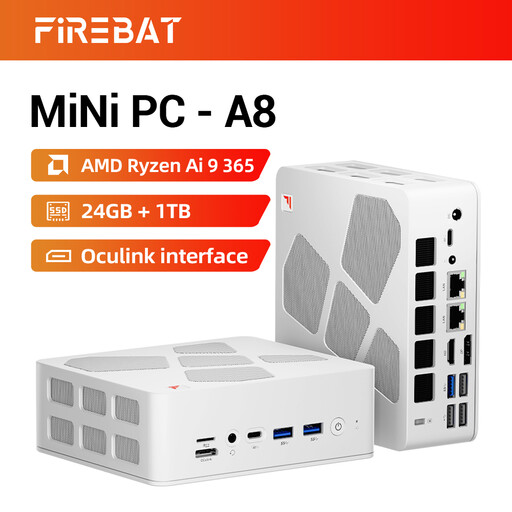 Image unavailable
FIREBAT A8 Mini PC, Ryzen AI 9 365, 24GB, 1TB
Consider this compact desktop if you need room for project files and applications alongside a two-screen workspace.
- Listed with 24GB DDR5 memory, a 1TB PCIe 4.0 SSD, Radeon 880M graphics, USB4 and OCuLink.
- The product title describes 4K quad-display support; confirm the outputs, simultaneous-display settings and cables needed for your two monitors.
View on Joybuy
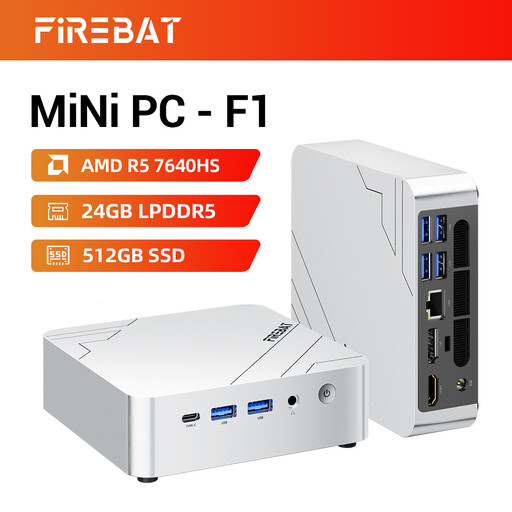 Image unavailable
FIREBAT F1 Mini PC, Ryzen 5 7640HS, 24GB, 512GB
This compact configuration is worth considering for spending sheets, accounting work and other applications used alongside a second screen.
- Listed with 24GB LPDDR5 memory, a 512GB PCIe 4.0 SSD, USB 4.0 and HDMI 2.1.
- The product title describes 4K triple-screen output; check the complete display-port layout and its match with both monitors.
View on Joybuy
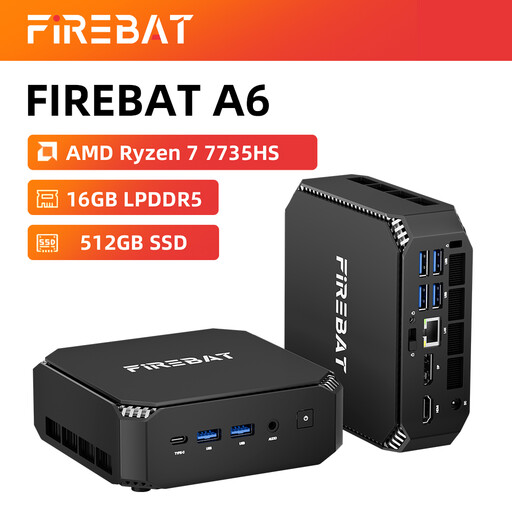 Image unavailable
FIREBAT Mini PC, Ryzen 7 7735HS, 16GB, 512GB
Consider this mini PC if a small chassis suits your desk and its connections fit the two displays you intend to use.
- Listed with 16GB memory, a 512GB SSD, dual M.2 slots and Wi-Fi 6.
- The product title describes triple-display support; confirm the output specifications and monitor compatibility. Dual M.2 slots alone do not establish which upgrades are possible.
View on Joybuy
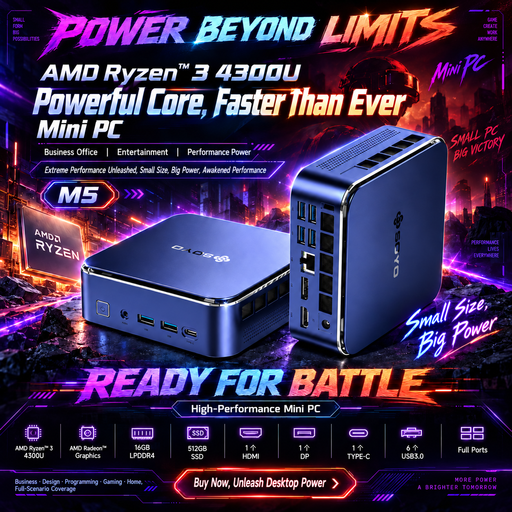 Image unavailable
SOYO M5 Mini PC, Ryzen 4300U, 16GB, 512GB
The named video connections give you specific ports to compare with the monitors on your project-spending desk.
- Listed with 16GB LPDDR4 memory, a 512GB SSD and Win11.
- The product title names HDMI 2.0, Type-C and DisplayPort 1.4 for its stated 4K 60Hz triple-display setup. Confirm simultaneous operation with your intended monitors and which cables you will need.
View on Joybuy
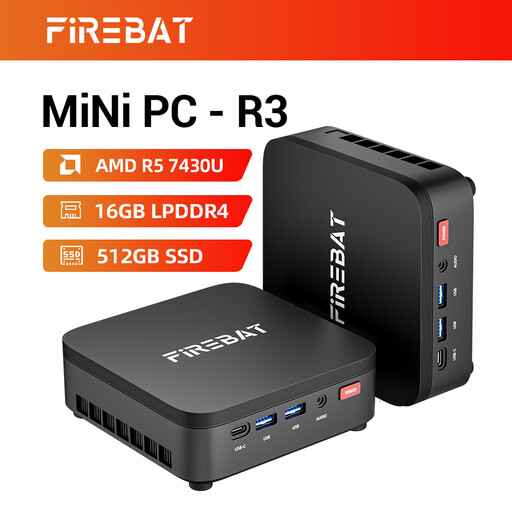 Image unavailable
FIREBAT R3 Mini PC, Ryzen 5 7430U, 16GB, 512GB
This mini PC is an option for a space-conscious project-administration desk if its display connections suit both monitors.
- Listed with 16GB LPDDR4 memory, a 512GB SSD and Wi-Fi 6.
- The product title describes 4K triple-screen support; check the actual outputs and required cables before planning an extended two-screen setup.
View on Joybuy
Common questions
What should I check before connecting two monitors to a desktop?
Confirm that the exact desktop supports both displays at once and that its outputs suit each monitor’s inputs. Check the cables or adapters you will need; Lenovo Support GB also explains that Windows can use an extended desktop once compatible displays are connected.
Should I choose a mini PC or a larger desktop for project-spending work?
A mini PC suits a space-limited desk if its exact configuration meets your two-monitor requirement. Compare a small-form-factor or tower desktop if future storage, memory or peripheral additions matter more, and check the expansion options of the specific model.
Do I need a workstation to track project spending?
Project-spending tracking alone does not establish a need for a workstation. Compare the requirements of your spreadsheets, accounting software and any other applications with the exact desktop configuration; specialist workloads may change that decision.
How should I dispose of an old desktop in the UK?
Check your retailer’s take-back arrangements and your local authority’s electrical recycling options before disposing of the computer. GOV.UK classifies equipment that depends on electricity to work as electrical and electronic equipment; the collection route available to you needs checking locally.


