What matters when choosing?
Start with the amount of dialogue canvas and reference material you need visible at once. Then decide which adjustments fit your desk and whether laptop connectivity would simplify your setup.
| Concern |
What to check |
Who this matters to |
| Readable workspace |
Compare native Full HD, QHD and 4K resolution at the screen size you want. Check how your editor and notes fit at a comfortable text size. |
I need to trace dense branches without constantly moving between the canvas and reference panes. Around 36% of consumers put readable workspace first. |
| Screen position |
Check height and tilt adjustment; consider swivel or pivot if your layout calls for them. Check arm compatibility if you plan to use one. |
During long desk sessions, I want to position the screen to suit my chair and desk. For around 29% of consumers, adjustability is the primary concern. |
| Laptop connection |
Match the laptop’s USB-C video output and charging needs to the monitor’s stated power delivery; check hub ports separately. |
I connect a laptop and peripherals often, so fewer cable changes would help keep the desk organised. Roughly 21% of consumers place connection simplicity first. |
| Initial cost |
Compare the exact model’s resolution and stand features with the role it will fill, especially if it is a second screen. |
My main canvas is covered, and I chiefly need another place for scripts or notes. Keeping that additional screen proportionate to its job comes first for around 14% of consumers. |
Joybuy monitors for this setup
These models offer QHD or 4K options for a dialogue-tree desk. Compare their stated resolution and format first, then check the connections and screen-care guidance relevant to your own setup.
 No image available
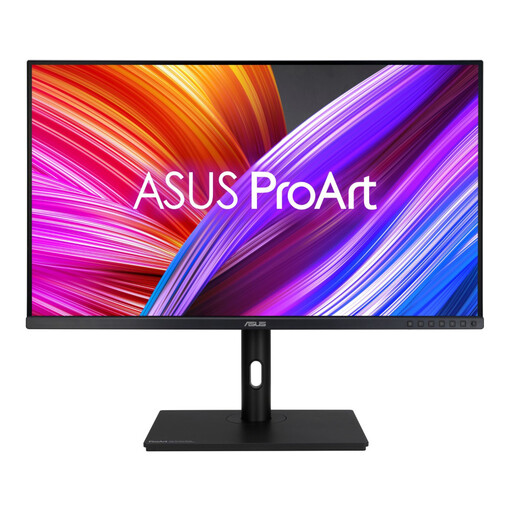
ASUS ProArt PA278CFRV IPS QHD monitor
Consider this QHD option if the dialogue canvas will share a screen with notes.
The product name specifies an IPS panel and 100Hz refresh rate. If laptop charging or monitor-side peripherals matter, check the exact USB-C power delivery and hub configuration before ordering.
View on Joybuy
 No image available
ASUS ProArt PA328QV IPS WQHD monitor
Consider this WQHD option if you want to assess a larger physical workspace for the dialogue canvas and adjacent references.
The product name specifies an IPS panel. Check its dimensions against your desk and preferred viewing position before choosing it over a 27-inch format.
View on Joybuy
 No image available
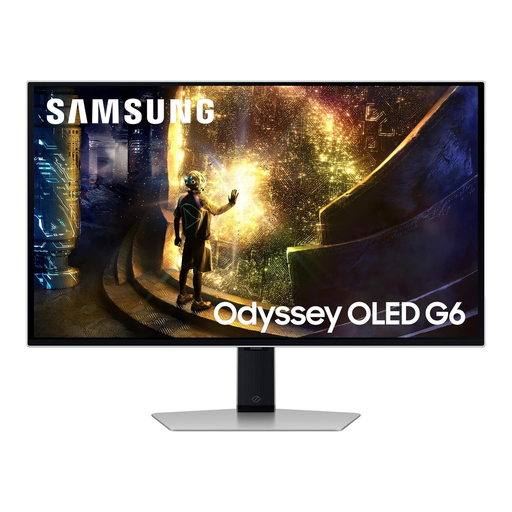
Samsung Odyssey G6 S27DG612 27-inch QHD OLED monitor
This model is worth considering if the study screen will also be used for high-refresh gaming.
The product name specifies QHD, OLED and 240Hz. For long periods with static dialogue-editor elements on screen, read the model’s OLED-care guidance before deciding whether it fits your work routine.
View on Joybuy
 No image available
MSI MD272UPSW 27-inch 4K IPS Smart Monitor with Google TV
Consider this 4K option if fine dialogue labels and densely arranged panels matter more to you than a QHD workspace.
The product name specifies USB-C 65W power delivery. Check laptop video compatibility and charging needs before relying on one cable; check hub connections and panel finish separately if peripherals or reflections matter.
View on Joybuy
 No image available
LG 27UP650K 27-inch 4K IPS monitor
This is another 4K route to consider when you need room for fine text and reference material on a 27-inch screen.
The product name lists 60Hz, HDMI, DisplayPort and built-in speakers. If you need USB-C laptop charging, a hub or a particular panel finish, check those features on the exact model before buying.
View on Joybuy
Common questions
Should I prioritise stand adjustment or a high refresh rate for dialogue-tree work?
Prioritise a screen position that fits your desk if sustained reading and arranging nodes are the main tasks. The Health and Safety Executive links poorly designed workstations and incorrect display-screen-equipment use with discomfort; high refresh rate may matter for gaming, but it does not replace workstation setup.
Will one USB-C cable carry video and charge my laptop?
Only if the monitor, laptop and cable support the functions you need. BenQ lists data transfer and 65W power delivery for the GW2790QT; check your laptop’s USB-C video output and charging requirement against the exact monitor before planning a one-cable desk.
What should I do if a monitor arrives faulty?
Record the fault and contact the seller with your order details and model number. Citizens Advice explains that a refund, repair or replacement may be available for faulty, damaged or misdescribed goods, depending on the circumstances; those remedies are distinct from a seller’s change-of-mind returns policy.
How should I get rid of an old monitor in the UK?
Check a local-authority electrical recycling service or an applicable retailer collection route rather than putting the monitor in general waste. GOV.UK explains that the UK’s waste electrical and electronic equipment framework encourages recovery, reuse and recycling of electrical products and components.


