What to check before choosing
Start with whether anyone needs to use physical games, then weigh download storage and the features supported by the games you play.
| Concern |
What to check |
Who this matters to |
| Physical-game access |
Match your boxed games to the console’s disc drive or game-card slot. Check Switch 2 packaging for Game-Key Card download requirements. |
I want to keep using compatible games we own or borrow, rather than give up the physical route. Around 33% of consumers put physical-game access first. |
| Download-first use |
Confirm that no one needs to insert discs, then check the console’s supported route for storing and running downloaded games. |
I expect to get games through the console store and do not need disc playback. For around 27% of consumers, that download-first route is the main priority. |
| Library storage |
Check the accessory standard and where your games can run: PS5 titles stored on compatible USB storage need transferring back to internal SSD storage, while Optimised Xbox Series X|S titles need the internal SSD or a Storage Expansion Card. Switch 2 game storage requires microSD Express. |
I would rather keep more downloaded games installed than repeatedly remove them, but an accessory must work for the games I use. Compatible storage is the primary concern for roughly 20% of consumers. |
| Visual and frame-rate features |
Check your display and the features supported by individual games; a console’s headline specification does not establish every game’s available modes. |
I would consider higher-specification hardware for enhancements in games I actually play, not for a feature I cannot use. About 20% of consumers make supported visual or frame-rate features their first concern. |
Joybuy consoles and storage options
These options cover a physical game-card console, two digital-only consoles and microSD Express storage cards for a compatible Nintendo Switch 2. Decide which game format you need before considering storage accessories.
 No image available
Nintendo Switch 2 Console (UK Version)
Consider this console if game cards are part of your plans alongside downloads. Nintendo specifies 256 GB of system memory and microSD Express expansion for Switch 2; check each intended game’s compatibility and whether its physical release is a download-dependent Game-Key Card.
Joybuy
 No image available
Xbox Series S 1TB
This is a download-first option for a household that does not need game discs. The named variant has 1 TB of storage; Microsoft says Series S is all-digital and cannot use disc-based games. Check compatibility for the titles you intend to play.
Joybuy
 No image available
Sony PlayStation 5 Digital Edition, Slim Version
Consider this PS5 route if you plan to download games rather than use discs. Sony identifies the Digital Edition as a console without an included disc drive; if you may want its optional drive later, confirm the console’s exact model group and the drive’s setup requirements. Check individual PS4 titles before relying on an existing library.
Joybuy
 No image available
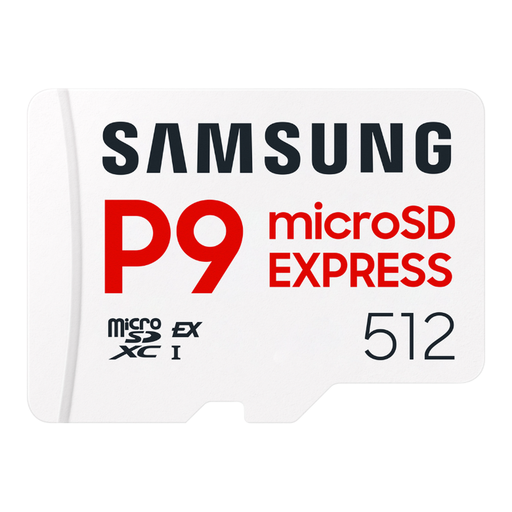
Samsung P9 Express microSD, 512GB
This storage card is relevant if you need more space for a Nintendo Switch 2 game library; it does not replace the console. It is a 512 GB microSD Express card, the card type Nintendo specifies for Switch 2 game storage.
Joybuy
 No image available
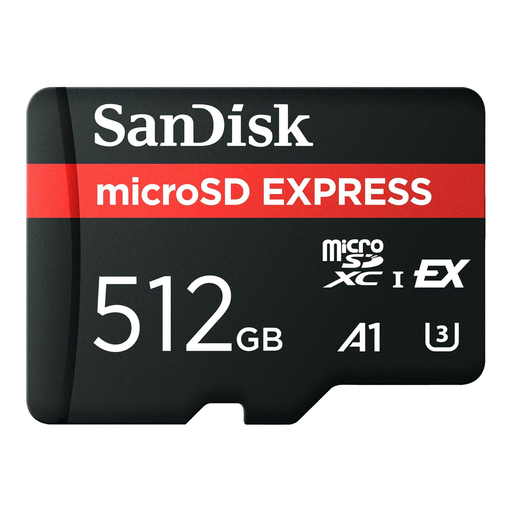
SanDisk Express microSD Card, 512GB
Consider this card for additional Nintendo Switch 2 game storage rather than as a change of console format. Its stated capacity is 512 GB, and its microSD Express format matches the card type Nintendo specifies for Switch 2 game storage.
Joybuy
Common questions
Can an Xbox Series S play a borrowed or second-hand game disc?
No. Microsoft says Xbox Series S is all-digital and disc-based games are not compatible with it. If you need to use game discs, check a disc-equipped Xbox model and the compatibility of each intended title.
Can I add a disc drive to a PS5 Digital Edition or PS5 Pro later?
Only the specified models can use Sony’s optional Disc Drive: PS5 Pro and PS5 Digital Edition consoles in the CFI-2000 slim or CFI-2100 model groups. Sony also requires an internet connection to pair the drive during setup, so confirm the console’s model group before planning around an add-on.
Does a Nintendo Switch 2 Game-Key Card contain the full game?
No. Nintendo says the card provides a key for downloading the game, so first launch requires an internet connection and enough free system or microSD Express storage. The card must then be inserted to start the game.
Can I use an ordinary microSD card for Switch 2 games?
No. Nintendo specifies microSD Express for Switch 2 game storage; an ordinary microSD card cannot save or load digital games or save data on that console. Nintendo says screenshots and videos can be imported from an older card.
What if a downloaded game is faulty?
For faulty digital content supplied by a trader in the UK, GOV.UK’s guidance on the Consumer Rights Act 2015 identifies a right to repair or replacement. That is distinct from a change-of-mind return and does not establish whether the game will work on your console, so check compatibility before buying.


