Long-session dissertation writers
If you regularly move between draft chapters, articles and notes, consider the available document workspace alongside whether you can position the screen comfortably for sustained work.


A 27-inch QHD monitor with height adjustment is a sensible starting point for dissertation work if it fits the shared desk and each user can position it comfortably. Before choosing USB-C to reduce cables, check that your laptop can send video through its USB-C port and that the monitor’s power delivery meets its charging needs.
If you regularly move between draft chapters, articles and notes, consider the available document workspace alongside whether you can position the screen comfortably for sustained work.
If the desk needs to remain usable for someone else, check the monitor’s footprint, your laptop’s display connections and whether a USB-C connection can also meet its charging needs.
When two people use the same screen, or the seating arrangement changes, stand adjustment matters: each person needs a workable screen height and viewing distance.
Start with the space needed for documents and the room available on the desk. Then check screen adjustment and laptop connections against the way the desk is shared.
| Concern | What to check | Who this matters to |
|---|---|---|
| Document workspace | Compare native resolution, your laptop’s output capability and a text-scaling setting you can read comfortably. At the same size, 2560 × 1440 provides more desktop space than 1920 × 1080. | When I keep a draft open beside sources and notes, I want enough room to work without making text uncomfortably small; around 42% of consumers put document workspace first. |
| Shared-desk fit | Measure usable desk space and check the stand’s footprint and height adjustment. The Health and Safety Executive advises placing the top of the screen around eye level, about an arm’s length away. | If we take turns at the desk, I need to reposition the screen without crowding the other workspace; roughly 33% of consumers give shared-desk fit priority. |
| Laptop connections | Check USB-C video support and compare the monitor’s power delivery with the laptop’s charging requirement. BenQ specifies 65W for the GW2790QT, while LG specifies up to 15W for the 27U631A-B. | I would like fewer cables, but only if my laptop can use the connection for the display and its charging needs; about 25% of consumers put laptop compatibility and cable reduction first. |
A USB-C socket alone does not establish video compatibility or sufficient charging power. BenQ specifies 65W power delivery for the GW2790QT; LG specifies up to 15W for the 27U631A-B.
Check the laptop’s USB-C video capability, its charging requirement and the monitor’s stated power delivery before planning a single-cable setup.
You may still need a separate laptop charger, dock or suitable USB-C cable.
A diagonal measurement does not tell you how much desk surface the stand occupies or whether both users can place the screen at a suitable height and distance. The Health and Safety Executive advises an eye-level screen top and a viewing distance of about an arm’s length.
Measure the space left after allowing for the keyboard, mouse and other desk user. If considering a monitor arm, check both the monitor’s mounting arrangement and the desk’s clamp clearance.
A riser or compatible monitor arm may be needed if the supplied stand cannot reach a suitable position.
Reader modes and flicker-reduction features do not remove the need to set up the screen for the person using it. The Health and Safety Executive’s workstation guidance also addresses screen height and viewing distance.
Position the monitor first, choose readable text scaling and change activity or take breaks during long sessions.
Citizens Advice explains that warranties and guarantees add to legal rights rather than replacing them.
Keep the order confirmation, model number and warranty documents. If the monitor develops a fault, consider the remedy available from the seller as well as any manufacturer warranty.
The GW2790QT is a relevant option for a laptop-based shared desk where screen adjustment and fewer cables matter.
The UltraSharp U2724D and U2724DE are relevant to buyers considering a 27-inch QHD screen with extensive stand adjustment.
The 27U631A-B is relevant where a QHD display and USB-C connection matter, but separate laptop charging and screen positioning are workable.
These QHD and UHD monitor options are relevant to writing and reference work at a shared desk. Check each model’s physical fit and laptop connections rather than assuming that its screen resolution establishes either.
 No image available
Consider this QHD option if keeping dissertation documents visible together is a priority. Check the exact stand dimensions and USB-C video and charging details for your laptop setup.
 No image available
If you want to work in its UHD mode, check that your computer supports that output and that text remains comfortable at your preferred scaling. The named modes are UHD 144Hz and FHD 288Hz, not QHD; also check the footprint and required laptop connections.
 No image available
The QHD screen is relevant if you work with a draft and reference material at the same time. Before choosing this model for a shared desk, check its stand dimensions, laptop display connection and separate charging arrangement.
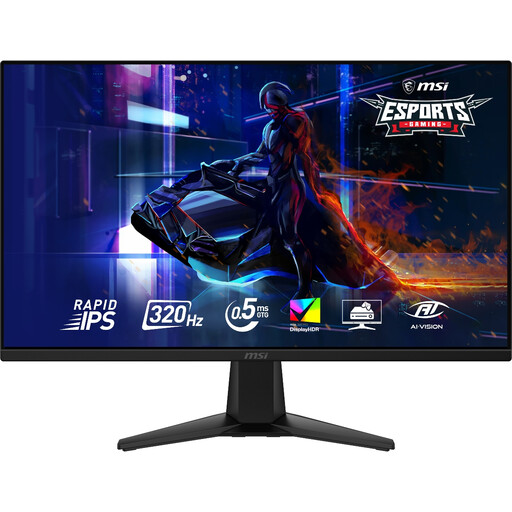 No image available
The 2560 × 1440 resolution is relevant when you need room for a draft and source material. Its listed stand tilts only, so check how each desk user would set the screen height, as well as the monitor’s footprint and laptop connection.
 No image available
Consider the 2560 × 1440 option if you want space for writing alongside reference material. Confirm the exact panel size and desk footprint before buying: the product title says 27 inches, while the supplied technical details give 26.5 inches. Check USB-C video compatibility and whether its charging output meets your laptop’s needs.
It is a useful starting point if you regularly keep a draft beside articles or notes and have room for the screen. Check that your laptop can output 2560 × 1440, that text is comfortable at your preferred scaling and that the monitor fits the desk.
Each person should be able to set a comfortable viewing position. The Health and Safety Executive advises placing the top of the screen around eye level and the screen about an arm’s length away; a height-adjustable stand can make changes between users easier.
Only if the laptop supports video through that USB-C connection and the monitor’s power delivery meets its charging needs. BenQ specifies 65W for the GW2790QT, while LG specifies up to 15W for the 27U631A-B, so the USB-C label alone does not settle the charging question.
The Health and Safety Executive describes the Display Screen Equipment Regulations as applying to workers who use display-screen equipment daily; that does not establish a purchase requirement for a student’s personal monitor. Its screen-positioning guidance can still help you assess a shared-desk setup.
Keep your proof of purchase and warranty documents; Citizens Advice explains that a warranty or guarantee adds to legal rights rather than replacing them. For an old monitor, check the retailer’s take-back arrangements and your local authority’s electrical-waste route under the UK framework described by GOV.UK.