What to prioritise
For dissertation work, decide how much room you need for documents, then check screen positioning and laptop connections before considering features for other uses.
| Concern | What to check | Who this matters to |
|---|
| Document workspace |
Compare the exact resolution of 27-inch Full HD, QHD and 4K models, and consider how you prefer to arrange and scale text. |
I want my draft and references visible together without constantly switching windows. Around 36% of consumers put document workspace first. |
| Screen positioning |
Check the stand’s height adjustment and desk footprint; if you plan to use an arm, check mounting compatibility. |
During long writing sessions, I need to place the screen at a suitable height and distance on my desk. This is the primary concern for around 29% of consumers. |
| Laptop connectivity |
For a USB-C setup, confirm laptop video-output support, the monitor’s power delivery and the cable required. |
I move my laptop between locations and want an uncomplicated connection at my writing desk. Around 21% of consumers prioritise that connection. |
| Writing-focused features |
Check that resolution, ports and stand options serve your writing tasks before considering gaming or specialist display features. |
My screen is chiefly for writing and reading, so I would rather choose the features I will use regularly. Around 14% of consumers make that their main priority. |
Joybuy monitor choices
These monitors offer QHD or 4K screens for a dissertation desk, including larger displays and models with gaming-oriented features. Compare their dimensions, positioning options and connections against your writing setup rather than assuming every feature is needed.
 No image available
BenQ MA320UP 32-inch 4K USB-C monitor
Consider this larger screen if your desk has room for a document-and-reference layout.
Its name specifies a 4K IPS panel, USB-C connection and height-adjustable stand.
Check desk depth and confirm your laptop’s USB-C video and charging compatibility before planning a one-cable setup.
View on Joybuy
 No image available
Dahua 32-inch curved 4K OLED 165 Hz monitor
This larger curved display is an option if you also want its gaming-oriented format alongside dissertation work.
The name specifies 3840 × 2160 resolution, USB-C with 65 W power delivery and a USB hub.
Check desk depth and confirm the USB-C video mode matches your laptop before relying on it for display output.
View on Joybuy
 No image available
MSI MAG 271QP QD-OLED X28 27-inch QHD monitor
Its 27-inch QHD format is relevant if you want room for a draft beside reference material.
The name specifies a QD-OLED panel and 280 Hz refresh rate; the latter is a gaming feature, not a requirement for writing.
Check the stand’s movement range and confirm any planned USB-C video connection with your laptop.
View on Joybuy
 No image available
Lenovo L32p-30 31.5-inch 4K IPS USB-C monitor
Consider this larger 4K display if your home-office desk can accommodate it alongside your writing materials.
Its name specifies a 31.5-inch IPS panel and USB-C connection.
Check the stand movements and the USB-C charging specification against your intended laptop setup.
View on Joybuy
 No image available
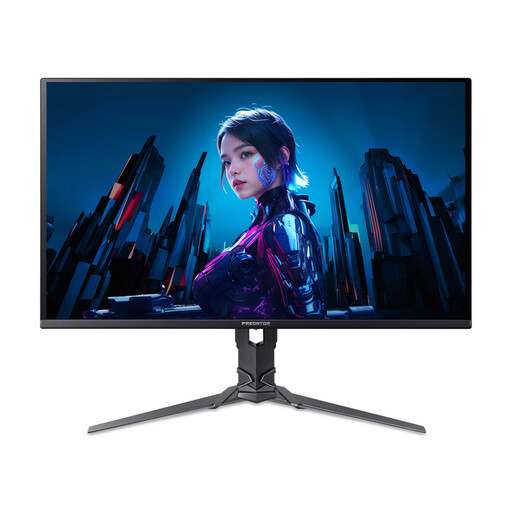
Acer X Predator X27U W3 26.5-inch QHD monitor
Its QHD screen could suit a desk where you want to keep a draft and source material visible together.
The name specifies a 2560 × 1440 QD-OLED panel and 240 Hz refresh rate; the refresh rate chiefly matters if you also use the screen for gaming.
Check the stand’s movements and whether the 26.5-inch size suits your preferred viewing distance.
View on Joybuy
Common questions
Do I need a 4K monitor to write a dissertation?
No: 4K is not a requirement for dissertation writing. At 27 inches, the QHD resolutions specified for Dell’s U2724D and BenQ’s GW2790QT provide more pixels than the Full HD resolution BenQ specifies for its GW2790. Consider 4K if you value its higher resolution for other work too, and check how text looks at your preferred scaling.
Which monitor adjustment should I check for long writing sessions?
Check whether you can place the screen at a suitable height and distance on your desk. The Health and Safety Executive advises putting the top of the screen at eye level, about an arm’s length away; a height-adjustable stand, compatible arm or stable riser may help you achieve that position.
Will a USB-C monitor display video and charge any laptop through one cable?
No: the laptop, monitor and cable must support the required video connection, and the monitor’s charging output must suit the laptop. BenQ specifies USB-C DisplayPort Alt Mode and up to 65 W power delivery for the GW2790QT; compare those specifications with your laptop before planning a one-cable desk.
Does studying at home mean I need a particular monitor under UK workplace rules?
The Health and Safety Executive’s home-working display-screen guidance concerns workers and employers, rather than prescribing a monitor model for dissertation study. If you also use the desk for paid home working, ask your employer how its display-screen equipment assessment applies to your working arrangement.
Should I look at energy information when comparing monitors?
Yes, check the applicable energy information for each model you are considering. GOV.UK includes electronic displays among the product categories covered by UK energy-labelling regulations; compare appropriately similar screens rather than treating screen size alone as a measure of energy use.


