For long chapters and PDFs, start with a mouse whose scrolling and shape suit your writing hand. Consider a vertical mouse for a different grip, a trackball when desk space is tight, or a glass-tracking model only when its stated surface conditions match your desk. A mouse will not fix glare on the screen: address the window and screen position separately.
Who these choices suit
Long-document dissertation writers
If you regularly move between chapters, citations, PDFs and browser research, controllable scrolling and a shape that fits your hand deserve more attention than controls you will not use. Click noise may also matter in a shared study space.
Writers assessing hand and wrist comfort
Extended desk sessions may prompt you to try a vertical grip or thumb-operated trackball. Check how the particular shape and controls feel to you; an ergonomic product description is not a medical recommendation.
Bright-window or cramped-desk users
A bright window calls for attention to screen glare, while a glass surface or limited mousing area raises a separate cursor-control question. The Health and Safety Executive advises arranging the desk and screen to avoid glare and bright reflections.
What matters when choosing
Deal with screen glare at the workstation first. Then choose by the task that most affects your writing: navigating documents, finding a workable hand position, controlling the cursor on your desk, or connecting with minimal setup.
| Concern |
What to check |
Who this matters to |
| Document navigation |
Look for a scroll mode suited to both precise edits and long pages; check click-noise claims if you share a room. |
Moving between citations and lengthy PDFs, I want controlled scrolling without losing my place. Around 31% of consumers put document navigation first. |
| Hand and wrist comfort |
Check hand size, handedness and button reach; consider whether a vertical grip or thumb-operated control feels workable. |
During long desk sessions, I need a mouse shape and control method I can use comfortably. For around 31% of consumers, hand and wrist comfort is the primary concern. |
| Desk surface and space |
Identify the mousing surface and available room. Check an explicit glass-tracking condition or consider a stationary trackball. |
With a glass or crowded desk, I need reliable cursor control without struggling for movement space. That is the main priority for around 23% of consumers. |
| Simple connection |
Confirm the computer’s ports or Bluetooth compatibility and whether a cable, receiver or adapter suits the desk setup. |
When I need to get back to writing, straightforward connection matters more to me than extra controls. Around 15% of consumers place it first. |
Buying pitfalls
-
Expecting a mouse to fix window glare
Cursor control and screen reflections are different problems. Changing the mouse will leave glare unchanged if bright light still falls across the display.
Follow the Health and Safety Executive’s advice to arrange the desk and screen to avoid glare or bright reflections; reposition the screen or adjust curtains or blinds where practical.
-
Assuming high DPI guarantees glass tracking
Surface compatibility is specific to the model. Logitech states that its MX Master 3S glass-tracking capability requires glass at least 4 mm thick; a DPI figure alone does not establish the same capability.
Check the surface under the mouse and the exact model’s stated conditions. An opaque mouse mat is another option if tracking on the desk is inconsistent.
-
Choosing a shape without checking fit
A vertical grip or contoured body is not automatically comfortable for every hand. Logitech offers Signature M650 size and handedness variants, while Lift is specified for small-to-medium hands and has a left-handed option.
Check the selected variant’s handedness, intended hand size and button reach rather than relying on the word ergonomic.
-
Assuming similarly named versions are identical
A Logitech MX Master 3S for Business listing and an MX Master 3S Bluetooth Edition listing identify different versions; a shared model family does not establish that their bundles match.
Before buying, compare the complete version name, connection options, included accessories and the product-detail description for the item you intend to order.
Brands to consider
Logitech
Logitech has relevant conventional, vertical, trackball, wired and glass-tracking models. The following features apply to the named models, not to every Logitech mouse.
- Logitech specifies SmartWheel scrolling for Signature M650, a stationary thumb-operated design for ERGO M575S, and glass tracking for MX Master 3S on glass at least 4 mm thick.
- Shape and fit remain model- and variant-specific; those features do not establish that any one design will suit every writer.
Microsoft
Microsoft Precision Mouse is relevant if connection to multiple computers matters to your dissertation workflow.
- Microsoft specifies Bluetooth and USB wired connections, three programmable thumb buttons and use across up to three computers for Precision Mouse.
- Confirm current availability before treating Precision Mouse as a purchase option; Microsoft’s UK Store listed it as unavailable when the product information was gathered.
Joybuy mouse choices
These models cover document-focused, vertical, wired and quieter shared-space setups. Match the particular mouse to your hand, computer and mousing surface rather than treating the bright window itself as a mouse specification.
 No image available
Logitech MX Master 3S Ergonomic Black MX Mouse
Consider this model if document navigation is your priority. For a glass desk, check the surface conditions stated for this exact version before relying on glass tracking.
View on Joybuy
 No image available
HP 920 Ergonomic Wireless Mouse, Black, with Detachable Wrist Rest
An option if you want to assess a different hand position during desk-based writing. Check that the shape and detachable wrist rest fit your hand, and confirm suitability for your surface if you use glass.
View on Joybuy
 No image available
V7 MW500BT Bluetooth Vertical Mouse, 2.4 GHz, 6 Buttons, Adjustable 1600 DPI
Consider the vertical shape if you prefer an alternative to a conventional grip. The named version offers Bluetooth and 2.4 GHz connection options; check hand fit and surface suitability before choosing it for a glass desk.
View on Joybuy
 No image available
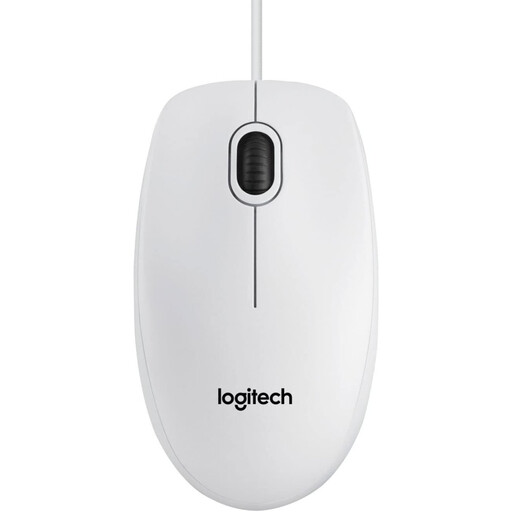
Logitech B100 USB Wired Mouse, White
A straightforward wired choice when your computer has a suitable USB connection and the cable works with your desk layout. Check tracking suitability separately if your mousing surface is glass or glossy.
View on Joybuy
 No image available
HOFOTEK M311 2.4G+BT Silent Office Mouse, White-Grey, 1xAA Battery
Consider this model if click noise matters in a shared study space; the quiet-click description is a product claim, not an independent noise measurement. Check its scrolling and surface suitability if long PDFs or a glass desk are your priorities.
View on Joybuy
Frequently asked questions
Will a different mouse solve glare from a bright window?
No. A mouse can address cursor control, but it cannot remove reflections from the display. The Health and Safety Executive advises arranging the desk and screen to avoid glare or bright reflections; move the screen or adjust window coverings where practical.
When is a glass-tracking mouse worth considering?
Consider one when the mouse itself must operate on glass and its stated conditions match your desk. Logitech specifies glass tracking for MX Master 3S on glass at least 4 mm thick; check the exact version rather than assuming that a high DPI figure proves glass compatibility.
Is a vertical mouse automatically more comfortable for dissertation writing?
No. It is an alternative grip to assess if a conventional shape does not suit you, but fit and adjustment still matter. Logitech specifies a 57-degree angle for Lift, which is designed for small-to-medium hands and has a left-handed option.
What should I check before choosing a wired mouse?
Make sure your computer has a suitable port or compatible adapter and that the cable will work in your desk layout. Logitech describes its M100 as a plug-and-play USB mouse; check the specifications of the particular wired model you plan to buy.


