What matters when choosing
Confirm your dissertation workflow before choosing a device, then weigh the typing setup against what you can carry and how you will work away from power and Wi-Fi.
| Concern | What to check | Who this matters to |
|---|
| Software and documents |
Check the exact writing and citation apps, offline files, export format and university submission process. |
If my dissertation needs particular citation tools or document formatting, I need to know the entire workflow will function during the trip. Around 36% of consumers put workflow compatibility first. |
| Typing and carrying |
Compare the tablet-plus-keyboard setup, including keyboard compatibility, screen size and carrying weight. |
Long drafting sessions call for a physical keyboard, but I still have to carry the setup between locations. Around 29% of consumers place this balance first. |
| Connection and power |
Decide whether offline files and available Wi-Fi suffice; if considering cellular, check the model, data plan and a charging option. |
When I cannot count on Wi-Fi or a nearby socket, access to my work becomes the deciding concern. Around 21% of consumers prioritise connection and power. |
| Notes and exposure |
Check pen inclusion and compatibility, then read any environmental rating for the exact model and its stated conditions. |
Handwritten field notes and PDF annotation shape how I use the tablet, while outdoor conditions affect how I protect it. Around 14% of consumers put these needs first. |
Joybuy products for different setups
These options include Android and iPad tablets, a tablet-and-keyboard bundle, and Windows convertible laptops. A convertible may suit laptop-style drafting, but it is not a detachable tablet; check each device against your dissertation workflow and carrying needs.
 No image available
TABWEE T20 10.1-inch tablet with keyboard, mouse and stylus
The named keyboard and stylus make this a setup to consider for both drafting and field notes. The title lists a 10.1-inch display and 256 GB storage; confirm the operating-system version and your required apps and file workflow before relying on it for the trip.
View on Joybuy
 No image available
HP OmniBook Ultra Flip 14-fh0006na 2-in-1
This Windows convertible is an option if your writing setup calls for a laptop form rather than a detachable tablet. Its title specifies Windows 11 Home, 16 GB RAM and a 1 TB SSD; check your required software and whether a convertible laptop suits what you can carry.
View on Joybuy
 No image available
HP OmniBook X Flip 16-as0004na 16-inch 2-in-1
This larger Windows convertible is worth assessing if you want a laptop-style drafting setup and have room to carry it. The title specifies a 16-inch touchscreen, Windows 11 Home, 16 GB RAM and a 512 GB SSD; check software compatibility and power needs for the trip.
View on Joybuy
 No image available
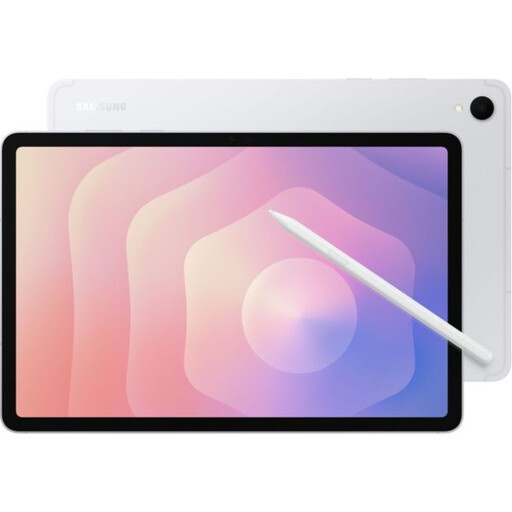
Samsung Galaxy Tab S11 10.9-inch, 256 GB, Silver
Consider this tablet if mobile note-taking and document review are important to your field work. The title identifies a 10.9-inch model with 256 GB storage; check the exact keyboard setup and whether your dissertation apps and submission process work on it.
View on Joybuy
 No image available
Apple iPad Pro 13-inch (M5), Wi-Fi + Cellular, 1 TB, Standard Glass, Silver
The named cellular configuration is relevant if the tablet itself needs to connect away from Wi-Fi. For long drafting, confirm a compatible keyboard and your iPadOS dissertation workflow; using cellular also requires a suitable mobile-data plan.
View on Joybuy
Questions before you buy
Is Wi-Fi enough for a field-trip dissertation tablet?
Wi-Fi may be enough if you can keep essential files offline and have a dependable way to connect when needed. Choose a cellular model only if the tablet itself needs to connect away from Wi-Fi; Apple says its Wi-Fi + Cellular iPad Air uses a mobile-data plan for that connection.
Do I need a keyboard to write a dissertation on a tablet?
For sustained drafting, plan around a compatible physical keyboard rather than assuming one comes with the tablet. Apple lists the Magic Keyboard separately for iPad Air, and Microsoft describes Surface Pro laptop mode using an optional keyboard.
Can a Galaxy Tab S10+ IP68 rating replace a protective case?
No: Samsung's stated IP68 condition for the named 5G Galaxy Tab S10+ and included S Pen concerns laboratory submersion in up to 1.5 metres of freshwater for up to 30 minutes. It does not establish suitability for salt water, beach or pool use; protect the device during the trip.
Can I cancel an online tablet order in the UK?
For a typical online purchase of a tablet, the Consumer Contracts Regulations 2013 provide a cancellation period ending 14 days after the day you receive the goods, subject to applicable exceptions. Check the retailer's cancellation process; changing your mind is separate from seeking a remedy for faulty goods.
What if the tablet arrives faulty?
A fault is a separate issue from cancelling because you changed your mind. GOV.UK explains that consumer rights protect purchases of goods made online or in person; contact the retailer about the fault rather than treating the change-of-mind period as your only option.


