
24/7 Customer Support

Free returns

Same-day & Next-day Delivery

Quality Guaranteed

Unlock Your Welcome Offers: FREE Delivery | Up to 80% OFF | Free 30-day JoyPlus trial
Download the APP
Clear speech can make the difference between usable footage and a recording that needs to be abandoned. A DJI wireless microphone may suit vloggers, YouTubers, livestreamers, students and interviewers, but the product names and kit combinations can make comparison difficult.
Before buying, look beyond phrases such as “professional audio” or “long range”. The practical questions are simpler: does it connect to your phone or camera, does it include the receiver you need, and can it protect your recording when sound levels change?
A transmitter worn on clothing is not always enough for a camera or computer. Some kits support direct Bluetooth pairing with phones, while cameras commonly require a compatible receiver and connection cable. Check whether the package includes:
A single-transmitter product can be practical for solo filming, but a two-transmitter kit is more suitable for interviews or two-person videos.
Wireless range figures are normally measured under specified conditions. Walls, crowds, competing wireless devices and the position of your body can reduce reliability. For a UK street vlog, university project or indoor livestream, stable connection and sensible microphone placement matter more than a headline distance.
Noise cancelling can reduce some ambient sound, but it does not make a busy railway station, windy seafront or crowded market silent. It is still important to place the transmitter close to the speaker, avoid rubbing against clothing and use a furry wind cover where appropriate.
A Bluetooth wireless microphone can connect directly to compatible phones, tablets and PCs, which is useful for quick social media recording. However, Bluetooth connection and camera connection are not always interchangeable.
For an iPhone and Android setup, confirm whether the kit includes the correct mobile receiver or adapter. If you plan to use a mirrorless camera, DSLR or camcorder, look for a standard receiver with the appropriate audio connection. DJI Osmo devices may also support DJI OsmoAudio, allowing selected transmitters to connect directly without a separate receiver.
Before filming, update the firmware and complete a short test recording. This helps identify app permissions, input-selection or adapter issues before an interview begins.
A 32-bit float recording microphone can provide greater flexibility when recording levels are difficult to predict. If a speaker suddenly becomes louder, the format may give you more scope to adjust the recording during editing, provided the original audio is not damaged by overload or other noise.
This feature is not essential for every user. A student recording a quiet presentation may prefer a simple, lightweight kit, while interviewers, documentary makers and outdoor creators may value a transmitter with internal recording as a backup.
A wireless microphone with charging case is easier to store and recharge than separate loose components. Compare the stated operating time with your actual use, and remember that charging cases usually provide a combined figure across charging cycles rather than continuous operation.
For solo content, one transmitter may be sufficient. Two transmitters are more practical for interviews, couple-led travel videos and collaborative livestreams. Also check whether the receiver and mobile receiver are both included, as the package contents vary between DJI Mic Mini 2 and DJI Mic Mini 2S configurations.
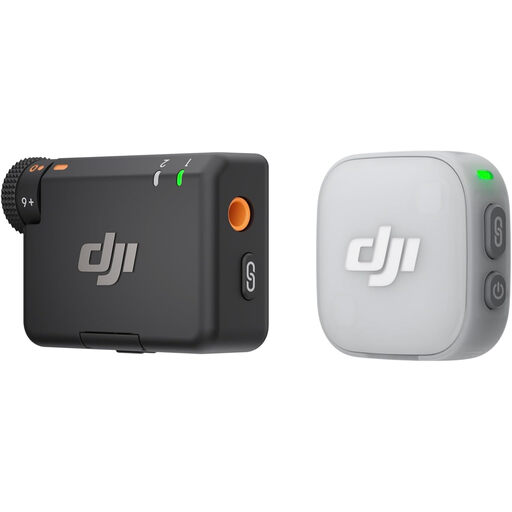
Why This Fits Their Persona: A compact starting point for a UK student, solo vlogger or occasional creator who wants a wearable microphone without buying a larger multi-person kit.
The package includes one transmitter and one receiver, making the intended setup clearer than buying a transmitter alone. Check your phone or camera connection before ordering.
About 11 g per transmitter, direct Bluetooth pairing with compatible devices, three voice-tone presets and two-level noise cancelling.
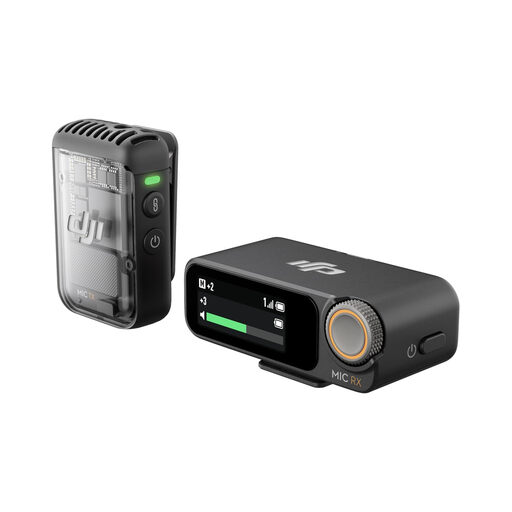
Why This Fits Their Persona: Suitable for creators who record interviews, podcasts, travel videos and camera footage and want extra recording flexibility.
It combines a receiver with a transmitter and includes USB-C, Lightning and 3.5 mm adapters, reducing the risk of discovering that your preferred device needs another connection accessory.
The transmitter offers up to 14 hours of internal recording, 32-bit float recording and direct DJI OsmoAudio connection on supported devices.
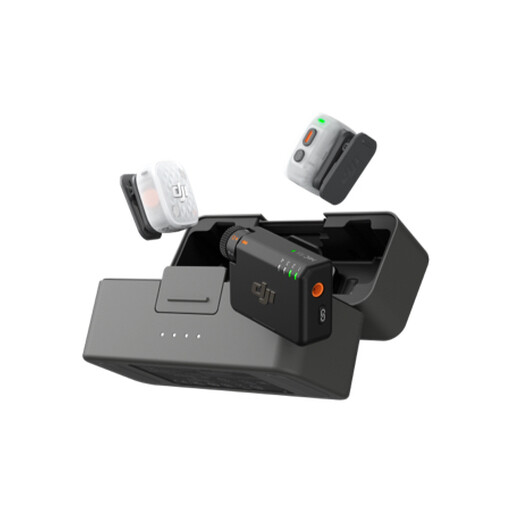
Why This Fits Their Persona: A useful match for interviewers, podcasters, livestreamers and creators who regularly record more than one speaker.
The two-transmitter package is designed for two speakers, while internal recording and 32-bit float support address changing sound levels during active shoots.
Up to four transmitters can connect to one receiver, with up to 28 hours of 24-bit storage and a case offering up to 40 hours of use.
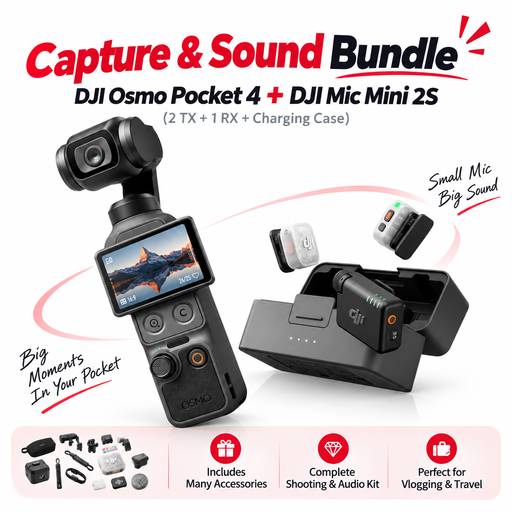
Why This Fits Their Persona: A convenient option for travellers who need a compact camera microphone and stabilised camera setup in one package.
The listed package combines the camera, two transmitters, receiver and charging case, so buyers can compare a complete filming setup rather than adding accessories separately.
Includes DJI Osmo Pocket 4, DJI Mic Mini 2S with two transmitters, one receiver, charging case and camera accessories.
We have compiled a complete, real-time list of products that fully satisfy these strict selection criteria and UK safety regulations.
Many DJI kits support compatible iPhone and Android connections through Bluetooth, a mobile receiver or included adapters. The exact connection depends on the phone port, operating system and recording app. Confirm the package contents before purchase and test the microphone inside the app you intend to use.
Not always. Direct Bluetooth or DJI OsmoAudio connection may work with supported phones and DJI devices. A receiver is generally useful when connecting to a camera, or when you want a dedicated link rather than relying on the phone’s Bluetooth setup.
The ongoing cost is usually limited to electricity for charging and occasional replacement accessories such as wind protection or cables. A charging case can reduce the need for separate chargers. Battery life figures are maximum stated values, so frequent noise cancellation, internal recording and long filming sessions may affect real-world usage.