Residents facing a neighbour’s door
You need to check whether a useful visitor view would also capture another flat or the shared landing. The ICO says data protection law applies if footage captures someone else’s property or a communal space.


Start by checking your tenancy or lease and the rules of whoever controls the door, wall or wiring: permission requirements differ, and a no-drill fitting does not automatically settle the question. Then choose between a doorbell for visitor calls, a peephole camera with an indoor screen, or a positionable camera, checking the actual view and storage features for the model. The Information Commissioner’s Office (ICO) says data protection law applies when a home camera captures someone else’s property, a public area or a communal space.
You need to check whether a useful visitor view would also capture another flat or the shared landing. The ICO says data protection law applies if footage captures someone else’s property or a communal space.
Before choosing a fixing or wiring method, establish who controls the door or wall and what your agreement allows. The Leasehold Advisory Service advises checking the terms of your individual lease; council policies can also differ.
If you want to see who is at the door, decide whether phone alerts, two-way conversation, saved clips or an indoor screen matter most. Models such as Tapo’s D230S1 and EZVIZ’s DP2C offer different visitor-checking features.
Consider it when: You want a press-to-call alert and a way to speak to visitors by phone.
Trade-off: Battery models need charging, while wired features require suitable, permitted wiring; the view may include a shared landing.
Consider it when: A permitted position lets you aim the camera more closely at your own entrance.
Trade-off: You still need a workable power and mounting arrangement, and a camera is not automatically less intrusive than a doorbell.
Consider it when: Your door has a suitable viewer, replacing it is permitted and an indoor screen would help you check callers.
Trade-off: Replacing a viewer may still count as an alteration, and a wide view can include the communal corridor.
| Concern | What to check when buying | Who this matters to |
|---|---|---|
| Limiting shared-space capture | Check the view from the proposed position and whether the model masks recorded video as well as its live view. Check separately whether motion can still trigger behind a mask. | I would test the framing from my doorway so a useful visitor view does not unnecessarily include a neighbour’s door or the landing. About 36% of consumers put limiting capture beyond their entrance first. |
| Permission and mounting | Check your agreement, who controls the fitting surface and whether the proposed fixing, viewer replacement or wiring needs approval. | I would confirm who can approve the installation before choosing a device, since a battery or removable fitting does not itself settle building rules. Consumers whose main concern is permitted mounting account for about 29%. |
| Seeing and answering visitors | Compare the visitor view, alerts, two-way talk and whether an indoor screen is available on the exact model. | If my main reason for a camera is checking callers, I would focus on how I can see and respond to someone at the door. About 21% of consumers put visitor checks first. |
| Saved clips and storage | Check whether recording needs a card, hub or subscription, whether these are included and how clips can be accessed. | I would check the storage arrangement before deciding whether live viewing alone is enough for me. Consumers prioritising saved footage and its ongoing costs account for about 14%. |
A removable or battery-powered device does not settle whether your lease or building rules allow its installation. The Leasehold Advisory Service says lease restrictions vary, and published council policies differ.
Before buying, describe the exact device, proposed position and fixing method to the relevant landlord, freeholder, housing association or building manager, and check your agreement.
Ring says motion can still be detected behind its Privacy Zones, even though the selected area is blocked in live and recorded video. Motion settings and image masking are separate checks.
For the exact model, check both settings and inspect the live view and a saved clip from the intended mounting position.
Live viewing and keeping recordings are different features, and storage arrangements vary by model.
Check whether saved clips require a card, hub or subscription, and confirm which storage items are included in the bundle.
Local storage may require separate hardware, while access to cloud recordings may depend on a subscription.
The D230S1 is a doorbell route for visitor calls with hub-based local storage; the C120 is a separately positioned plug-in camera.
The DP2C is a peephole-doorbell option for a resident considering an indoor screen.
The C31 offers a choice between rechargeable-battery operation and an existing, permitted hardwire installation.
Ring offers a battery-doorbell route for visitor alerts and conversation, with separate options for privacy settings and saved video.
The Video Doorbell WiFi is an option where permitted power and placement are available.
These Joybuy listings cover smart video doorbells for flat entrance visitor checks, including battery or wired models and options with an indoor monitor. Check that each model’s view, fitting and recording setup suit your doorway and building rules.
 No image available
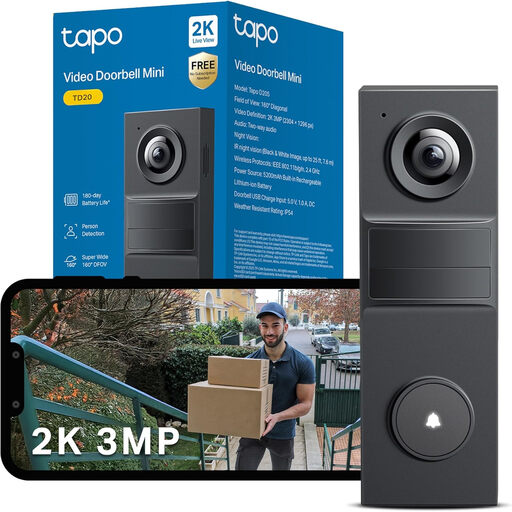
Consider it if you want battery-powered visitor calls and two-way audio; check the view from your doorway before choosing a mounting position.
The stated diagonal view is 160°. Storage is via hub-installed microSD or Tapo Care cloud services; check what the bundle includes.
 No image available
Consider it if phone alerts and two-way conversation are central to checking visitors; check how its activity zones frame your own entrance.
The description specifies 2K live view, activity zones and microSD or cloud storage. Confirm the storage arrangement and bundle contents.
 No image available
Consider it if you are comparing rechargeable-battery use with an existing, permitted hardwire installation.
Continuous recording and 5-second pre-roll require hardwire power. Check the fitting method and whether it is permitted for your flat.
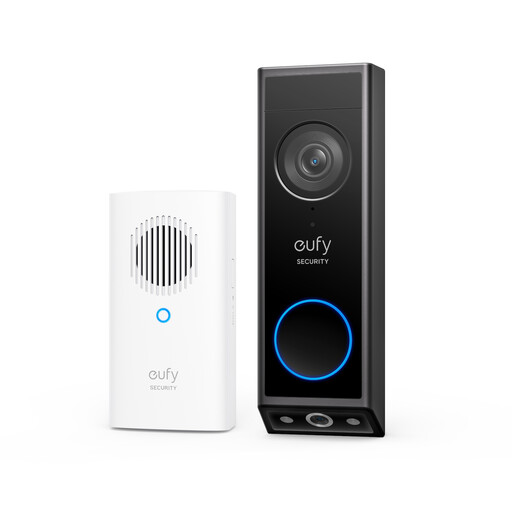 No image available
Consider it if you want the described front- and downward-facing views: the product description assigns one camera to visitors and the other to the area in front of the door.
Battery and wired modes are listed. Wired use requires the battery to remain installed and an 8–24V power source rated above 10VA.
 No image available
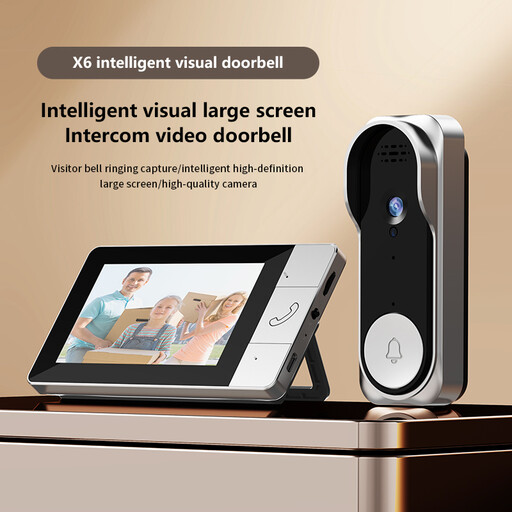
Consider it if checking callers on an indoor screen is important to you.
The description specifies a 4.3-inch indoor monitor and two-way intercom. Video recording requires a TF card.
There is no single permission rule that applies to every UK flat. Check your tenancy or lease and who controls the door, wall or wiring: the Leasehold Advisory Service says lease restrictions vary. Islington Council requires its tenants and leaseholders to request permission for specified fixings into the building fabric or fixed wiring, while Tandridge District Council says its tenants and leaseholders must notify the council and seek permission before installing CCTV; those policies do not govern other buildings.
Not necessarily. Ring says its Privacy Zones block selected areas in live and recorded video, but motion can still be detected behind them. Check the exact model’s masking and motion-zone settings separately, then inspect the resulting view.
Check the model and account conditions. Ring documents an audio streaming and recording switch but says using it requires a compatible subscription; its support information also describes temporarily activating talk on a compatible device during Live View.
That depends on the model’s recording route. Ring says its Battery Video Doorbell 2K requires a subscription to review and save videos. TP-Link specifies hub-installed microSD or Tapo Care cloud storage for the D230S1, so check the bundle and required storage equipment.
The ICO’s public home-CCTV guidance says data protection law applies when a home camera, including a smart doorbell, captures someone else’s property, a public area or a communal space. It advises positioning cameras to capture only your own property where possible and discusses filters or privacy blockers. On 13 October 2026, the guidance page still said it was under review following the Data (Use and Access) Act; this does not make a privacy mask an exemption.