Who needs to consider the camera view?

Households with a pavement or shared entrance outside the door

A doorbell may show visitors alongside a shared hall, path or public pavement. Ring notes that its video doorbells have a wide view; inspect the view from the proposed mounting point before relying on any zone settings.

Homes watching a driveway, garden or side access

A fixed camera can be aimed at a defined part of the property, but its view may still reach a neighbour's boundary. If an unavoidable part of the image needs excluding, check whether the exact camera offers a privacy mask that blocks it in live view.

Households choosing where recordings are kept

Local equipment and cloud history offer different ways to retain and access footage. Choose the recording arrangement you need, then assess the camera view separately: storage location does not change what the lens captures.

What should you check before choosing?

Smart video doorbell

Consider it when: You mainly need to see visitors at one entrance and can assess the view from the proposed doorbell position.

Watch for: Its entrance-facing view may also include a pavement or shared access; check the exact model's exclusion controls if you cannot avoid that view.

Fixed home camera

Consider it when: You need to watch a particular entrance, driveway, garden or side access and can choose a suitable mounting point.

Watch for: A fixed camera can still include neighbouring or shared space; its installed view, not its category, determines what it captures.

PriorityWhat to checkYour needs
Installed view Assess the view from the intended mounting point. Aim at your own property where possible; check whether the scene includes neighbouring property, a communal area or public space. I want to see the entrance or part of my property without routinely capturing areas beyond it. The UK Information Commissioner's Office advises positioning domestic cameras to capture only the owner's property where possible.
Image exclusion Check whether the exact model has a privacy mask that blocks a selected image area, and test its effect in live view. An activity or motion zone may instead control alerts or event detection. A neighbour's window or shared path remains in the frame, so I need to establish whether it can actually be excluded. Reolink documents a rectangular mask visible in live view; Google describes Activity Zones for selected activity alerts.
Recording Check the exact device's local-storage options, cloud history and access to saved clips. Confirm which functions require a subscription and whether the intended storage equipment is compatible. I'd rather keep footage on home equipment, or I need app-based video history. eufy describes microSD, HomeBase and NVR routes; Google says cloud-history availability depends on the camera and subscription.

Which buying mistakes matter?

  • Choosing a wide-view doorbell without checking its position

    The installed view can include neighbouring property, a communal area or public space even when the aim is only to watch your entrance. GOV.UK guidance says data-protection law applies when domestic CCTV captures images of people outside the private-property boundary.

    Plan the mounting point and inspect the live view. Aim at your own property where possible, then check a model-specific privacy mask if an unwanted area remains.

  • Assuming an activity zone hides part of the picture

    Google describes Activity Zones for alerts in selected parts of a camera view. Reolink describes its Privacy Mask as excluding selected areas from surveillance and showing the mask in live view.

    If an area must be blocked, check the exact model's privacy-mask controls and test what appears in its live view; do not rely on a zone name alone.

  • Assuming every recording feature works without a plan

    Video review, saved clips and cloud history can depend on the camera and subscription. Ring says reviewing, saving and sharing video on its Wired Video Doorbell 4K Pro requires a Ring Subscription; Google says history and some zone features vary by device and subscription.

    List the functions you need, including event history, continuous history and saved clips, then check the exact device and plan before choosing.

  • Treating local storage as a privacy control

    Local storage changes where footage is held, not what appears in the camera image. GOV.UK guidance ties the domestic CCTV data-protection condition to capturing images of people beyond the private-property boundary.

    Choose storage for the access and retention you need, then assess positioning and any image-exclusion controls separately.

Which brands offer relevant controls?

Ring

A smart-doorbell and camera range for entrance monitoring through an app; controls and recording terms depend on the model.

  • Ring says its Wired Video Doorbell 4K Pro has customisable privacy zones and adjustable motion sensitivity.
  • Ring says reviewing, saving and sharing videos on that model requires a Ring Subscription. Check the controls and terms for the doorbell you intend to use.

Google Nest

Camera and doorbell options with Google Home app controls and model-dependent video history.

  • Google Home and Nest Help describes Activity Zones drawn within the camera view for selected activity alerts.
  • Zone availability and cloud video history depend on the camera and, for some functions, a subscription. An Activity Zone should not be assumed to hide an area of the image.

Reolink

A camera and recording-system range worth checking when visual exclusion is a requirement.

  • Reolink Support documents a Privacy Mask that places rectangles over areas to exclude from surveillance and shows them in live view.
  • Check the exact camera's compatibility and the effect of its mask rather than assuming identical controls across the range.

eufy Security

Camera and doorbell options that include local-storage routes.

  • eufy describes microSD, HomeBase and NVR storage options and says its systems are designed to store video locally unless optional cloud storage is chosen.
  • Check storage and privacy controls for the exact devices. Keeping footage locally does not limit the camera's field of view.

Joybuy camera options

These options include outdoor cameras, an indoor window camera and an indoor/outdoor kit. For a shared- or public-facing position, assess each proposed view and check the exact model's privacy and recording controls before choosing.
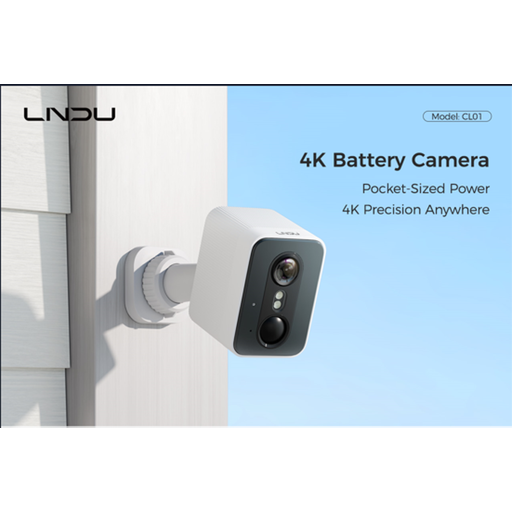
LNDU 4K wireless outdoor security camera

LNDU 4K wireless outdoor camera, 128GB, 143° view

For an outdoor view of part of the property, assess what the stated 143° field of view would include from your mounting point. The product name also states 2.4GHz WiFi, PIR and radar detection, and 128GB local storage; confirm whether the exact camera can mask any area that must be excluded.

View on Joybuy
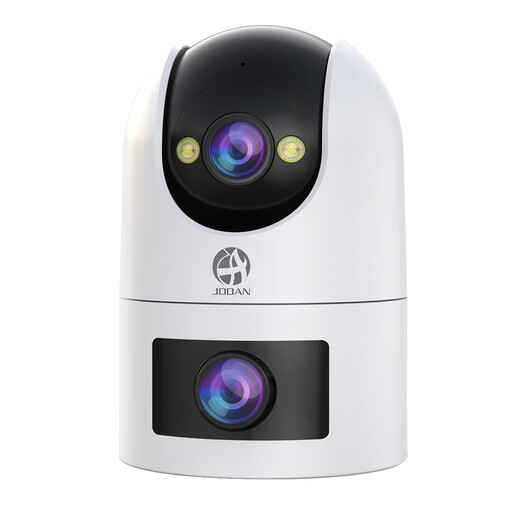
JOOAN dual-lens security camera

JOOAN dual-lens security camera, 5G/2.4G WiFi, 360° view

Consider the intended outdoor view carefully if nearby shared space must stay outside the frame. The product name states dual lenses, a 360° view, IP66, 24/7 recording and cloud/card storage; check the exact model's privacy-mask controls and recording terms.

View on Joybuy
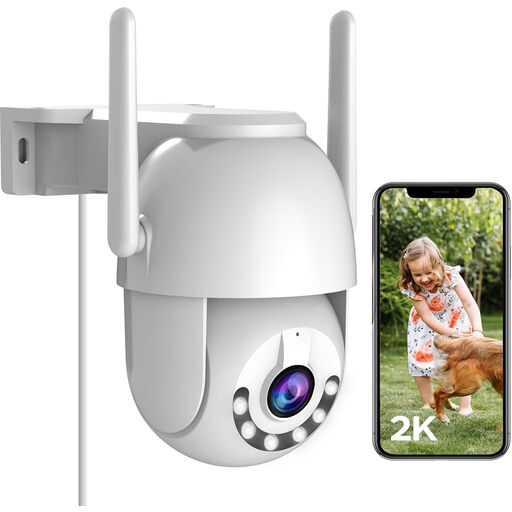
JOOAN 2K outdoor PTZ security camera

JOOAN 2K outdoor PTZ camera, 2.4G WiFi, 360°

For outdoor monitoring where the camera can turn, check every view it may take near a property boundary. The product name states 2K video, 360° PTZ, IP66 and cloud or 8–256G card storage; confirm whether the exact model can exclude an unwanted image area.

View on Joybuy
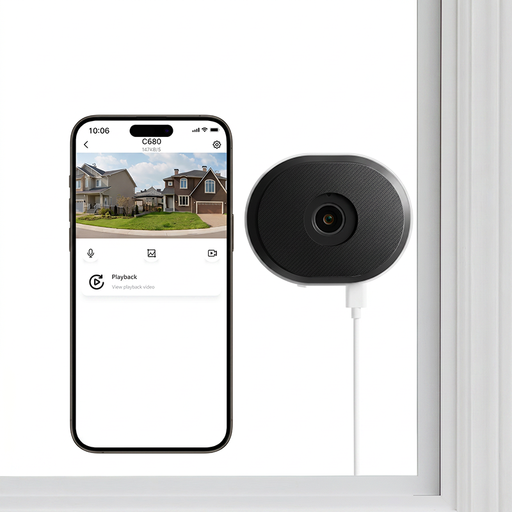
ZOSI C680 3MP 2K indoor window security camera

ZOSI C680 3MP 2K window camera, 1 PCS – UK

This indoor, plug-in window camera is an option to assess from the intended window; check what lies within its actual view. The product name states 2.4/5GHz WiFi and 24/7 recording, but the exact model's image-exclusion controls need checking if the view reaches beyond your property.

View on Joybuy
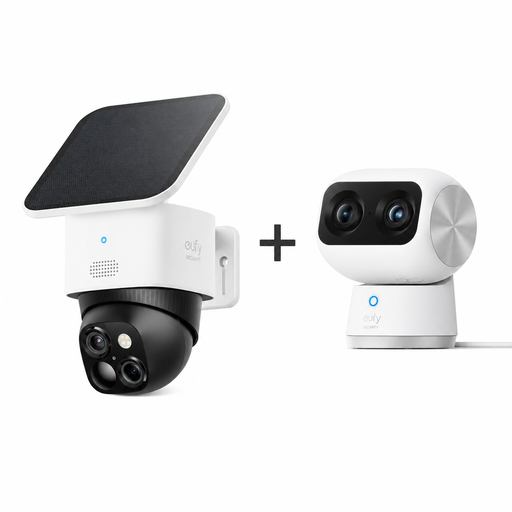
eufy kit with Indoor Cam S350 and outdoor SoloCam S340

eufy Indoor Cam S350 4K UHD and SoloCam S340 3K kit

This kit pairs an indoor camera with an outdoor solar camera. Assess each camera's intended view separately, and check the exact models' privacy-mask and recording options before relying on either near a shared or public-facing area.

View on Joybuy

Questions about shared-facing cameras

When does UK data-protection law apply to a home camera or video doorbell?

GOV.UK domestic CCTV guidance dated 21 May 2026 says GDPR and the Data Protection Act 2018 apply when a domestic system captures images of people outside the boundary of private domestic property, including neighbours' homes or gardens, shared spaces or public areas. Assess what the camera actually captures from its installed position, whether it is a doorbell or another home camera.

Does a privacy zone make a camera compliant?

A feature name alone cannot establish that. The UK Information Commissioner's Office advises aiming domestic cameras to capture only your own property where possible; check the installed view and test what any privacy mask actually excludes. Its home CCTV guidance says it is under review following changes made by the Data (Use and Access) Act.

How is an activity zone different from a privacy mask?

An activity zone can select where activity triggers alerts: Google Home and Nest Help describes drawing zones within a camera view for that purpose. Reolink Support describes its Privacy Mask as placing visible rectangles over areas to exclude from surveillance. Check the exact device's controls if the area must be blocked from the image.

Should a public-facing entrance use local or cloud recording?

Choose local or cloud recording according to how you need to access and retain footage, not as a way to control what the camera sees. eufy describes local microSD, HomeBase and NVR options, while Google and Ring describe model- or subscription-dependent video-history features. Whichever route you choose, assess the installed view and minimise unnecessary capture outside your property.

What should I check immediately before installing a camera?

Check the proposed mounting point, the resulting live view and any image-exclusion controls, then consult the current UK Information Commissioner's Office and GOV.UK domestic CCTV guidance. The ICO says its home CCTV page is under review following changes made by the Data (Use and Access) Act, so check its current guidance before installation.