What should you check before choosing?
Decide which private area needs monitoring, then check what the installed camera will capture and how you will access recordings. The Information Commissioner’s Office advises keeping the view to your own property where possible; its home CCTV guidance is under review following the Data (Use and Access) Act.
| Priority |
What to check |
Your needs |
| Area covered |
Mark the private areas to monitor. Check the installed angle and whether one entrance-centred doorbell or separately positioned fixed cameras can cover them. |
I mainly need to deal with callers at the front door—or I need to see a driveway, garden or side entrance as well. |
| Privacy and audio |
Inspect the live and saved views for neighbouring, shared or public areas. Check whether the device can block parts of recordings and turn off audio if it is not needed. |
I want useful coverage without needlessly capturing a neighbour’s property, passers-by or voices. |
| Recording history |
Check whether the exact model saves clips locally or through a cloud service, how long footage remains available, and how to find or export it. Confirm any plan needed for history. |
If something happens while I am away, I want to know whether I can retrieve the footage later, not just watch a live view. |
| Useful alerts |
Compare motion or activity-zone settings with the recorded field of view; an alert zone is not necessarily a recording privacy mask. Test alerts after installation. |
Notifications about my entrance or private garden matter more to me than alerts from irrelevant movement. |
| Installation |
Check the proposed mounting point, power access and network connection before choosing a device. Recheck the camera angle once it is fitted. |
The camera needs to work from a practical position that still keeps its view focused on the area I intend to monitor. |
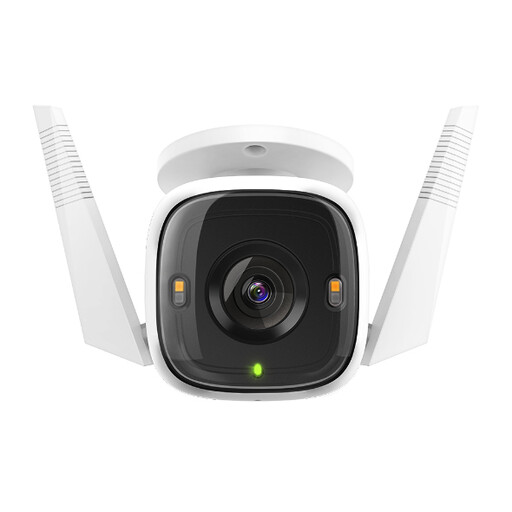
Joybuy outdoor camera option
This fixed outdoor camera is an option to assess for a planned private-area mounting point, rather than a substitute for deciding whether an entrance doorbell meets your needs.
 No image available
tapo C320WS Outdoor Security Wi-Fi Camera
Consider it for a specific outdoor area of your property. Check power access and network coverage at the mounting point, and confirm whether unwanted areas can be excluded from saved footage; inspect the live and recorded views after installation.
View on Joybuy
Questions about home cameras
Can a video doorbell replace outdoor CCTV?
A video doorbell may meet your needs if you only want to monitor callers and activity at one entrance. If you also need deliberate coverage of a private garden, driveway or side access, consider separately positioned fixed cameras rather than assuming the doorbell can see those areas.
When does UK data-protection law apply to a home camera?
The Information Commissioner’s Office and GOV.UK say it applies when a domestic camera captures images outside the boundary of private property, including a neighbour’s property, shared space or public area. The ICO advises positioning cameras to capture only your own property where possible. Check its current guidance for the duties relevant to any view that extends beyond your boundary; the ICO marks its home CCTV guidance as under review following the Data (Use and Access) Act.
Will a privacy zone fix a camera view that includes a neighbour’s garden?
Do not rely on a setting alone: first see whether you can reposition the camera to avoid capturing the garden. A recording privacy blocker can reduce unwanted capture where supported, but alert zones may work differently. Ring says areas blocked by its Privacy Zones become permanent parts of recordings, so check the exact device’s saved footage.
Should I enable audio recording outside my home?
Enable it only if it serves your monitoring purpose, and check what the installed device can hear. The Information Commissioner’s Office notes that cameras can capture voices as well as images. Ring says compatible subscribed devices offer a control to disable audio streaming and recording; check the controls available on your exact model.
How should I choose between local and cloud recording?
Choose according to where you want footage held and how you need to retrieve it. For local recording, check compatible storage, capacity and retention controls. For cloud history, check the exact model’s included access and plan terms: Google says many older Nest devices require Google Home Premium for event or 24/7 history.


