Choose the operating system around the drawing and document software your team uses, then compare screens and accessories. An iPad or Android tablet can suit mobile drawing review when the required apps and file workflow work on that device; a Windows tablet-PC is the route to examine if you depend on desktop Bluebeam Revu. Check how you will annotate, carry and access drawings offline before settling on a model.
Who needs which setup?
Mobile DWG and PDF reviewers
If your work between meetings is mainly opening, inspecting, marking up and sharing drawings, start with the mobile apps your team accepts rather than assuming you need a desktop replacement. Autodesk documents AutoCAD mobile access for DWG viewing, editing and sharing on iOS, Android and Windows 11.
Pen-first site and client-visit reviewers
For handwritten notes while standing or discussing changes, check the pen and the device you will actually carry together. Bluebeam documents stylus-aware input on touch-screen tablet PCs; Samsung lists an S Pen in the stated Galaxy Tab S10+ package.
Desktop-workflow dependent reviewers
If your review process relies on Windows desktop software, a tablet form factor does not remove that software requirement. Bluebeam identifies Revu as a Windows desktop application and lists Windows 10 and 11 compatibility for Revu 21.10.
What matters when choosing?
For project drawings between client visits, establish which applications and file-sharing steps must work before deciding whether a mobile tablet or Windows 2-in-1 fits.
iPad
Consider it when: Your team can complete its drawing review in iPad-compatible apps. Autodesk offers AutoCAD mobile for iOS, and Apple lists 11-inch and 13-inch iPad Pro options with Apple Pencil Pro support.
Allow for: An iPad does not replace a required Windows desktop application; confirm the compatible Pencil and whether it is supplied separately.
Android tablet
Consider it when: Your required review app and project-file workflow work on Android. Autodesk offers AutoCAD mobile for Android, while Samsung lists a 12.4-inch Galaxy Tab S10+ package with an S Pen.
Allow for: Mobile app availability does not establish that your desktop features, integrations or offline process will work in the Android version.
Windows 2-in-1
Consider it when: Your work depends on Windows desktop tools such as Bluebeam Revu. Bluebeam documents Revu use on touch-screen tablet PCs with stylus input.
Allow for: Check the exact application, plug-ins and device requirements. Microsoft lists the Surface Pro keyboard and Surface Slim Pen as optional accessories.
| Concern |
What to check |
Who this matters to |
| Software and workflow |
Test the required app version, drawing formats, project repository and markup export on the intended operating system. Check any desktop-only plug-ins separately. |
If my team relies on a particular review process, I need the whole file and markup workflow to work, not just a tablet that opens a drawing. Roughly 33% of consumers put workflow compatibility first. |
| Drawing area and pen input |
Compare screen size in a comfortable holding position, then confirm pen compatibility and whether the pen comes with the chosen package. |
When I discuss detailed plans with a client, I want enough visible drawing area to follow annotations without making the device awkward to hold. Around 27% of consumers prioritise the screen-and-pen setup. |
| Travel and offline files |
Check how the project app downloads the current revision, stores it and synchronises changes; assess connectivity, charging and carrying arrangements. |
Between visits, I may need the current drawing even when the connection is unreliable. For approximately 20% of consumers, dependable travel and offline access is the primary concern. |
| Complete working setup |
Check the selected variant alongside any required pen, keyboard, case, mobile-data arrangement and software entitlement. |
I need to know what it takes to make the tablet usable for my team, rather than choosing on the device alone. Roughly 20% of consumers place the complete setup first. |
Buying pitfalls
-
Choosing an operating system before checking the project workflow
Autodesk offers AutoCAD mobile on several platforms, but Bluebeam Revu is a Windows desktop application. A suitable screen and pen cannot make a required desktop workflow available on another operating system.
Ask your team for the exact apps, versions, file sources, export steps and plug-ins, then try a representative drawing in the proposed setup.
-
Assuming drawings will be ready offline
For AutoCAD mobile, Autodesk says a drawing needs an internet connection for its initial offline download. Edits made offline synchronise after reconnection.
Download the current revision before leaving and agree with your team how later edits and competing revisions will be handled.
-
Comparing tablets without the rest of the work kit
Microsoft lists the Surface Pro keyboard and Surface Slim Pen as optional, whereas Samsung lists an S Pen with its stated Galaxy Tab S10+ package. Bluebeam says Revu 21 and its web and mobile services require a subscription plan or trial.
Check the exact package, needed input accessories and your organisation’s existing software entitlement together.
-
Choosing screen size without trying the carrying setup
Apple lists 11-inch and 13-inch iPad Pro options, while Samsung lists a 12.4-inch Galaxy Tab S10+. A screen that gives drawings more room also changes what you will hold and carry.
Handle a similarly sized tablet with the type of case you intend to use, particularly if you review drawings while standing.
Brands to consider
Apple
An iPad Pro route to consider when your required drawing and markup apps work on iPadOS.
- Apple lists 11-inch and 13-inch iPad Pro displays, an anti-reflective coating and Apple Pencil Pro support.
- Confirm the compatible Pencil and the package contents; Apple does not list an Apple Pencil among the stated iPad Pro box contents.
Samsung
A Galaxy Tab S10+ route to consider when your team’s drawing-review workflow works in Android apps.
- Samsung lists a 12.4-inch Galaxy Tab S10+ and an S Pen in its stated purchase package.
- Check the exact Android app features, project integration and retailer bundle; an included pen does not establish desktop-workflow compatibility.
Microsoft
A Surface Pro route to examine when a Windows desktop review application is part of the required workflow.
- Microsoft describes Surface Pro as a 2-in-1 with an optional keyboard and Surface Slim Pen.
- Confirm the exact application’s hardware, architecture and plug-in requirements, as well as which accessories you need.
Joybuy tablet choices
These Android tablets and iPads are options for mobile drawing review where your team’s required apps work on the chosen device. If desktop Windows software is essential, check that requirement separately before choosing from this selection.
 No image available
TECLAST ArtPad Pro 12.7-inch tablet, 256GB, with stylus, case and keyboard
Consider this Android tablet if your drawing app works on it and you want a pen and keyboard in the stated package.
The title specifies a 12.7-inch 2K display, Android 15, a 10,000mAh battery and 256GB storage. Confirm how your project app handles offline drawings and later synchronisation.
Joybuy
 No image available
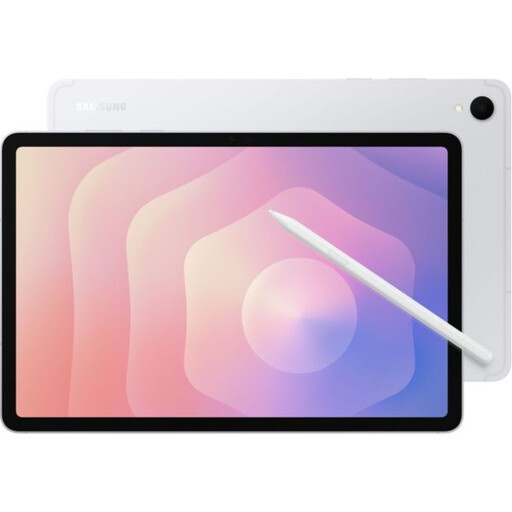
Samsung Galaxy Tab S11 10.9-inch tablet, 256GB, Silver
Consider this model for mobile review if your required drawing app works on Android and a 10.9-inch screen suits the way you carry and inspect plans.
Confirm the pen package, connectivity and offline-file process for this exact Galaxy Tab S11 variant before relying on it between visits.
Joybuy
 No image available
Xiaomi Pad 7, 8GB RAM, 128GB storage, with Focus Pen
The stated Focus Pen package is worth examining if you plan to annotate drawings in an Android app.
Confirm the supplied pen and its compatibility with this variant, then check your app’s file access and offline workflow before travel.
Joybuy
 No image available
Apple iPad Pro 13-inch (M5), Wi-Fi + Cellular, 1TB, Standard Glass, Silver
This 13-inch variant is an option if your review apps work on iPadOS and you want to assess a larger drawing area with cellular connectivity.
Check your mobile-data arrangements and the compatible pen for markup; the Pencil and keyboard accessories are sold separately.
Joybuy
No image available
Apple iPad Pro 11-inch (M5), Wi-Fi, 256GB, Standard Glass, Silver
Consider the 11-inch format if your iPadOS review workflow works and you would rather carry this size between visits than a 13-inch model.
This is a Wi-Fi variant. Confirm how you will obtain drawings away from Wi-Fi and which compatible Pencil you need; pen and keyboard accessories are sold separately.
Joybuy
Frequently asked questions
Do I need a Windows tablet to review project drawings?
Not if your required review and sharing workflow works in a mobile app. Autodesk documents AutoCAD mobile for viewing, editing and sharing DWG files on iOS, Android and Windows 11; examine a Windows tablet-PC when your team specifically depends on desktop software such as Bluebeam Revu or another validated Windows-only tool.
Can I use AutoCAD mobile drawings without a connection between visits?
Yes, after downloading the drawings while connected. Autodesk says an internet connection is needed for the initial offline download and that offline edits synchronise after reconnection. Check the revision before leaving and agree how your team will manage later changes.
Will I need to get a pen, keyboard or software access separately?
That depends on the exact device package and your team’s licences. Microsoft lists the Surface Pro keyboard and Surface Slim Pen as optional, while Samsung lists an S Pen with its stated Galaxy Tab S10+ package. Bluebeam says Revu 21 and its web and mobile services require a subscription plan or trial; check your organisation’s entitlement.
What should I do with an old work tablet in the UK?
Arrange electrical recycling rather than putting the tablet in ordinary household rubbish. Recycle Your Electricals identifies battery-powered devices as electrical items for recycling; follow your organisation’s data-removal procedure before handing over a work device.


