Choose a compact pen tablet if you already sketch on a laptop and want to keep your desk clear. A connected pen display lets you draw directly on the image but needs room for another screen; a standalone tablet and compatible stylus make more sense if you sketch away from your desk. Whichever route you take, check the exact device, pen, connection and app requirements before buying.
Who each setup suits
Students sketching beside a laptop
If you have a compatible laptop and little desk space, a compact pen tablet gives you a separate drawing surface without adding a display. For quick furniture thumbnails and annotated room plans, check whether its active area and controls suit the space beside your computer.
Students who want to draw on the image
A pen display suits you if placing lines directly on a visible furniture sketch matters more than keeping the setup small. Allow space for a connected display and check its host connection and the contents of the bundle you choose.
Students sketching away from a desk
A standalone tablet and stylus let you work without connecting a graphics tablet to a laptop. If you choose an iPad, match the exact iPad and Apple Pencil models, then check the requirements of the apps you intend to use.
What matters when choosing
Compact pen tablet
Choose it when: you already have a compatible computer and want a small drawing surface beside it.
Trade-off: you move the pen on the tablet while watching the result on a separate screen.
Connected pen display
Choose it when: drawing directly over the displayed sketch is worth making room for another screen.
Trade-off: the display still needs a compatible computer and a workable cable arrangement.
Standalone tablet and stylus
Choose it when: you want to develop sketches away from your computer.
Trade-off: the exact tablet, stylus and intended apps must work together; freehand sketching does not establish suitability for 3D modelling.
| Concern |
What to check |
Who this matters to |
| Desk space |
Compare the drawing area and overall footprint with the space beside your existing computer. |
If my laptop already handles the sketching app, I want a drawing surface that does not take over my student-room desk. Around 33% of consumers put this compact, computer-connected setup first. |
| Drawing on screen |
Check whether it is a connected pen display, its screen size and the required host connections. |
For furniture outlines and room references, I would rather see each line appear under the pen than look across to my laptop. Drawing directly on the image is the main concern for around 27% of consumers. |
| Sketching away from a laptop |
Match the standalone tablet to its compatible stylus and check the apps you need. |
I want to take an idea to another part of my room or work elsewhere without setting up a computer connection. Around 20% of consumers primarily need that freedom to move. |
| Design-app workflow |
Confirm the app's device and operating-system requirements, pen support and export options. |
If my sketches need further editing or modelling, I need the chosen app and hardware to support that next step. App and stylus compatibility comes first for around 20% of consumers. |
Mistakes to avoid
-
Assuming every drawing tablet works on its own
XPPen's Deco 640 is a pen tablet used with a host device, while Huion's Kamvas 13 is a connected pen display. Neither is a standalone computer.
Decide whether you will use an existing computer, add a display to it or sketch on a standalone tablet. Then check the relevant ports, operating system and driver support.
-
Choosing an Apple Pencil by name alone
Apple's Pencil compatibility is specific to the iPad model. A Pencil that works with one iPad generation will not necessarily work with another.
Identify your exact iPad model and compare it with Apple's compatibility list before ordering a stylus.
-
Letting pressure levels decide the software choice
Pen-input specifications do not show whether your sketching or modelling app will run on the device. SketchUp, for example, says its iPad app requires iPadOS 18.0 or later.
Pick the app you intend to use, then check its platform, version, stylus and export requirements against the hardware.
-
Leaving compatibility tests until later
A cable, driver or app mismatch is easier to address if you try the intended setup soon after delivery. GOV.UK says eligible distance-sale customers can cancel up to 14 days after delivery without giving a reason; exceptions apply.
Test your device connection, pen input and chosen app promptly, and keep your order documentation while checking the seller's return instructions. A change-of-mind cancellation is separate from remedies for faulty or misdescribed goods.
Relevant brands to consider
Wacom
Its Intuos range offers computer-connected pen tablets for laptop-based sketching, including small models.
- Wacom lists Intuos S and Intuos S with Bluetooth as distinct options.
- Its advertised creative-software offers have registration, terms and operating-system conditions; check the offer for the model you choose.
XPPen
The Deco 640 is a compact, computer-connected pen-tablet option.
- XPPen specifies a 16 cm × 9 cm active area and eight soft shortcut keys for the Deco 640.
- Check the exact host-device and driver compatibility before choosing it for your laptop.
Huion
The Kamvas 13 is a connected pen-display option for drawing directly on a screen.
- Huion describes full lamination, an anti-glare film and a battery-free pen for the Kamvas 13.
- Check the required computer connections and included accessories for the configuration you select.
Apple
An iPad with a compatible Apple Pencil provides a standalone route for sketching away from a computer.
- Apple lists iPad Air models that support Apple Pencil Pro.
- Pencil compatibility depends on the exact iPad model; check your intended app's operating-system and performance requirements separately.
Joybuy devices for sketching setups
These choices represent two different ways to work on a screen: a standalone Android tablet listed with a stylus and a touchscreen laptop. Check your intended drawing app and pen arrangement before treating either as a ready-to-use furniture-design setup.
 No image available
TECLAST ArtPad Pro 2025 Edition, 12.7-inch 2K tablet with stylus
Consider this for sketching on a tablet without connecting a separate computer.
The listed configuration runs Android 15, supports 4,096 pressure levels for T-Pen drawing and includes a stylus.
Before buying, check that your chosen sketching or modelling app runs on this tablet and supports its stylus.
Joybuy
 No image available
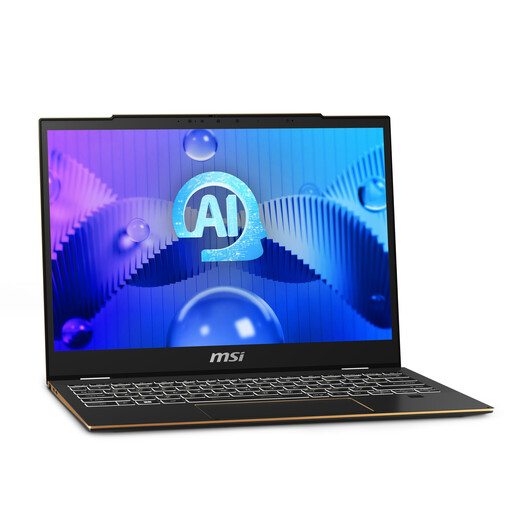
MSI Summit E13 AI Evo, Core Ultra 7 155H, 32 GB RAM, 1 TB SSD
Consider this if you want a touchscreen laptop rather than a separate pen tablet or display.
The listed configuration has a 13-inch FHD+ 60 Hz touch display, an Intel Core Ultra 7 155H processor, 32 GB RAM and a 1 TB SSD.
Check which pen works with this configuration, whether one comes with your order and whether your chosen drawing app supports the pen workflow.
Joybuy
Questions before you buy
Do I need a screen tablet to sketch furniture ideas?
No. A compact pen tablet can work for furniture sketches if you are comfortable drawing on it while watching your laptop screen. Choose a pen display if drawing on the image matters more and you have room for a connected display; check host-device compatibility for either option.
Can an iPad and Apple Pencil handle sketching and modelling?
A compatible iPad and Apple Pencil provide a standalone sketching setup, but modelling depends on the app and device. SketchUp says its iPad app requires iPadOS 18.0 or later and recommends more powerful iPads for large or demanding files; also check Apple's Pencil compatibility for your exact iPad.
What should I test when a connected drawing tablet arrives?
Test the connection and pen input with the computer and app you intend to use. Install the appropriate driver, try pressure and shortcut controls where supported, and check that the drawing area fits your working space.
Can I cancel an online drawing-tablet order after delivery?
For eligible distance sales, GOV.UK says customers can cancel up to 14 days after delivery without giving a reason. Exceptions can apply, so check the terms relevant to your purchase; change-of-mind cancellation is distinct from remedies if goods are faulty or misdescribed.


