Garden planners working away from a desk
If you need to mark out a layout without keeping a computer connected, a standalone tablet is the route to examine. Check its drawing app, stylus arrangement and charging needs before choosing one.


Choose a standalone tablet with a suitable stylus if you need to sketch garden layouts without connecting a laptop; charge it before you leave a socket. A compact graphics tablet makes more sense if you already bring a compatible laptop and can draw while looking at its screen. Choose a pen display when drawing directly on the displayed plan matters enough to justify checking its host device, cable and power requirements.
If you need to mark out a layout without keeping a computer connected, a standalone tablet is the route to examine. Check its drawing app, stylus arrangement and charging needs before choosing one.
A compact pen tablet can add pen input to an existing computer setup. It does not replace the laptop or its screen, so it suits a work spot where you can use both devices together.
A pen display puts the drawing surface over the image, which may suit work on boundaries, paths and planting zones. It still needs a compatible host device and a suitable connection.
For garden-layout sketches with limited access to sockets, start with the requirement that would decide your choice: working without a laptop, using one you already carry, drawing on a screen, or checking protection for site visits.
| Concern | What to check | Who this matters to |
|---|---|---|
| Drawing without a laptop | Confirm that the tablet runs drawing apps itself and that a suitable stylus is included or compatible. Plan how you will charge it before use. | If I sketch away from my desk, I need to open a plan without connecting a computer. Around 36% of consumers put that independence first. |
| Using an existing laptop | Check the pen tablet's compatibility with your laptop and drawing software, as well as the space needed to use both devices. | When I already bring a laptop, I want pen input without carrying another standalone computer; roughly 29% of consumers prioritise that setup. |
| Drawing directly on the image | For a USB-C pen display, check the host port, cable and power arrangement. Huion specifies USB 3.1 Gen 1 and DisplayPort 1.2 Alt Mode for its one-cable connection. | If placing paths and beds directly over the visible plan matters most to me, I can accept a connected host device. About 21% of consumers make on-screen drawing their primary need. |
| Outdoor exposure | Check the exact device's ingress rating and use guidance; assess pens, cables and chargers separately. | For occasional garden-site visits, I want a stated rating rather than assuming the device can tolerate damp or dust. That is the first concern for around 14% of consumers. |
A matching connector shape does not establish video compatibility. For the Huion one-cable arrangement, Huion specifies a host and cable supporting USB 3.1 Gen 1 data transfer and DisplayPort 1.2 Alt Mode; Android use may need extra power.
Check the specifications of the exact host port and cable, then confirm the power arrangement for where you intend to sketch.
The setup may require another compatible cable, adapter or power supply.
Apple sells Apple Pencil separately for iPad Air. Samsung lists an S Pen and USB-C cable with its Galaxy Tab S10 FE package, but not a travel adapter.
Check the exact tablet bundle, compatible pen and charging equipment together before choosing.
A pen tablet such as the Wacom Intuos adds input to a computer workflow; you draw on its surface while viewing the work on the computer screen.
If you cannot reliably bring a laptop, choose a device that runs your intended drawing app independently.
A graphics-tablet setup also means carrying and keeping the laptop charged.
Samsung states that the Galaxy Tab S10 FE series has an IP68 rating. That does not establish the same protection for another tablet, a pen display or its accessories.
For potentially damp or dusty visits, read the rating and operating guidance for the exact model and check the pen and connected equipment separately.
The Intuos Small is a compact pen-tablet route for someone who already has a computer.
The Kamvas 13 is a pen display for drawing on a screen connected to a compatible host device.
The Magic Drawing Pad is a standalone Android drawing-tablet route.
iPad Air is a general-purpose tablet route for people who also want compatible drawing apps and Apple Pencil input.
The Galaxy Tab S10 FE is a standalone tablet route with an S Pen listed in the UK package.
These choices cover standalone Android tablets for digital sketches and an LCD writing tablet for quick, erasable layouts. If you need to keep and revise plans in an app, check that workflow on the exact device before choosing.
 No image available
For digital garden sketches without a connected laptop, this Android 15 tablet comes with a stylus.
The listed configuration has a 12.7-inch 2K display, support for 4096 pressure levels, 256GB storage and a 10,000mAh battery with 18W input.
Check your intended drawing app and stylus functions, as well as the practical runtime for your sessions. For outdoor visits, check the device and stylus guidance before exposing them to damp or dust.
 No image available
For someone who wants a standalone Android sketching tablet with a listed carrying bundle, this variant includes a stylus, case and keyboard.
Its title specifies a 12.7-inch 2K display, Android 15, 256GB storage and a 10,000mAh battery.
Check drawing-app and stylus compatibility for your planned layouts, and confirm practical runtime and outdoor-use guidance for the exact kit.
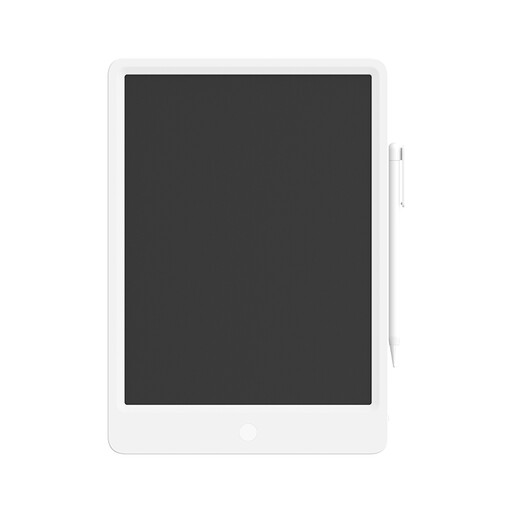 No image available
For a quick rough layout rather than an established drawing-app workflow, this 13.5-inch LCD writing tablet offers a separate way to sketch.
The described one-tap erase clears the whole screen. If you need to retain or edit a garden plan, check how you would save it before choosing this format.
The product guidance says to avoid direct sunlight and exposure to liquid, so plan a sheltered place to use it.
No. For Huion's one-cable pen-display connection, Huion specifies at least USB 3.1 Gen 1 data transfer and DisplayPort 1.2 Alt Mode support from the host and cable. Check the exact port and the intended power setup rather than relying on the connector shape.
A standalone tablet runs its own drawing workflow without a tethered computer, provided it supports the app and stylus you intend to use. Charge it before heading away from a socket; an LCD writing tablet is a different option if quick marks are enough and retaining or editing the plan is not essential.
No. Samsung lists an S Pen with the Galaxy Tab S10 FE package, while Apple sells Apple Pencil separately for iPad Air. Check the exact model and bundle, including how the compatible pen and tablet are charged.
Do not assume so. Samsung states that the Galaxy Tab S10 FE series has an IP68 rating, but that statement does not establish protection for unrelated tablets, pens, pen displays or connected cables. Check the exact device's rating and operating guidance, along with its accessories, before use near water or dust.