What matters when choosing
Start with where your notes need to appear: on an existing device, directly beneath your pen on a connected display, or on a separate writing device. Then check the connections and charging demands of the exact setup.
Bluetooth pen tablet
Choose when: You use a compatible host for notes and want the tablet-to-host cable out of the way while writing.
Trade-off: You write on a screenless surface while watching the host screen, and the wireless tablet needs charging.
Wired pen tablet
Choose when: A host connection is available and you would rather avoid maintaining a wireless-tablet battery.
Trade-off: The tablet stays tethered to the device on which you view and keep your notes.
Pen display
Choose when: Seeing marks directly beneath the pen matters more to you than minimising connections.
Trade-off: The host must provide a suitable video connection, and the chosen connection method may need extra power.
| Concern |
What to check |
Who this matters to |
| Sockets and cables |
Check Bluetooth support on both devices and whether the tablet body needs charging; a battery-free pen does not settle the latter. |
If sockets are scarce, I want to write without leaving a cable across the desk. Around 36% of consumers put reducing socket and cable use first. |
| Existing-device compatibility |
Check the exact model against your operating system, connection and preferred note app. |
I already have a device for my notes and need handwriting input that works with it. For around 29% of consumers, compatibility is the primary concern. |
| Writing on the screen |
For a pen display, check the host’s USB-C video capability and the power needs of the connection you intend to use. |
When I annotate diagrams, I want to see marks appear beneath the pen rather than on a separate screen. That direct view comes first for around 21% of consumers. |
| Writing space and controls |
Compare active area with available desk space, and check whether shortcut keys work with your software. |
I need enough room for longer notes without taking over my desk, and shortcuts matter only if I will use them. Around 14% of consumers make writing space and controls their leading concern. |
Joybuy products for handwritten notes
These choices take a different approach from a pen tablet connected to a computer: the TECLAST model is an Android tablet with its own display and included stylus, while the Mi model is an LCD writing tablet for direct handwriting. Consider whether you need to use a particular note app or retain and transfer your notes before choosing between them.
 Image unavailable
TECLAST ArtPad Pro 2025 Edition, 12.7-inch, 256GB
Consider this if you want to write on the device’s own display rather than use a pen tablet connected to a separate host.
The listed configuration has a 12.7-inch 2K display, Android 15, an included stylus and a 10,000mAh battery. Battery capacity does not establish how long a note-taking session will last; check expected runtime and how your preferred app works with the stylus.
View on Joybuy
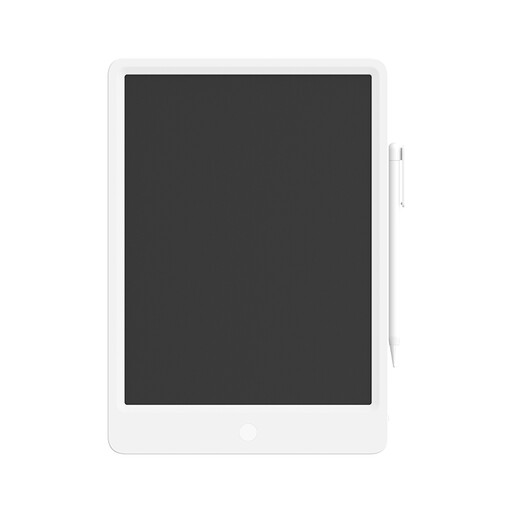 Image unavailable
Mi LCD Writing Tablet 13.5-inch
Consider this for handwriting directly on an LCD surface when your priority is making notes without connecting a pen tablet to a host device.
It has a 13.5-inch writing surface. If you need to keep or transfer what you write, check its saving and export functions before choosing it for your note-taking workflow.
View on Joybuy
Common questions
Can I use a Bluetooth pen tablet without a wall socket while taking notes?
Yes, during a session if the tablet is charged and your host device supports its Bluetooth connection. You still need power for the host and must recharge the tablet later. XPPen states that Deco MW has a 1,000 mAh battery and a laboratory-simulated runtime of more than 10 hours; that figure is not a guarantee for a particular note-taking session.
Do I see my handwriting on a screenless pen tablet?
You see it on the connected device’s screen, not beneath the pen on the tablet surface. Wacom describes its screenless tablets as translating pen movement to the computer screen, so allow for that hand-to-screen coordination when deciding whether this route suits you.
Will one USB-C cable run a pen display?
It can for a compatible display and host, but a USB-C socket alone is not enough to establish that. Wacom says its Wacom One single-cable connection needs Thunderbolt 3 or later, or DisplayPort Alt Mode, to carry power, video and data. Check the requirements of the exact display and host before relying on a one-cable setup.
Does a battery-free pen mean I never have to charge the tablet?
No. A battery-free pen avoids charging that pen, but a Bluetooth tablet body can still need charging. Wacom specifies a battery-free pen for Intuos Medium Bluetooth, while Huion’s Inspiroy Frego instructions document a low-battery indicator for the tablet.


