What matters when choosing
Choose the screen’s position and viewing geometry first, then compare resolution and motion specifications against your PC’s outputs and the lighting around the cockpit.
| Concern |
Buying checks |
Who this matters to |
| Motion during drifting |
Match the desired refresh mode and variable-refresh support to your PC, port and cable; check whether the quoted mode is overclocked. |
If rapid steering corrections are my priority, I want a display mode my PC can keep supplying. Around 27% of consumers put motion first. |
| Cockpit fit and placement |
Measure the usable opening, depth and wheel-base clearance; check the exact stand or mounting pattern. Decide whether a curved screen suits your seating position. |
If the screen crowds my wheel or sits too far back, its other specifications matter less to me. Around 33% of consumers put fit and placement first. |
| Detail, dark scenes and reflections |
Compare QHD and 4K against your preferred game settings; assess panel finish and nearby lighting rather than assuming an anti-glare claim removes reflections. |
On dark tracks or in a brightly lit room, I want to see the course and instruments comfortably. Around 20% of consumers put image quality and glare handling first. |
| Connection practicality |
Check the resolution-and-refresh table for the input you will use, plus your graphics output and cable. Dell UK lists the AW2725DF at QHD/360Hz through DisplayPort but QHD/144Hz through HDMI. |
If my existing equipment cannot use the mode I intend to buy, I need to resolve that before choosing a monitor. Around 20% of consumers put connection compatibility first. |
Joybuy products for this setup
These single-screen choices include near-27-inch QHD monitors and smaller or larger curved FHD alternatives. The curved models call for particular attention to cockpit dimensions; compare each screen’s connection requirements with your PC as well.
 No image available
Samsung Odyssey G6 S27DG612 27-inch QHD OLED, 240Hz
Consider this model if a 27-inch QHD OLED screen at a stated 240Hz suits your single-monitor cockpit. Check the mode available through your chosen input, and confirm mounting dimensions and OLED care terms for your setup.
View on Joybuy
 No image available
Acer X Predator X27U W3 26.5-inch QHD QD-OLED, 240Hz
Its 26.5-inch QHD format is worth measuring against a close-seated, single-screen rig. The product title specifies QD-OLED, 240Hz, FreeSync Premium Pro and G-SYNC compatibility; check the input mode, mount dimensions and OLED care terms before deciding.
View on Joybuy
 No image available
HKC G27H2DPro 27-inch QHD Fast IPS, 220Hz
This is a 27-inch QHD IPS option for a driver who wants a flat screen with a stated 220Hz refresh rate. Assess reflections where the cockpit will sit, and confirm the usable input mode and mounting pattern.
View on Joybuy
 No image available
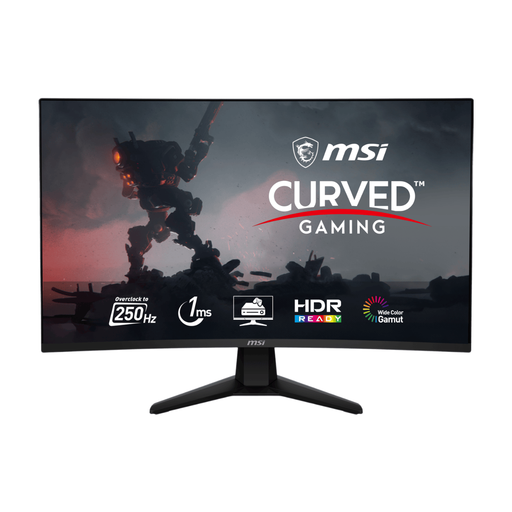
MSI MAG 32C6X 32-inch FHD curved monitor, 250Hz OC
Consider this curved FHD model only if a 32-inch screen clears the frame and wheel base at your intended viewing position. Its title states a 250Hz overclocked mode and Adaptive Sync; confirm the mode’s connection requirements and the monitor’s full mounting dimensions.
View on Joybuy
 No image available
Gawfolk 24.5-inch FHD curved monitor, 100Hz
This smaller curved FHD screen may be worth considering where a larger display is difficult to position. Its title states 3000R curvature, 100Hz and AMD FreeSync; confirm the exact mounting pattern before choosing an arm, as the product information gives differing VESA details.
View on Joybuy
Common questions
Should I choose QHD or 4K for a compact drifting cockpit?
Choose QHD if high-refresh play is your priority and you want to limit the graphics workload; choose 4K if added detail matters more and your PC can sustain your preferred simulator settings. Dell UK lists the 27-inch AW2725DF at QHD/360Hz and the AW2725Q at 4K/240Hz, but neither rating tells you the frame rate your PC will produce.
Will a 360Hz monitor run at 360Hz over HDMI?
Not necessarily: Dell UK lists its Alienware AW2725DF at QHD/360Hz through DisplayPort but QHD/144Hz through HDMI. Check the input specifications of the exact monitor you choose, alongside your source device and cable; that Dell limit is not a rule for every 360Hz screen.
What should I measure before mounting a monitor in the cockpit?
Measure the usable opening, wheel-base clearance, intended eye-to-screen position and space for a stand or arm and its cables. Then compare those measurements with the exact monitor’s dimensions, weight and mounting specification; a 27-inch diagonal alone cannot confirm fit.
Do OLED protection and anti-glare features remove the need to check my setup?
No: assess the room lighting and your use of static dashboards, and read the chosen model’s care and warranty terms. Samsung markets OLED Glare Free and OLED Safeguard+ on its G60SD, but those manufacturer claims do not guarantee a reflection-free view or eliminate image-retention considerations in every setup.
What if a newly bought monitor is faulty?
Contact the seller about your statutory remedies and keep the order details and evidence of the fault. GOV.UK states that retailers cannot restrict or take away customers’ rights; Coventry City Council Trading Standards says qualifying faulty goods can generally be rejected for a refund within 30 days. A retailer’s voluntary returns policy does not replace those rights.


