Joybuy product options
Joybuy options for assessed home-workstation setups needing an external display or single-display connectivity and peripheral expansion. Confirm the assessment outcome and exact laptop compatibility before personal purchase.
 Image unavailable
V7 V7UC-U3CRJ45HDVG-BLK USB-C Adapter
For an assessed single-display desk needing wired networking, USB peripherals and charging pass-through.
Specified with 4K HDMI at 30Hz, VGA, Gigabit Ethernet, two USB 3.0 ports and 100W power delivery. Requires USB-C DisplayPort Alt Mode and supports SST single-display use only; check the laptop, charging input and intended display configuration.
Joybuy
 Image unavailable
CRUA 32-inch QHD Curved Monitor
For a fixed desk where the assessment identifies a separately positionable external display.
Specified with 2560×1440 resolution, dual HDMI, dual DisplayPort, VESA 100×100 mounting and -5° to 15° tilt. Check desk space and laptop or dock support for the chosen connection; a monitor does not replace separate keyboard and mouse needs.
Joybuy
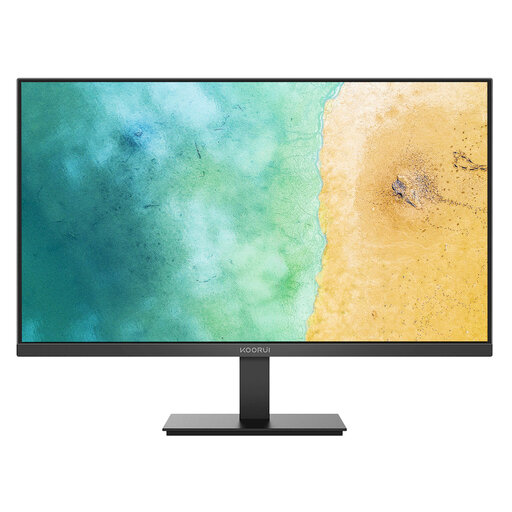 Image unavailable
KOORUI MB27V29FS2 27-inch IPS Monitor
For a home desk that needs an external screen independent of the laptop.
Specified with a 1920×1080 IPS panel, HDMI and VGA inputs, tilt adjustment and VESA 100×100 mounting. Confirm laptop output compatibility; height adjustment is not stated, so assess whether VESA mounting is required.
Joybuy
 Image unavailable
Mokin USB-C and Thunderbolt Dock
For an assessed desk needing one HDMI display plus input-device and storage connections.
Specified with HDMI up to 4K at 60Hz, two USB-A 3.0 ports, USB-C data and SD/TF readers. Confirm the laptop’s docking and video-output support; host-laptop charging capability is not stated.
Joybuy
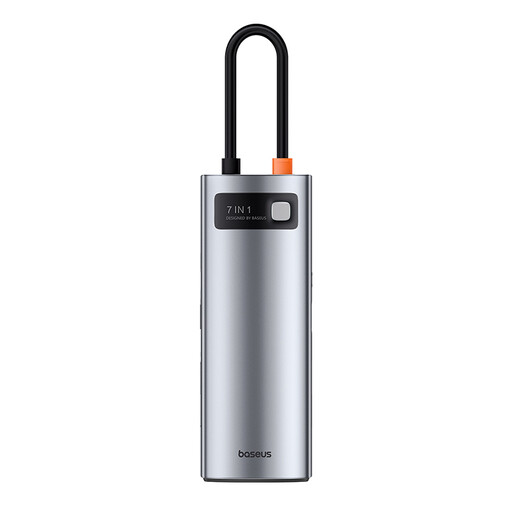 Image unavailable
Baseus Metal Gleam Series USB-C 7-Port Hub
For a compact setup needing one HDMI display, USB peripherals and card-reader access.
Specified with HDMI up to 4K at 60Hz, three USB 3.0 ports, SD/TF readers and a USB-C PD input up to 100W. A separate compatible charger and cable are required for PD input; verify laptop video support and multi-monitor requirements.
Joybuy
Frequently asked questions
Should I buy a monitor, stand or dock before requesting a DSE assessment?
Begin with the employer’s assessment if you are covered by the DSE rules. In Great Britain, the Health and Safety Executive says the assessment should consider the whole workstation, the work being done and individual requirements; use the findings to decide whether additional equipment is appropriate.
When is a laptop stand not enough for prolonged home working?
A stand is not a complete setup if it raises the laptop screen but leaves the built-in keyboard and trackpad as the only inputs. Health and Safety Executive guidance for prolonged laptop work advises using a separate keyboard and mouse so the screen can be raised, or using a separate display.
Does hybrid working mean only the home workstation needs assessment?
No. The Health and Safety Executive states that where a worker uses display screen equipment at home and in the office, the assessment should cover both situations. The equipment needed may therefore differ between locations.
What should I check before buying a dock?
Check the exact laptop port and supported display mode, operating system, required monitor count and resolution, charging requirement, and the dock’s documented compatibility. USB-C describes a connector form and does not by itself confirm display, charging or multi-monitor functions.
Do DSE rules apply in Northern Ireland as well as Great Britain?
Yes, but the applicable instruments are separately named. Great Britain uses the Health and Safety (Display Screen Equipment) Regulations 1992, while Northern Ireland uses the Health and Safety (Display Screen Equipment) Regulations (Northern Ireland) 1992; HSENI says its rules can apply to permanent, long-term and routine hybrid home workers using DSE daily for an hour or more at a time.


