Who needs to make this decision?
The useful starting point is how often you work at each desk and which tasks your laptop setup has to support.
Regular home and hybrid screen users
If you work at home long term or routinely split your time between home and a workplace, consider both workstations. The Health and Safety Executive says DSE rules can apply to these working patterns in Great Britain and that hybrid workers’ assessments should cover both locations.
Workers who reconnect a desk each day
If you repeatedly attach a display, power and other devices, compare a direct cable arrangement with a dock. Check the exact laptop’s video and charging capabilities before relying on the shape of its USB-C port.
Frequent video-call participants
Test the laptop’s camera, microphone and speakers in the meeting software you use. That gives you a reason to choose a separate webcam or headset—or to keep using the built-in devices.
What should you check first?
Decide whether the workstation needs a change, then check the connections and working arrangements that would make that change usable.
| Priority |
What to check |
Your needs |
| Workstation needs |
Review the work, time spent at each location and any applicable DSE assessment. For Great Britain, the Health and Safety Executive says an assessment indicating a need for action may lead to equipment provision for which the worker cannot be charged. Check the employer’s equipment process before ordering. |
I want to know whether a change is needed for my regular work, rather than copying the office setup or paying for equipment my employer needs to provide. |
| Displays and docking |
Match the laptop’s video output to the monitor input and cable or adapter. For a dock, check the required USB-C video mode, number of supported displays, operating-system behaviour and accepted charging wattage against the exact models. |
An extra screen would help at my desk, or I reconnect several devices each day. I need the intended display arrangement to work with my laptop—not just a plug that fits. |
| Calls |
Run a test call with the integrated camera and audio. If choosing an external device, check its connection, the employer-approved meeting platform and the software’s camera, microphone and speaker selections. |
My current call setup needs to work for regular meetings. I would add a separate camera or listening device only if testing reveals a reason to use one. |
| Moving between locations |
Check how portable input devices connect to the work laptop and whether employer device rules permit them. Consider the home and office workstations separately; carrying a keyboard or mouse does not resolve a display-connection issue. |
I move between home and work, so I need equipment I can connect in both places without overlooking what each desk requires. |
Relevant brand ranges
These ranges offer examples of equipment types; brand-wide positioning does not establish compatibility for a particular work laptop.
Logitech
Logitech lists webcams, headsets, keyboards and mice for business and home-working setups.
- Its webcam and headset ranges include options to consider for video calls.
- Logitech states that its Brio 505 webcam is certified for Microsoft Teams, Google Meet and Zoom; check certification, operating-system support and employer approval for the exact model you choose.
Anker
Anker offers USB-C hubs and docks with different display, data and charging specifications.
- Its model documentation sets out host-connection requirements that can be checked against a laptop.
- For Anker’s Nano 8-in-1 dual-display hub, the stated connection and display behaviour depend on the host; Anker says macOS mirrors rather than shows different content on its two external displays.
Dell
Dell’s docking range includes the Pro Thunderbolt 4 Dock WD25TB4 for a desk with multiple connections.
- Dell publishes model-specific power-delivery figures, distinguishing Dell from non-Dell host systems for the WD25TB4.
- Check the intended laptop’s Thunderbolt support and accepted power level; the dock’s stated specifications do not establish the same result with every laptop.
Jabra
Jabra markets headset ranges for office use and work across locations.
- Its range gives workers considering separate call audio different connection and wearing-style options to examine.
- Check the exact headset’s fit, connection and meeting-platform support, as well as employer device rules; brand descriptions of call performance are not a substitute for those checks.
Joybuy equipment options
These options cover an external display, desk connections or separate call equipment for hybrid work. Choose the type only after deciding what your workstation and calls require.
 No image available
Targus USB-C Universal Dual HDMI 4K Docking Station, 100W Power Delivery Pass-Thru
Consider a dock if you regularly reconnect a laptop to desk devices. This model’s name specifies dual HDMI 4K connections and 100W Power Delivery pass-through; check the laptop’s supported video output, display count and accepted charging level before relying on that arrangement.
View on Joybuy
 No image available
ASUS ZenScreen MB166CR FHD
This is an external-screen option when your work calls for another display that you can take between locations. Check the exact laptop’s video-output capability and the monitor’s required connection before choosing it.
View on Joybuy
 No image available
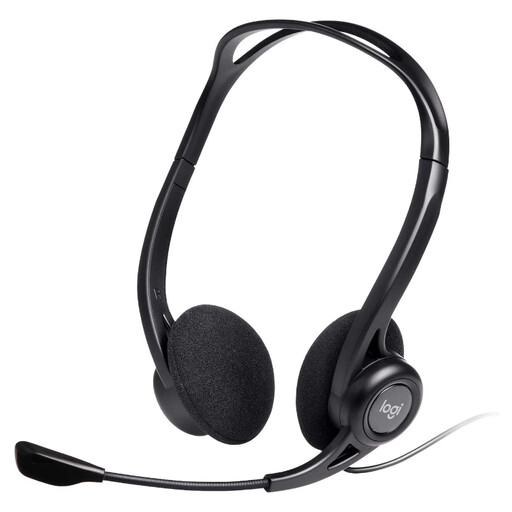
Logitech 960 Wired USB Headset, Black
A separate wired headset is worth considering if a test call shows that you need a different microphone and listening device. The product name includes an inline remote; check the work laptop’s USB connection and whether the headset is permitted and selectable in your meeting software.
View on Joybuy
 No image available
AOC Q32V4 31.5-inch 2K IPS Monitor
Consider this larger external display if your regular desk tasks and available space call for one. Its product name specifies a 31.5-inch 2K IPS screen and built-in speakers; confirm the laptop output, intended cable or adapter and desk arrangement before buying.
View on Joybuy
 No image available
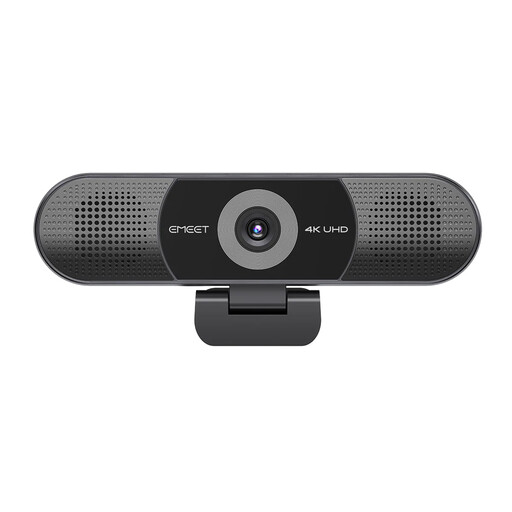
EMEET All-in-One 4K USB Webcam with Sony Sensor
This webcam combines the camera with a four-microphone array and built-in speakers, as described in its product name. Test the laptop’s existing call setup first, then check the USB connection and whether your work device and approved meeting platform can use the external camera and audio.
View on Joybuy
Frequently asked questions
Does regular hybrid work automatically require an external monitor or dock?
No. Decide from the work and the individual workstation, not the work pattern alone. In Great Britain, the Health and Safety Executive says DSE rules can apply to regular home and hybrid workers, and assessments should cover both home and office where DSE is used in each.
Should I buy home-working equipment before asking my employer?
Check your employer’s DSE assessment and equipment process first. For applicable cases in Great Britain, the Health and Safety Executive says workers cannot be charged when a workstation assessment indicates action is needed, such as providing DSE equipment; that does not make every optional upgrade an assessed requirement.
Will any USB-C dock run my monitor and charge my laptop?
No. Check the exact laptop’s video-output mode, supported display arrangement and accepted charging wattage against the dock. Anker’s specifications for one dual-display hub require a suitable full-function USB-C, USB4 or Thunderbolt host connection and describe different display behaviour on Windows and macOS.
How do I check an external monitor connection before buying?
Identify the laptop model and video output, the monitor input and the cable or adapter between them; check the intended number of displays and display mode too. Microsoft Support notes that external-display capability depends on the device model and connection accessories, so a connector that physically fits is not the whole check.
When is a separate webcam or headset worthwhile?
Try the built-in camera and audio in your actual meeting software first. Consider an external device if that test reveals a limitation or your work calls for a separately positioned camera or listening device; then confirm its connection, software selection and employer approval. Zoom notes that most laptops already have an integrated webcam.


