Joybuy product choices
These two-monitor stands are options for placing a dashboard beside a report. For a desk near a bright window, check how each stand adjusts and fits your monitors before deciding whether it will help with your screen placement.
 Image unavailable
DELL Pro Dual Monitor Stand MDS19
Consider this dual-monitor stand for a dashboard-and-report layout if its monitor mounting and desk requirements match your setup. Check the adjustment options you need for the window-side screen before ordering.
View on Joybuy
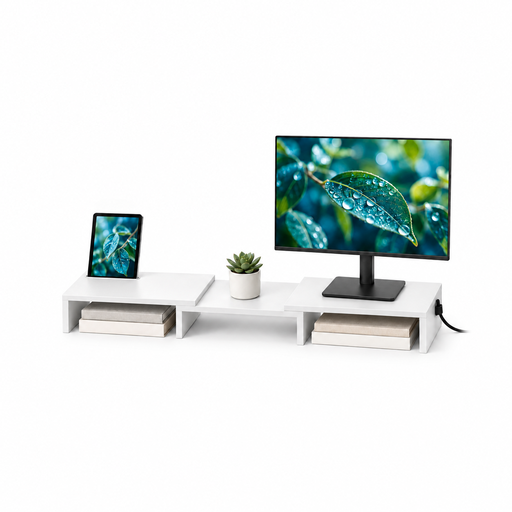 Image unavailable
Floordirekt adjustable-angle MDF two-monitor stand, white, 80–108 cm
For a side-by-side dashboard and report, this white stand is listed with an adjustable 80–108 cm width and adjustable angle. Check the monitor fit, how the angle changes and the space it needs on your desk.
View on Joybuy
Frequently asked questions
Can a dual monitor arm solve glare from a bright window?
A dual arm can help you change the affected screen’s position, but it cannot by itself eliminate window glare. The Health and Safety Executive advises arranging the desk and screen to avoid glare or bright reflections, so consider screen placement and blinds as well.
What should I measure before buying a dual monitor stand?
Check each monitor’s weight without its original stand, VESA pattern, size and depth, then measure the usable desk mounting area. For example, Ergotron specifies a 1–6.6 cm clamp range for the cited HX model, while Duronic specifies 10–88 mm for its DM252; use the limits for the model you intend to buy.
Should I choose an articulated arm or a fixed-pole stand?
Choose an articulated dual arm if changing reflections mean you need to reposition one screen independently. A fixed-pole stand is worth considering when both compatible displays will usually remain side by side and its stated mounting limits fit your desk.
What else matters for a window-side work desk?
Assess the whole workstation, not just the monitor stand. The Health and Safety Executive’s workstation guidance considers equipment, furniture and working conditions, so screen positions, the window and your usual tasks all matter when arranging the desk.


