Side-by-side document comparers
Consumers who want both versions visible together and need to position the screens at similar heights and distances, rather than switch repeatedly between windows.


For comparing two document versions at once, start with a side-by-side arrangement if both screens can sit at a comfortable height and distance. A stacked arrangement may make more sense when desk width is limited or a portrait document needs its own screen, but check the upper screen’s position. Before choosing either, match the stand to both monitors and to the desk.
Consumers who want both versions visible together and need to position the screens at similar heights and distances, rather than switch repeatedly between windows.
Consumers deciding whether a side-by-side or stacked layout will fit their desk, and whether its edge or cable hole can take the chosen fixing.
Consumers whose current or replacement screens make per-screen weight, dimensions and mounting compatibility central to the choice.
Work out where the two documents need to sit, then check the monitors and desk against the exact stand or arm you are considering. The Health and Safety Executive advises placing the top of a screen at eye level and the screen about an arm’s length away.
| Concern | What to check | Who this matters to |
|---|---|---|
| Document layout | Check whether both screens can sit at a workable height and distance; consider portrait rotation if you read long pages. | If I compare two versions line by line, I want both pages visible without repeatedly switching windows. Around 42% of consumers put simultaneous, aligned viewing first. |
| Desk fit | Measure desktop thickness, rear clearance and underside obstructions; check any cable-hole dimensions against the fixing requirements. | With limited study-desk space, I need a layout and fixing that will fit where the screens must go. Roughly 33% of consumers make desk fit their primary concern. |
| Monitor compatibility | Compare each screen’s weight without its stand, dimensions and mounting pattern with the exact model’s limits. | If my monitors are large, heavy or likely to change, I need the stand to accommodate the particular screens I use. About 25% of consumers prioritise monitor compatibility. |
Inch limits are model-specific and do not tell you whether each monitor meets an arm’s weight or mounting requirements.
Check each monitor’s weight without its existing stand, mounting pattern, size and depth against the exact arm configuration.
Desk thickness, structures underneath and a wall behind the desk can affect installation; grommet fixings have their own hole requirements.
Measure the desk edge and any cable hole, then check the chosen model’s fixing and clearance dimensions before ordering.
A stacked arrangement uses less horizontal space, but its upper screen may be awkward for sustained reading.
Position the primary screen first, using the Health and Safety Executive’s eye-level and arm’s-length guidance, then judge where the second screen would sit.
Screen placement is only one part of a study workstation; chair height, input-device position and posture also affect how it is used.
Assess the full setup, particularly if you compare documents for sustained periods.
These examples illustrate different layouts and compatibility checks; their specifications apply to the named configurations, not every product from each brand.
Ergotron lists an LX side-by-side arm and a separate LX stacking configuration for different screen arrangements.
The SmartFit One-Touch dual arm offers C-clamp and grommet mounting for desks that meet its stated dimensions.
The M8 Pro and M/Flex ranges include different dual-monitor configurations.
The ARMDUAL2 is a clamp-or-grommet option for two compatible displays.
The MX400 is a gas-assisted dual desk arm with clamp or through-desk mounting.
These two stands are relevant to keeping two monitors available for document comparison. Check their different adjustment details against the screen positions you need.
 No image available
For comparing two versions on separate screens, independent positioning may help you align the displays. Check that both monitors fit and confirm the lift range and desk arrangement before ordering.
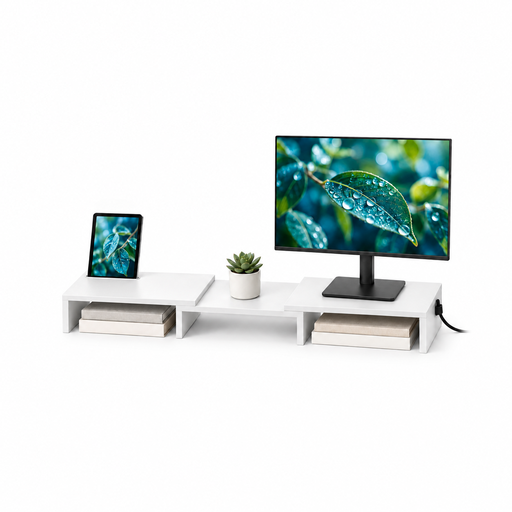 No image available
For a study setup using two monitors, this MDF stand offers adjustable width and angle. Confirm that its resulting screen positions, dimensions and installation suit your document-comparison arrangement.
Choose a side-by-side arrangement when you want both document versions visible at similar heights and have enough desk width. Stacking may suit a narrower desk or a portrait-page workflow, provided the upper screen remains practical to read. The Health and Safety Executive advises placing the top of a screen at eye level and the screen about an arm’s length away.
Check each monitor’s weight without its stand, screen size, depth and mounting pattern, then measure the desk thickness and any cable hole. Inspect the underside and rear edge too: Kensington’s SmartFit One-Touch and Ergotron’s cited under-mount LX arm have different model-specific fitting requirements.
Both monitors need a compatible mounting interface for an arm that uses VESA plates, such as the cited Kensington SmartFit One-Touch or StarTech.com ARMDUAL2. Check each monitor’s manual and the arm’s specified pattern rather than assuming the holes are present.