Joybuy products for this setup
These two-monitor stands offer different ways to arrange a script beside a call: one is a dual display stand described with separate adjustments, while the other has adjustable width and angle. Check their exact fit and installation requirements against your monitors and desk.
 No image available
Dell Pro Dual Monitor Stand MDS19
Consider this dual stand if the script and call screens need separate positioning. Check whether its adjustments cover your intended layout.
Confirm each monitor’s fit, the desk installation requirements and the required lift range before buying. Plan power connections separately from cable routing.
View on Joybuy
 No image available
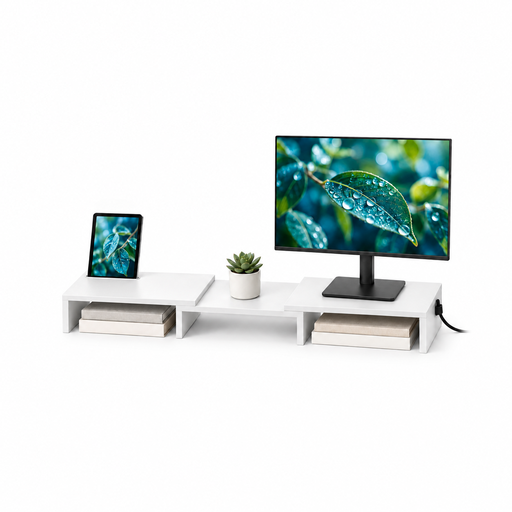
Floordirekt MDF Two-Monitor Stand, Adjustable Width and Angle, 80–108 cm, White
Consider this stand if you want two screens arranged together and adjustable width and angle suit your desk layout.
The stated width range is 80–108 cm; this is the white MDF variant. Check the supported monitor loads, desk footprint, independent screen movement and cable route before choosing it.
View on Joybuy
Common questions
Will a dual monitor stand solve a shortage of plug sockets?
No. A stand may clear desk space and organise leads, but it does not add electrical outlets. Count the power connections needed for both monitors and other equipment, and check that mounting will leave their ports accessible.
Can I choose a dual stand by screen size alone?
No. Check each monitor’s VESA pattern and weight against the exact mount’s per-screen rating, including whether an adapter is needed. Duronic specifies its DM252 for 13–27 inch screens weighing up to 8 kg each with VESA 75/100 mounting; those figures do not apply to every stand.
What should I measure before buying a clamp-mounted stand?
Measure the desk thickness at the intended fixing point and inspect the underside and edge for obstructions. Duronic specifies a 10–88 mm range for the supplied DM252 C-clamp; use the installation requirements for your chosen model rather than that figure for another clamp.
How should I position the call and script screens?
Place the main screen where you can view it comfortably, then adjust the script screen so you can read it without repeatedly twisting towards it. The UK Health and Safety Executive advises setting the top of a screen around eye level and viewing it from about an arm’s length away; review the whole workstation after installation.
Does UK display-screen guidance require a dual monitor arm?
No specific dual monitor arm is prescribed by the UK Health and Safety Executive’s display-screen guidance. An arm can help with screen positioning, but the suitability of the workstation depends on the complete setup and the work being done.


