Choose a laptop with two built-in screens if you regularly compare fares, dates and accommodation away from a desk and need both displays to travel together. If you mostly plan holidays at home, a conventional laptop with an external monitor offers a separate, potentially larger second screen, provided you have desk space and compatible connections. Whichever route you choose, check the exact memory configuration and what is included before buying.
Who each setup suits
Frequent travellers comparing prices
If you compare flights, hotels and routes away from a fixed desk, carrying a separate monitor may be inconvenient. The ASUS Zenbook DUO UX8406 family and Lenovo Yoga Book 9i Gen 10 offer integrated dual-screen approaches; check the keyboard and stand supplied with the particular configuration.
Home-based holiday planners
If most comparisons happen at one desk, a conventional laptop and compatible external monitor let you position the second display separately. Check the laptop’s video output, the monitor’s input and the space available before choosing this setup.
Browser-and-spreadsheet multitaskers
If your main task is keeping booking pages and a budget sheet open together, start with memory and screen arrangement rather than gaming features. Microsoft’s UK laptop guide recommends 8 GB to 16 GB of RAM as a multitasking starting range.
What matters when choosing
Integrated dual-screen laptop
Choose it when: You regularly need two usable displays where setting up a separate monitor is impractical.
Trade-off: The displays travel together, but the keyboard, stand and exact configuration affect how comfortably you can use them.
Laptop and external monitor
Choose it when: You mainly compare holidays at a desk, particularly if you already have a suitable laptop.
Trade-off: You need room for another display and must confirm that the laptop, monitor and connection work together.
| Concern |
What to check |
Who this matters to |
| A second screen on the move |
Check the usable display arrangement and whether the keyboard and stand come with the exact configuration. |
If I compare fares and accommodation while travelling, I need both screens without setting up a separate monitor. Around 42% of consumers put a portable second screen first. |
| A two-screen desk setup |
Match the laptop’s video output to the monitor’s input, and check the space needed for both displays. |
When I plan trips mainly at home, I want room to keep prices and a budget visible side by side. A fixed-desk second screen comes first for around 33% of consumers. |
| Everyday multitasking |
Compare memory configurations against the tabs and applications you expect to keep open; Microsoft’s UK guide suggests 8 GB to 16 GB of RAM for multitasking. |
I keep booking tabs and a spreadsheet open together, but gaming performance is not my priority. Around 25% of consumers chiefly need a laptop for this everyday multitasking. |
Mistakes to avoid
-
Choosing built-in dual screens for a desk-only setup
An integrated design addresses the need to take two screens with you; that advantage may matter less if you always work at the same desk.
Decide where you will compare holidays most often, then assess an integrated laptop against a conventional laptop and separate monitor as complete setups.
-
Assuming every USB-C port handles video and charging
A matching connector shape does not establish that the chosen laptop and monitor support the same display and power functions.
Compare the exact laptop port specification with the monitor’s inputs and power requirements, and check which cable the connection needs.
If the connection needs a different cable or dock, you will have another item to obtain and carry or set up.
-
Confusing change-of-mind returns with fault remedies
For UK purchases, a retailer’s voluntary change-of-mind policy is separate from rights concerning faulty or misdescribed goods. The Consumer Rights Act 2015 addresses goods quality, while Coventry City Council Trading Standards explains the requirements for goods to be as described and fit for purpose.
Read the seller’s return terms, check the displays and included accessories when the item arrives, and keep the order confirmation and exact model details.
Brands to consider
ASUS
The Zenbook DUO UX8406 family is relevant if you want two screens in one portable laptop.
- ASUS describes two 14-inch OLED touchscreens, a detachable keyboard and a built-in kickstand for this family.
- Check the exact variant’s display specification, ports and included accessories rather than assuming every UX8406 configuration is identical.
Lenovo
The Yoga Book 9i Gen 10 is another integrated dual-screen route.
- The cited Lenovo UK configuration includes a keyboard, folio stand, mouse and pen alongside its two touch displays.
- Confirm the contents and specifications of the particular configuration you intend to buy.
HP
The Series 5 Pro 27-inch QHD USB-C Monitor 527pu is an example for a laptop-and-monitor desk setup, not an integrated dual-screen laptop.
- HP lists QHD resolution and USB-C, HDMI and DisplayPort connections for this monitor.
- A separate monitor needs desk space and a connection compatible with the laptop you choose.
Joybuy product choices
These choices cover an integrated dual-screen laptop, conventional laptops for use with a separately chosen display, and a portable second monitor. Choose the setup that matches where you usually compare holiday costs.
 No image available
ASUS Zenbook DUO UX8406CA-QL135W 14-inch dual OLED laptop
Consider this integrated dual-screen model if both displays need to travel with your laptop.
The listed variant has an Intel Core Ultra 7 255H, 16 GB LPDDR5X RAM and a 1 TB SSD. Confirm its exact screen resolution and included accessories before buying.
View on Joybuy
 No image available
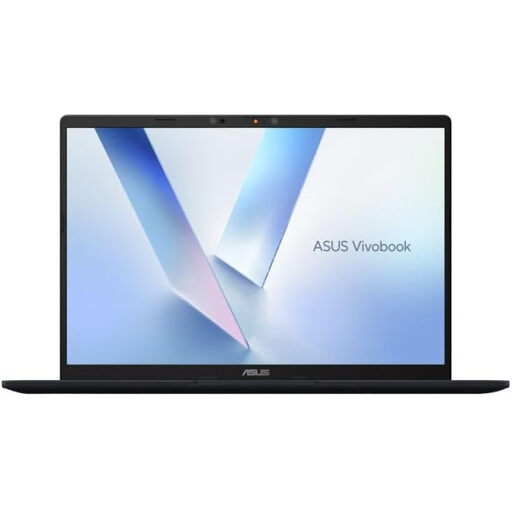
ASUS Vivobook 14 X1407QA-LY003W, Quiet Blue
Consider this conventional laptop for holiday planning at a desk with a separately chosen second monitor; confirm the display connection you intend to use.
The listed variant has a Snapdragon X processor, 16 GB RAM and a 512 GB SSD.
View on Joybuy
 No image available
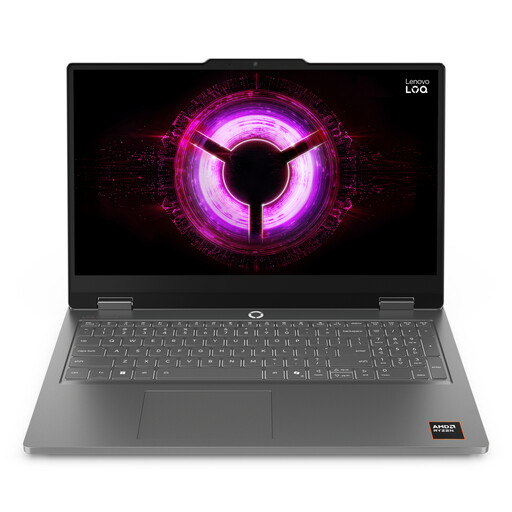
Lenovo LOQ Essential 15ARP11 15.6-inch laptop
This conventional laptop is another option for a fixed-desk setup with a separately chosen monitor; check the monitor input and required cable.
The listed variant has an AMD Ryzen 7 170, 16 GB RAM, a 1 TB SSD, GeForce RTX 5050 graphics and a 15.6-inch 144 Hz FHD display. Its gaming specification is not a requirement for ordinary holiday comparisons.
View on Joybuy
 No image available
UPERFECT 14-inch 60 Hz portable touchscreen monitor
This is a second display to use alongside a compatible laptop, not a laptop with two built-in screens.
The product name specifies 100% sRGB, VESA compatibility and a 180° adjustable stand. Check the required video connection, power arrangement and whether a suitable cable is included.
View on Joybuy
Common questions
How much RAM do I need for holiday comparisons across many tabs?
Microsoft’s UK laptop guide recommends 8 GB to 16 GB of RAM as a starting range for multitasking. If you routinely keep booking pages, maps and a spreadsheet open together, compare 16 GB configurations; the figure alone cannot guarantee how every workload will perform.
Can a standard Windows laptop use a second monitor?
Yes, if the laptop, connection and monitor are compatible. Microsoft Support explains that Windows lets you arrange and configure external displays after they are connected, so check the laptop’s output and the monitor’s input before ordering.
Will a USB-C connection carry video and charge my laptop?
Not necessarily: confirm both functions for the exact laptop port and monitor. A USB-C connector alone does not establish video-output or charging compatibility, and the cable must also suit the connection.
What if a laptop bought in the UK is faulty or misdescribed?
Faulty or misdescribed goods are a different matter from simply changing your mind. The Consumer Rights Act 2015 sets requirements concerning goods quality, and Coventry City Council Trading Standards explains that goods must be as described and fit for purpose. Keep your order details and evidence of the issue; check any retailer change-of-mind policy separately.


