What matters when choosing?
Decide whether the second screen must travel with you before comparing display layouts and keyboards. For a fixed desk, check the complete laptop-to-monitor connection rather than the laptop alone.
| Concern | What to check | Who this matters to |
|---|
| Portable two-screen workspace |
Check that both displays provide separate workspace and whether the keyboard and stand you need come with the exact configuration. |
When I update member records at different venues, I want both work areas with me rather than packing a separate monitor. Around 46% of consumers would put that portability first. |
| Record-entry comfort |
Compare the exact keyboard layout and the screens’ size, resolution and glare treatment; use extended rather than duplicated display mode. |
Long sessions comparing entries with messages call for a layout I can read comfortably and a keyboard that suits repeated typing; around 36% of consumers would prioritise record-entry comfort. |
| Fixed-desk expansion |
Confirm the laptop’s external-display support and compatible monitor, cable or dock connections. |
If I work mainly at one desk, I want to choose a separate monitor and keyboard to suit that space. For around 18% of consumers, flexible desk expansion would be the primary concern. |
Integrated dual-screen laptop on Joybuy
This integrated design is relevant if you need two work areas while moving between locations. Check whether its exact configuration meets your typing, display and data-security requirements.
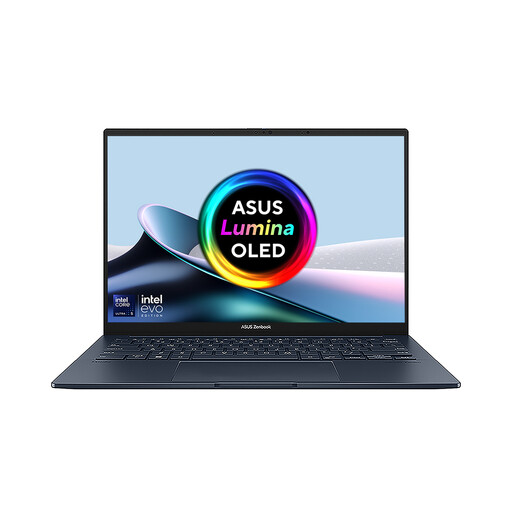 Image unavailable
ASUS Zenbook DUO UX8406CA-QL135W, dual 14-inch OLED touch displays
Consider this integrated format if both work areas need to travel with your membership records. This variant’s product name specifies an Intel Core Ultra 7 255H, 16 GB LPDDR5X memory and a 1 TB SSD. Confirm the exact display resolution, supplied accessories and compatibility with your organisation’s data-security procedures before purchase.
View on Joybuy
Frequently asked questions
Do I need an integrated dual-screen laptop to use two screens?
No. A conventional laptop can use an external monitor if its display output and the monitor, cable and any dock are compatible. Microsoft Support explains how connected displays can be arranged as an extended Windows workspace.
How do I stop the second screen showing the same content?
Select an extended desktop rather than a duplicated display in Windows display settings, then arrange the screens to match their physical positions. HP Support describes extension as expanding the desktop across both displays.
What should we check before storing members’ personal information on a laptop?
Check that the device fits your organisation’s security procedures, including storage encryption and appropriate account access. The Information Commissioner’s Office advises enabling storage encryption on laptops that store personal information; passwords, updates and backups also need to fit your organisation’s arrangements.
What if a laptop bought in England is faulty?
A refund, repair or replacement may be available for goods that are not of satisfactory quality, not fit for purpose or not as described, according to Citizens Advice guidance for England. Check the circumstances of the fault and use the relevant country-specific guidance elsewhere in the UK; a retailer’s change-of-mind policy is a separate matter.
What should we do with the old laptop when replacing it?
Check the retailer’s take-back arrangements or local-authority collection options rather than putting the device in ordinary waste. GOV.UK explains that waste electrical and electronic equipment rules support recovery, reuse and recycling.


